CDM-625A Advanced Satellite Modem MN-CDM625A
Telnet Command Line Interface (CLI) Operation Revision 4
9–33
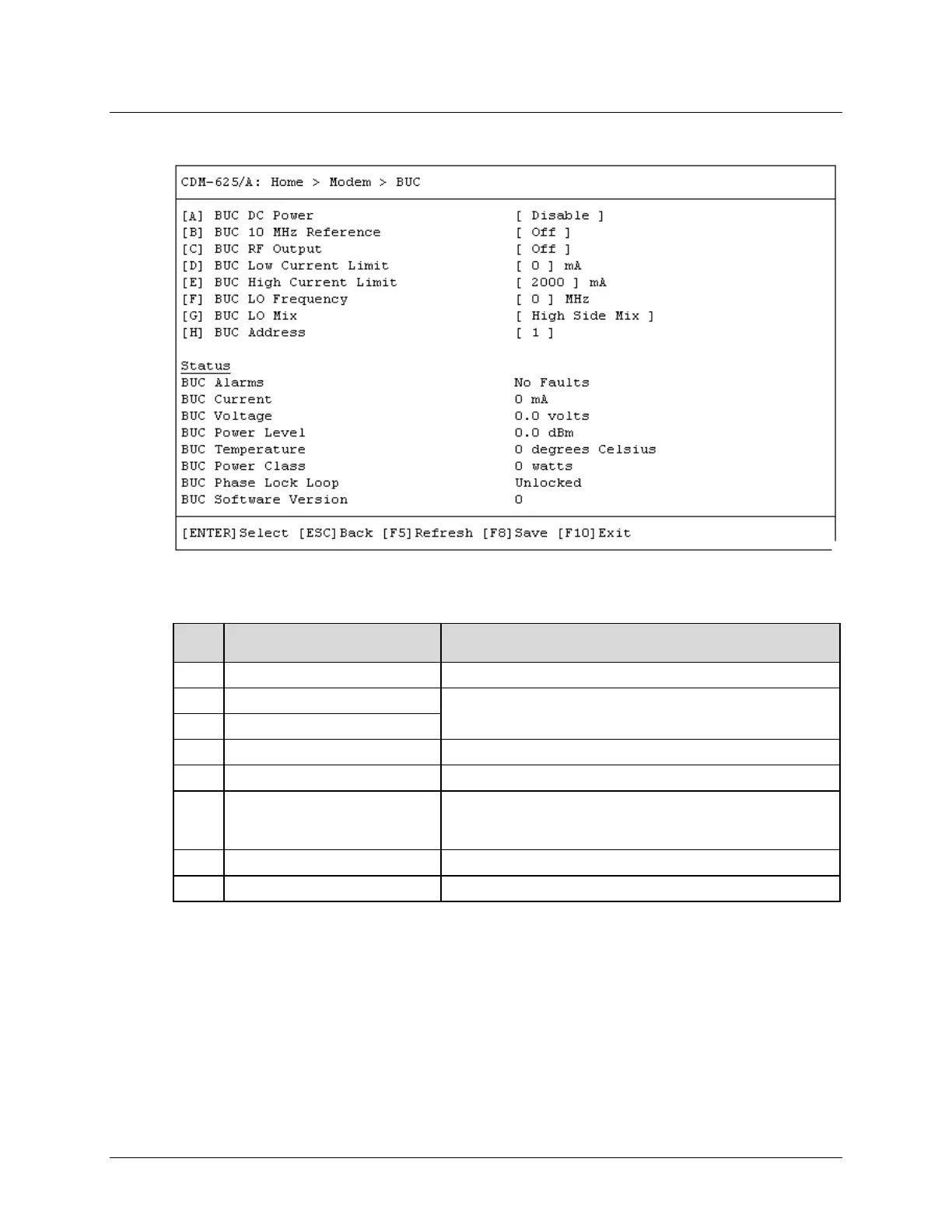
9.3.3.7 Home > Modem > Block Upconverter (BUC)
Open the Block Upconverter (BUC) page from the Modem submenu. This page features a read-
only status section for the installed device and contains the following options:
Dialog Window Option Entry
A BUC DC Power Use the ↑↓ arrow keys to select Disable or Enable
B BUC 10 MHz Reference
Typical for either entry – Use the ↑↓ arrow keys to select Off or On
C BUC RF Output
D BUC Low Current Limit Enter a low limit value from 0 to 4000 mA
E BUC High Current Limit Enter a high limit value from 0 to 4000 mA
F BUC LO Frequency
Enter a value as follows:
• Range 1 – From 0 to 0 MHz
•
Range 2 – From 3000 to 65000 MHz
G BUC LO Mix Use the ↑↓ arrow keys to select Low Side Mix or High Side Mix
Enter a value from 1 to 15
Press a hot key to open a dialog window. Otherwise, press [ESC] to return to the Modem
submenu.



 To Next Page