CDM-625A Advanced Satellite Modem MN-CDM625A
Introduction Revision 4
1–11
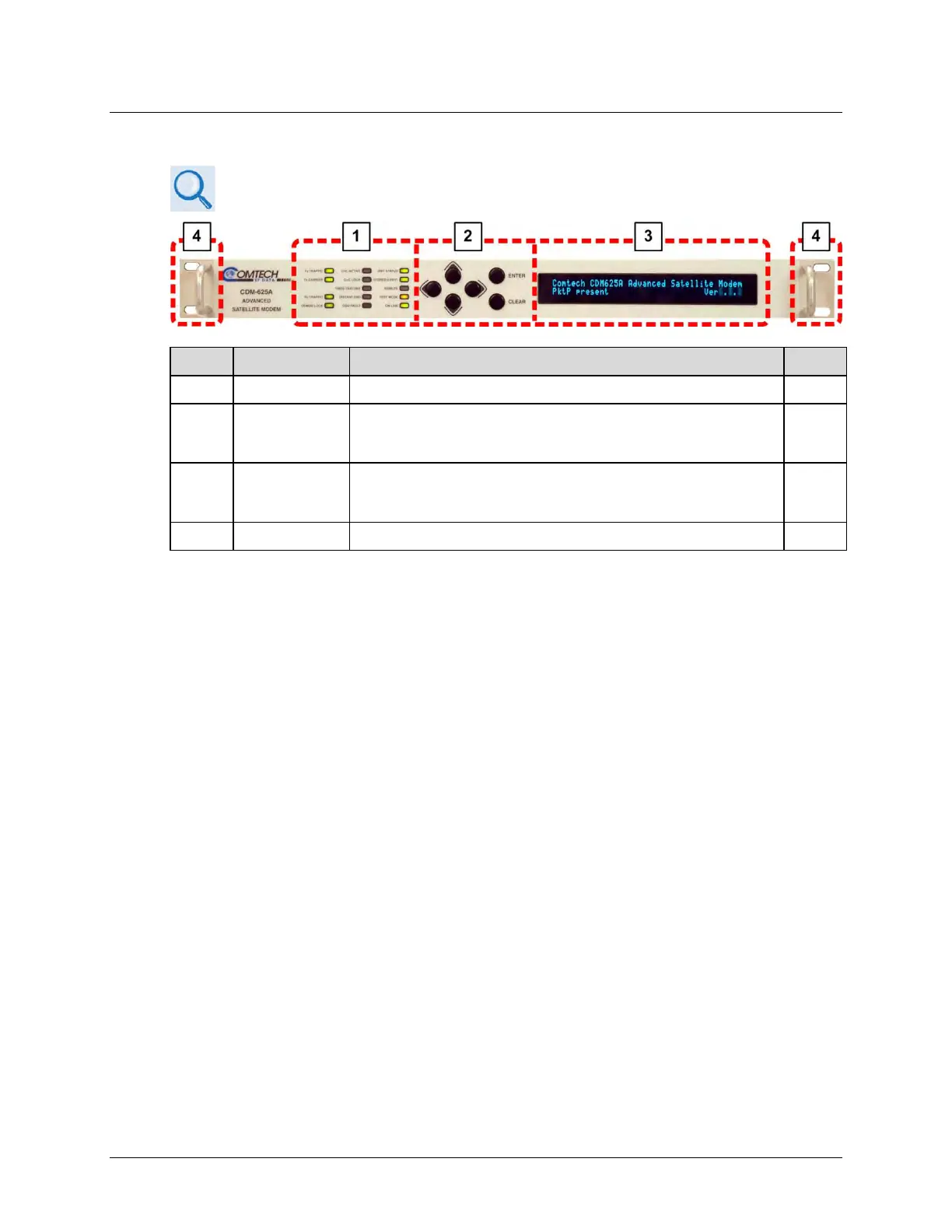
1.3.9.2 Front Panel Features
• Chapter 2. INSTALLATION
• Chapter 6. FRONT PANEL OPERATION
Feature Description Function Sect.
1 LED Indicators
The LEDs indicate, in a summary fashion, the status of the modem.
6.1.1
2 Keypad
The keypad comprises six individual keyswitches. The keys have a
positive ‘click’ action that provides tactile feedback. Enter data via the
keypad. Data, prompts, and messages are displayed on the VFD.
6.1.2
3
Vacuum
Fluorescent
Display (VFD)
The VFD is an active display showing two lines of 40 characters each. It
produces a blue light with adjustable brightness. Nested menus display
all available options and prompt you to carry out a req’d action.
6.1.3
4 Rack Handles
These handles ease placement into and removal from a rack.
2.2
Figure 1-3. CDM-625A Front Panel Features



 To Next Page