CDM-625A Advanced Satellite Modem MN-CDM625A
Ethernet-based Remote Product Management Revision 4
7–31
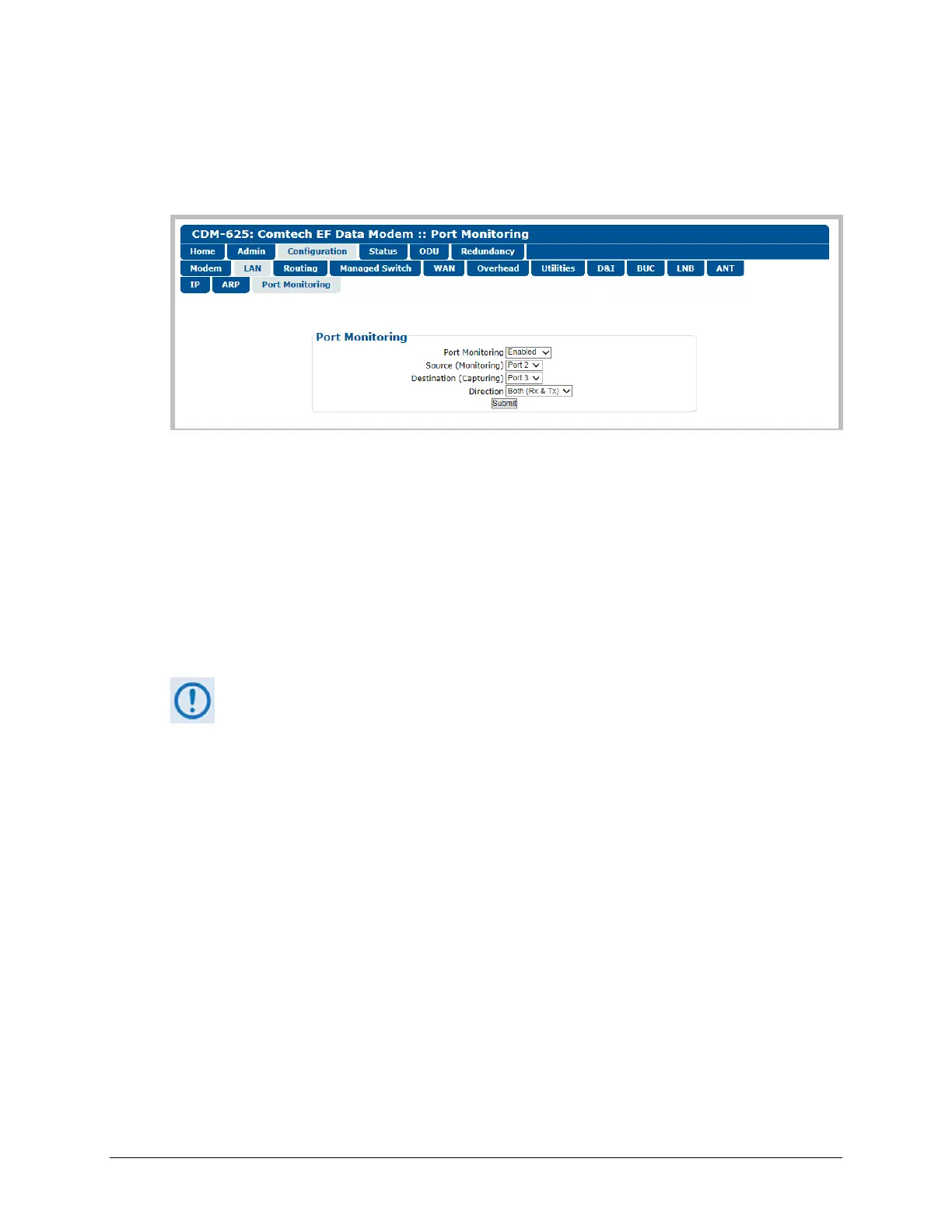
7.5.4.3.2.3 Configuration | LAN | Port Monitoring
Port monitoring allows a port’s ingress and/or egress traffic to be mirrored on another port. This
is useful for link monitoring or packet capturing without interrupting live traffic.
Figure 7-15. Configuration | LAN | Port Monitoring Page
Port Monitoring
• Port Monitoring – Use the drop-down list to select function as Disabled or Enabled.
• Source (Monitoring) – Use the drop-down list to select WAN, Port 1, Port 2, Port 3, or Port
4 as the source port from which to direct mirror traffic.
• Destination (Capturing) – Use the drop-down list to set the port to which to direct captured
traffic – Port 1, Port 2, Port 3, or Port 4.
You cannot specify the port that is currently selected as the Source (Monitoring)
port to also be the Destination (Capturing) port. For example, if you have selected
Port 1 as the Source (Monitoring) port, and you then select Port 1 as the
Destination (Capturing) port, once you click [Submit] the modem rejects your
selections and reverts back to the previously saved and valid settings.
• Direction – Use the drop-down list to set the traffic flow between the Source and
Destination ports as Ingress (Rx), Egress (Tx), or Both (Rx & Tx).



 To Next Page