CDM-625A Advanced Satellite Modem MN-CDM625A
Telnet Command Line Interface (CLI) Operation Revision 4
9–31
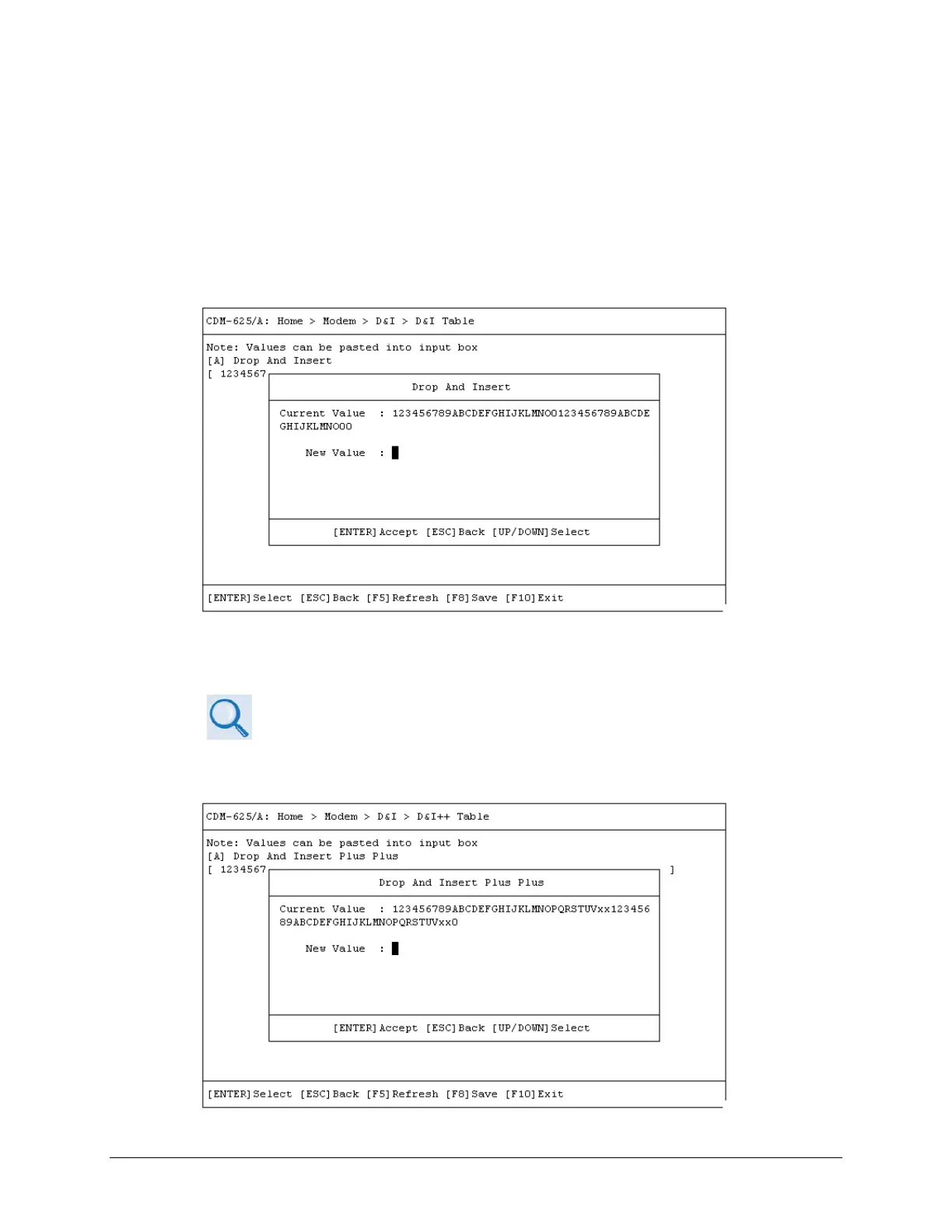
9.3.3.6.1 Home > Modem > Drop and Insert (D&I) > D&I Tables
From the Drop and Insert (D&I) page, press E (D&I Table), F (D&I++ Table ) or G D&I Quad Table
to continue.
Typical for any table, enter a new value, and then press [ENTER] to accept the change or [ESC]
to return to the D&I page.
• Hot Key [E] – D&I Table
The D&I Table dialog window shows the current value for the table. To edit the table value,
press A, and then enter a new value*. Press [ENTER] to accept the change or [ESC] to return
to the D&I dialog window.
* For correct syntax, see the DNI Command/Query Description of Arguments
column, SECT. 8.5.5 Bulk Configuration Strings, page 8-45 in CHAPTER 8.
SERIAL-BASED REMOTE PRODUCT MANAGEMENT.
• Hot Key [F] – D&I++ Table



 To Next Page