CDM-625A Advanced Satellite Modem MN-CDM625A
Telnet Command Line Interface (CLI) Operation Revision 4
9–15
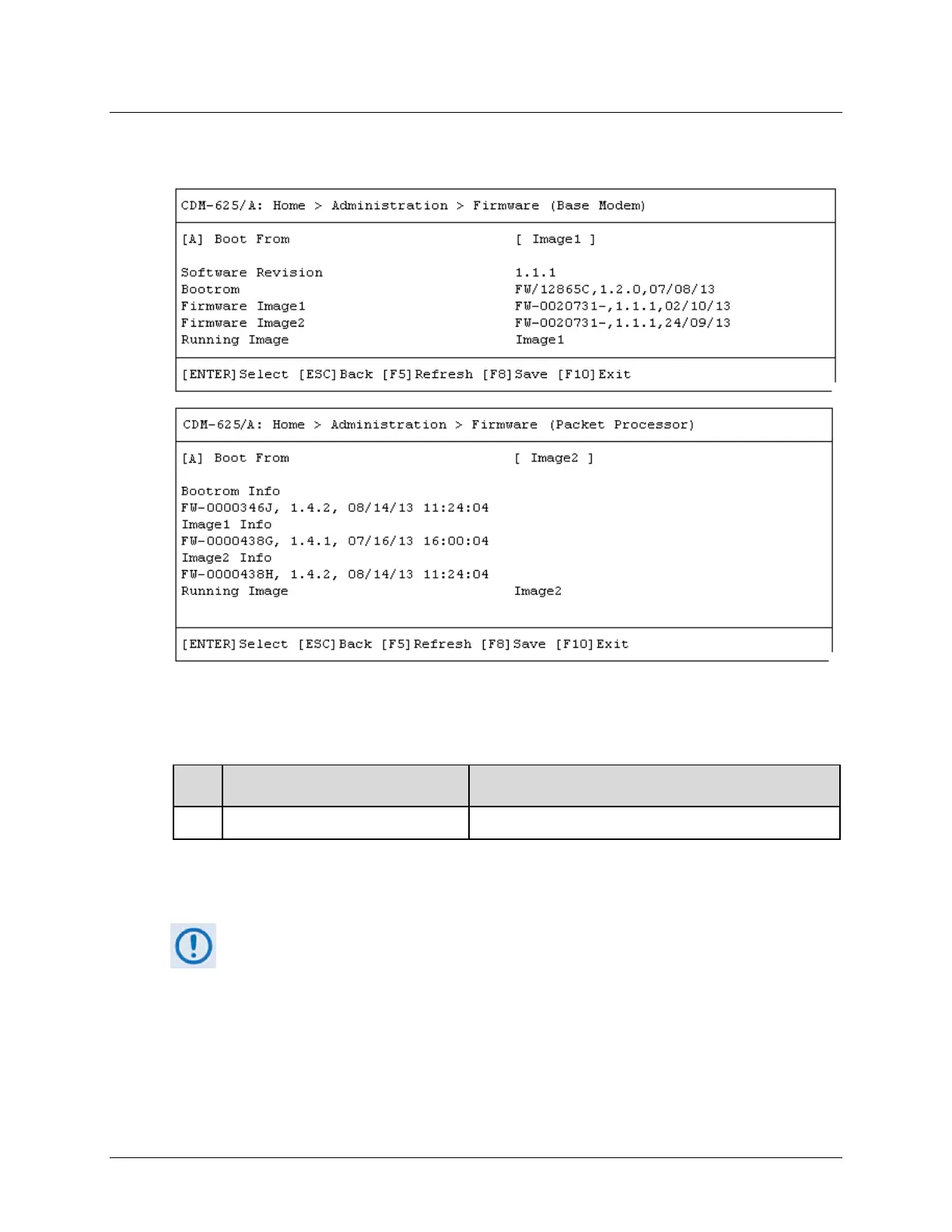
9.3.2.3 Home > Administration > Firmware (Base Modem) or (Packet
Processor)
Open the Base Modem and Packet Processor Firmware pages from the Administration
submenu. Use these pages to view the current firmware information, or to select the alternate
firmware image to be loaded at startup or reboot. Both pages contain the following option:
Dialog Window Option Entry
A Boot From Use the ↑↓ arrow keys to set load as Image1 or Image2
Press the hot key to open the dialog window. Otherwise, press [ESC] to return to the
Administration submenu.
You must reboot the unit in order for the new firmware image load selection to take
effect.



 To Next Page