CDM-625A Advanced Satellite Modem MN-CDM625A
Ethernet-based Remote Product Management Revision 4
7–14
7.5.4.1.1 Home | Contact / Home | Support
For all product support, please call:
+1.240.243.1880
+1.866.472.3963 (toll free USA)
7.5.4.2 Admin Pages
Use these pages to set up user access, manage the firmware load preferences, and activate FAST
features.
The Admin pages are available only to users who have logged in using the
Administrator Name and Password.
Click the Access, SNMP, Firmware, Reboot, FAST, or Utilities tab to continue.
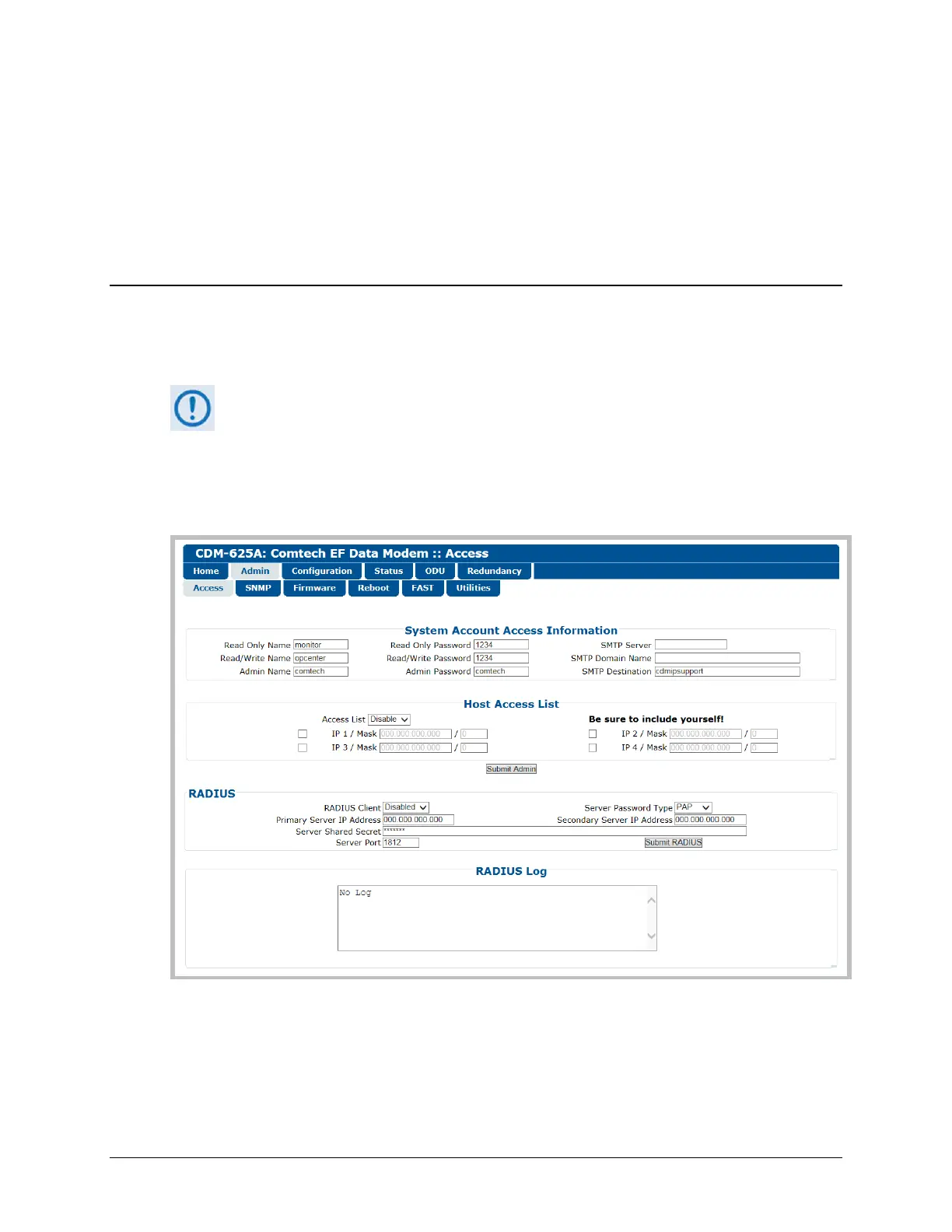
7.5.4.2.1 Admin | Access
Figure 7-4. Admin | Access page
System Account Access Information
• Read Only, Read/Write, Admin Names and Passwords – The factory defaults for these user
names and passwords are:



 To Next Page