CDM-625A Advanced Satellite Modem MN-CDM625A
Telnet Command Line Interface (CLI) Operation Revision 4
9–40
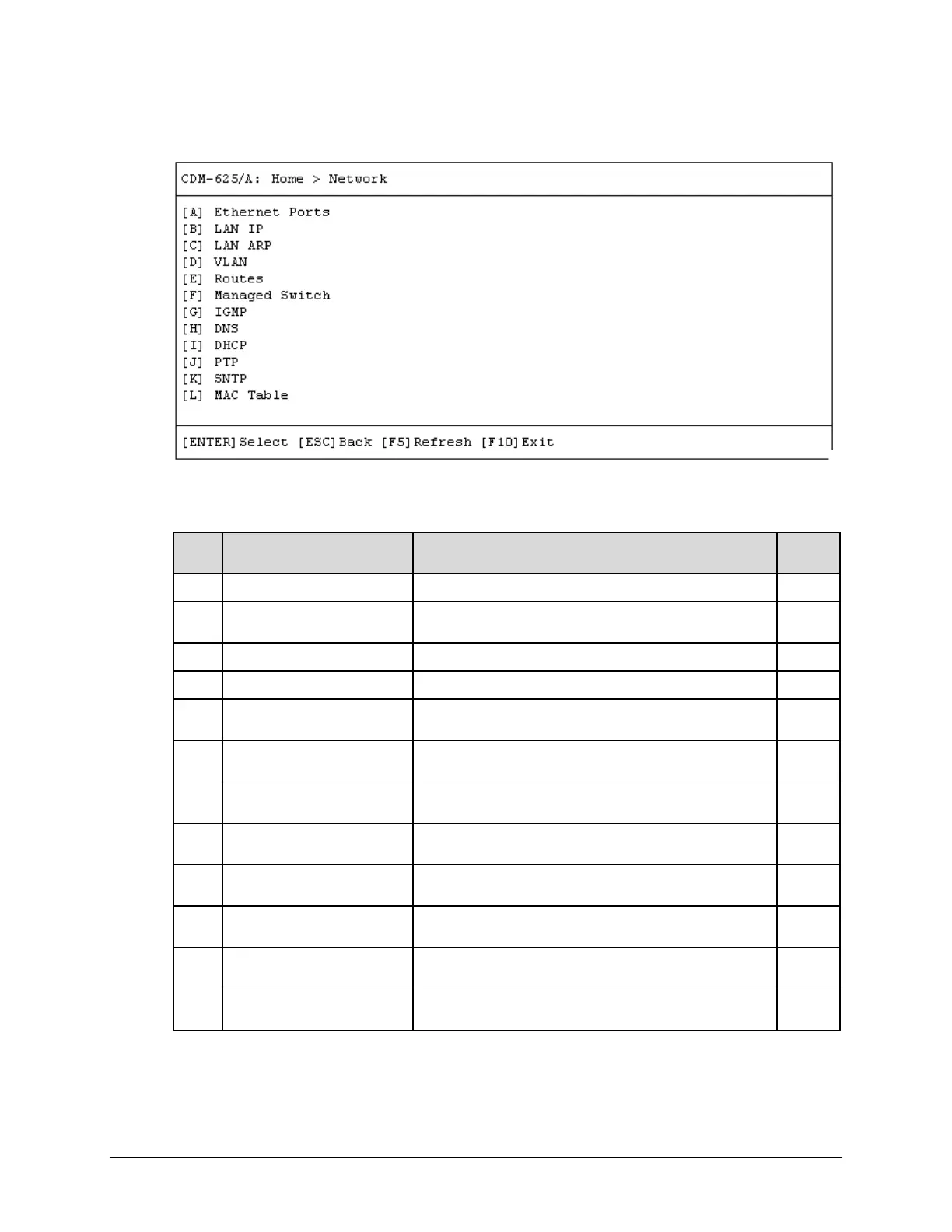
9.3.4 Home > Network Submenu
Open the Network submenu from the Home menu. This submenu contains the following
options:
Configuration Page Function Sect.
A Ethernet Ports Configure Ethernet Ports 1 through 4 9.3.4.1
B LAN IP
Configure Ethernet Framing, IP addresses, QoS, Working
Mode, Packet Processor parameters
9.3.4.2
LAN ARP Configure LAN ARP operation and table entries
VLAN Configure VLAN operation and table entries
E Routes
Enter static routes into the IP Packet Processor to route IP
traffic over the satellite or to another device on the local LAN
9.3.4.5
F
Configure Header and Payload Compression and Encryption
operations
9.3.4.6
G IGMP
Configure use of IGMP (Internet Group Management Protocol)
with configured multicast routes
9.3.4.7
H DNS
Configure use of DNS (Domain Name System) caching
function
9.3.4.8
I DHCP
Configure use of DHCP (Dynamic Host Configuration
Protocol) Relay function
9.3.4.9
J PTP
Configure use and review status of PTP (Precision Time
Protocol) feature
9.3.4.10
K SNTP
Configure use of SNTP (Simple Network Time Protocol)
feature, set RTC (Real Time Clock) time and date
9.3.4.11
L
View the MAC Addresses that the modem has discovered on
one or more of its Ethernet switch ports
9.3.4.12
Press a hot key to access a configuration page. See the specified chapter section for further
configuration options. Otherwise, press [ESC] to return to the Home menu.



 To Next Page