CDM-625A Advanced Satellite Modem MN-CDM625A
Front Panel Operation Revision 4
6–4
6.1.3 Vacuum Fluorescent Display (VFD)
The CDM-625A features a Vacuum Fluorescent
Display (VFD). The VFD is an active display
showing two lines of 40 characters each. It
produces a blue light with adjustable brightness. Compared to a Liquid Crystal Display (LCD), the
VCD provides superior viewing characteristics and does not suffer problems of viewing angle or
contrast.
On most menu screens, you will observe a flashing solid block cursor, which blinks at a once-per-
second rate. This indicates the currently selected menu item, digit, or field. Where this solid
block cursor would obscure the item being edited (e.g., a numeric field) the cursor automatically
changes to an underline cursor.
6.1.3.1 Screen Saver
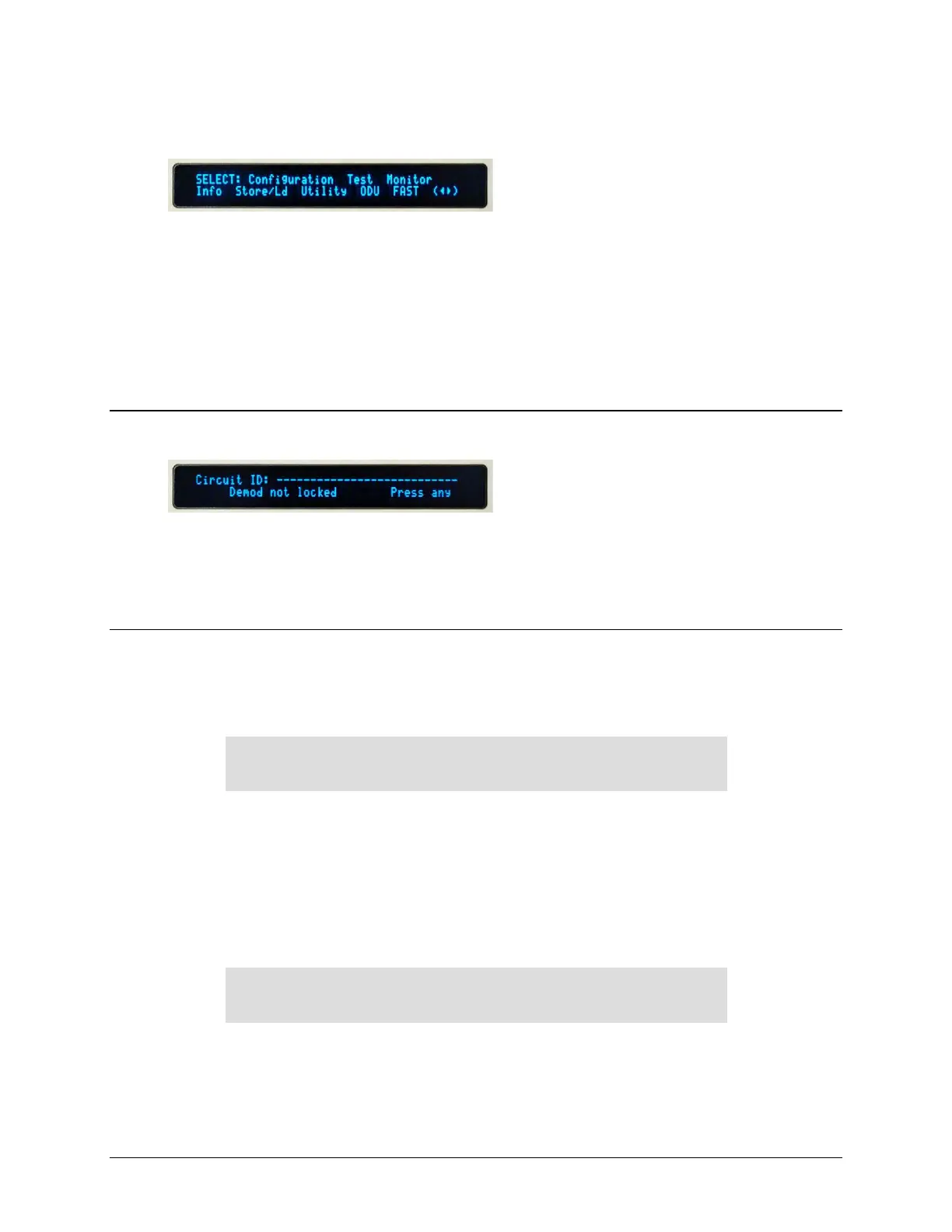
If the operating unit is left displaying the same
screen for weeks at a time, the VFD could
become burnt with this image. To prevent such
burn-in, a screen saver feature activates after one hour. The screen saver messages loop from
right to left across the screen. The top line of the display shows the user-editable Circuit ID; the
bottom line shows the current status of the modem followed by the message ‘Press any key…’
as shown here. Press any key to restore the previous screen.
6.1.3.2 Opening Screen
The front panel displays provide the means to fully monitor and control modem operation. Once
you turn on the power, you will see the read-only opening screen:
Comtech CDM625A Advanced Satellite Modem
Ver1.4.1
This screen identifies the modem model, its installed firmware version, and information about
installed hardware options. From any other nested menu, press CLEAR repeatedly to access this
screen.
6.1.3.2.1 Feature Availability/Operation Indicators via the Opening
Screen
Comtech CDM625A Advanced Satellite Modem
TPC,PktP,VFEC-2 present Ver1.4.1
• TPC/LDPC – The screen displays TPC when you install this hardware option.



 To Next Page