CDM-625A Advanced Satellite Modem MN-CDM625A
Ethernet-based Remote Product Management Revision 4
7–6
7.4.1.1 Using HyperTerminal for Telnet Remote Control Operation
There is a disadvantage when using Windows Command-line as a Telnet client with the serial-
based Remote Control protocol. Since Command-line cannot translate a ‘\r’ (i.e., carriage return
or “CR”) to a ‘\r\n’ (i.e., CR+line feed “LF”) for the messages coming from Telnet Server, any
multi-line Target-to-Controller response (e.g., the response to the FRW? query) will be displayed
as one line, with the latter lines overwriting the previous lines.
You may use the HyperTerminal terminal emulation program, configured as a Telnet client, to
view the full response messages. Do these steps to configure HyperTerminal:
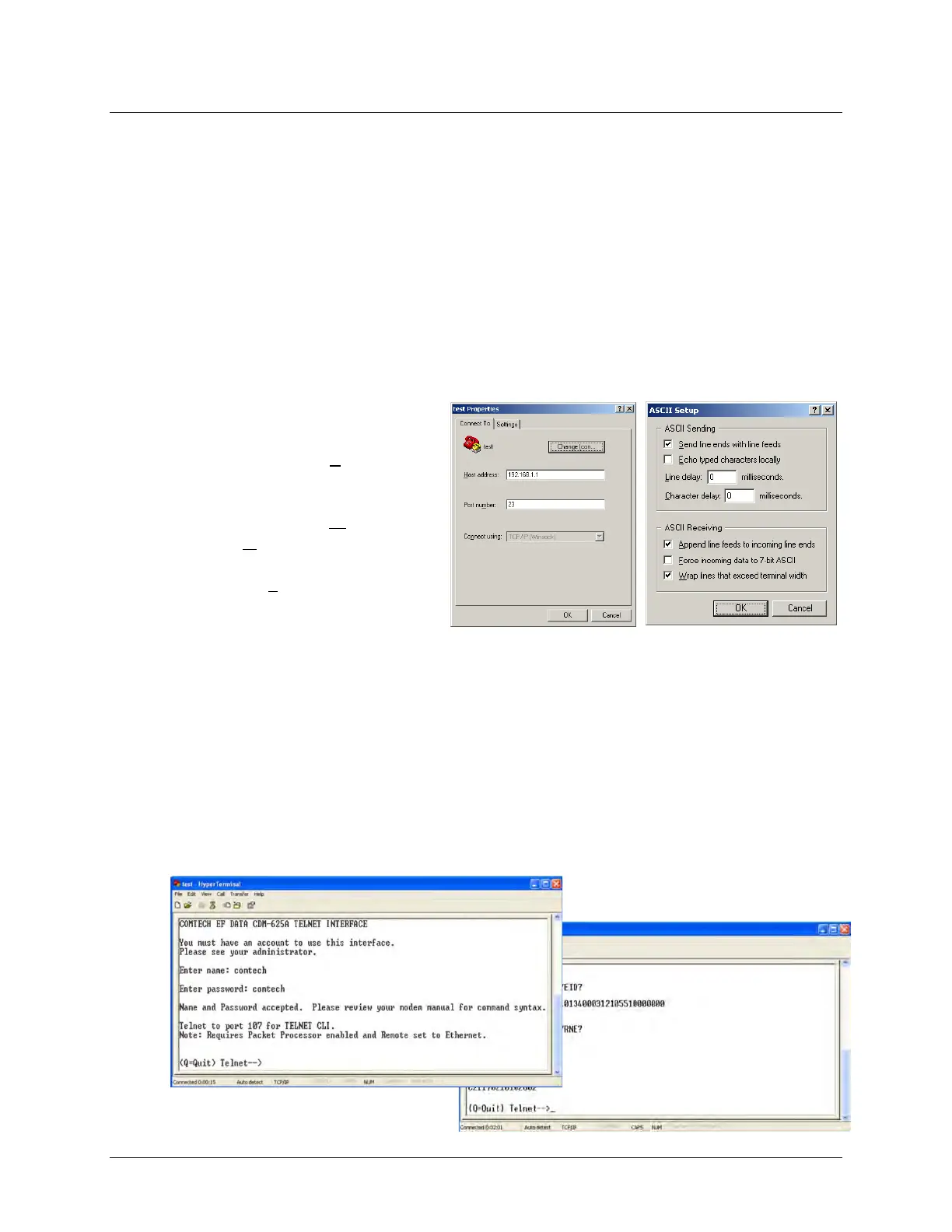
1. Be sure to properly define the “Connect To” Telnet connection properties (File
Properties), as shown below at the near right:
a) Enter the CDM-625A’s
Traffic/Management IP
Address as the H
ost Address
(e.g., 192.168.1.1).
b) Enter TCP Port 23 as the Port
num
ber.
c) Set Connect using to TCP/IP
(Winsock) instead of COM1 or
COM2.
2. For ASCII Setup (File Properties Settings ASCII Setup), as shown above at the far
right:
a) Check the "Send line ends with line feeds" option in the ASCII Sending section.
b) Check the "Append line feeds to incoming line ends" option in the ASCII Receiving
section.
Examples of login and remote command/query execution, when using HyperTerminal as the
interface, appear as follows:



 To Next Page