CDM-625A Advanced Satellite Modem MN-CDM625A
Telnet Command Line Interface (CLI) Operation Revision 4
9–38
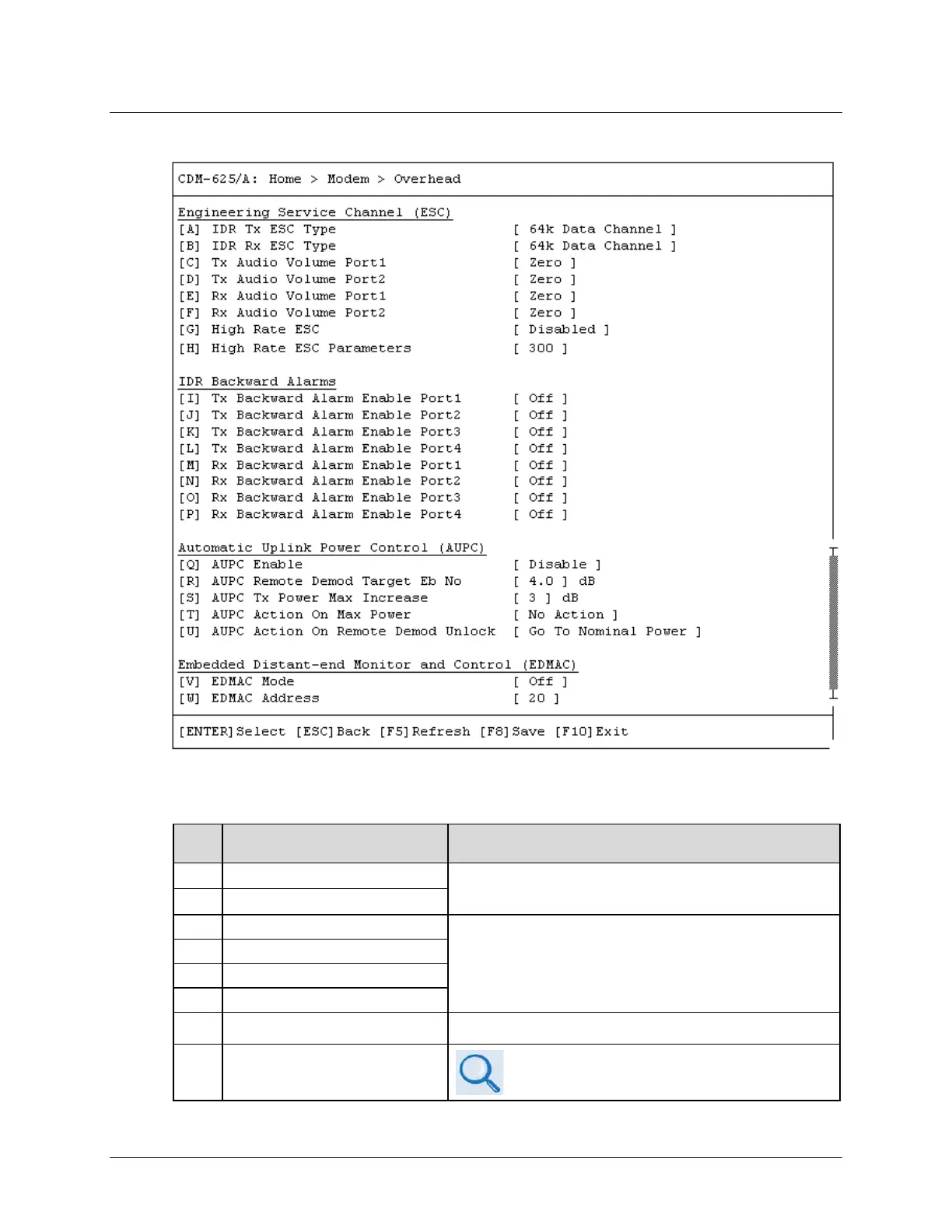
9.3.3.11 Home > Modem > Overhead
Open the scrollable Overhead page from the Modem submenu. This page contains the following
options:
Dialog Window Option Entry
A IDR Tx ESC Type
Typical for either entry – Use the ↑↓ arrow keys to select 64k Data
Channel or 2 Audio Channels
B IDR Rx ESC Type
Typical for each entry – Use the ↑↓ arrow keys to select:
D Tx Audio Volume Port 2
•
Negative6 • Negative4 • Negative2 • Zero
• Positive2
• Positive4
• Positive6
• Positive8
G High Rate ESC Use the ↑↓ arrow keys to select Disabled or Enabled
H High Rate ESC Parameters
See Sect. 6.2.1.10.6 CONFIG: Misc
HiRateESC in
Chapter 6. FRONT PANEL OPERATION for details



 To Next Page