CDM-625A Advanced Satellite Modem MN-CDM625A
Ethernet-based Remote Product Management Revision 4
7–54
Save / Load (Save takes precedence over Load)
The Save/Load feature stores and retrieves the CDM-625A Base Modem settings
only
. It does not include the optional IP Packet Processor settings.
As a safeguard, to prevent any inadvertent action the Save Location and Load Location drop-
down lists’ default selections are Don’t Save and Don’t Load, respectively. Otherwise:
• Save Location / Load Location – Use the drop-down lists to save or load up to 10 different
modem configurations – 0 through 9. An empty location is noted on its menu line as
Available.
Click [Submit Save/Load] to save.
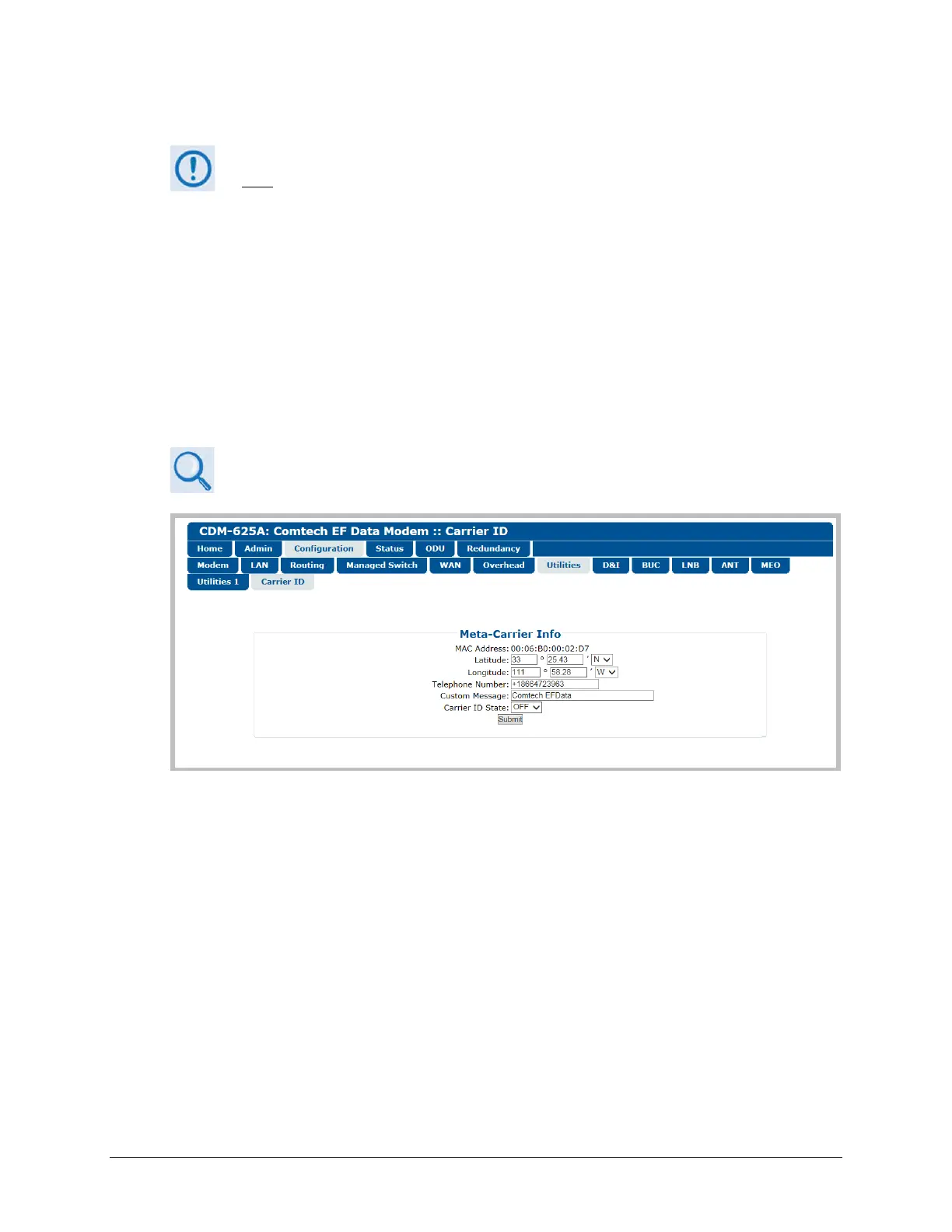
7.5.4.3.7.2 Configuration | Utilities | Carrier ID
Appendix D. CARRIER ID (MetaCarrier®)
Figure 7-27. Configuration | Utilities | Carrier ID page
MetaCarrier Info
• MAC Address – This parameter is read-only and cannot be changed.
• Latitude – Enter a value, for degrees, from 0 to 90. Enter a value, for minutes, from 00.00 to
59.99. Use the drop-down list to select N (North) or S (South).
• Longitude – Enter a value, for degrees, from 0 to 180. Enter a value, for minutes, from 00.00
to 59.99. Use the drop-down list to select E (East) or W (West).
• Telephone Number – Enter a phone number. Valid characters are +, x, 0-9.
• Custom Message – Enter a MetaCarrier Custom Message as needed, up to 24 characters.
You may use the following characters to compose this string:



 To Next Page