CDM-625A Advanced Satellite Modem MN-CDM625A
Ethernet-based Remote Product Management Revision 4
7–66
• Clear Events Log – Click to wipe clean the stored events log.
• Initialize Events Pointer – Click to reset the log’s internal pointer.
• Unread Events – This box displays the total number of unread stored events available for
review. This number decrements accordingly as stored event groups are displayed in the
scrollable window.
Click [Submit] to save.
Statistics Log
If you change your operating mode between Non-ACM and ACM (IP-ACM or V2-
ACM) modes, Comtech EF Data recommends that you execute the Clear Statistics Log
feature before retrieving any further statistics.
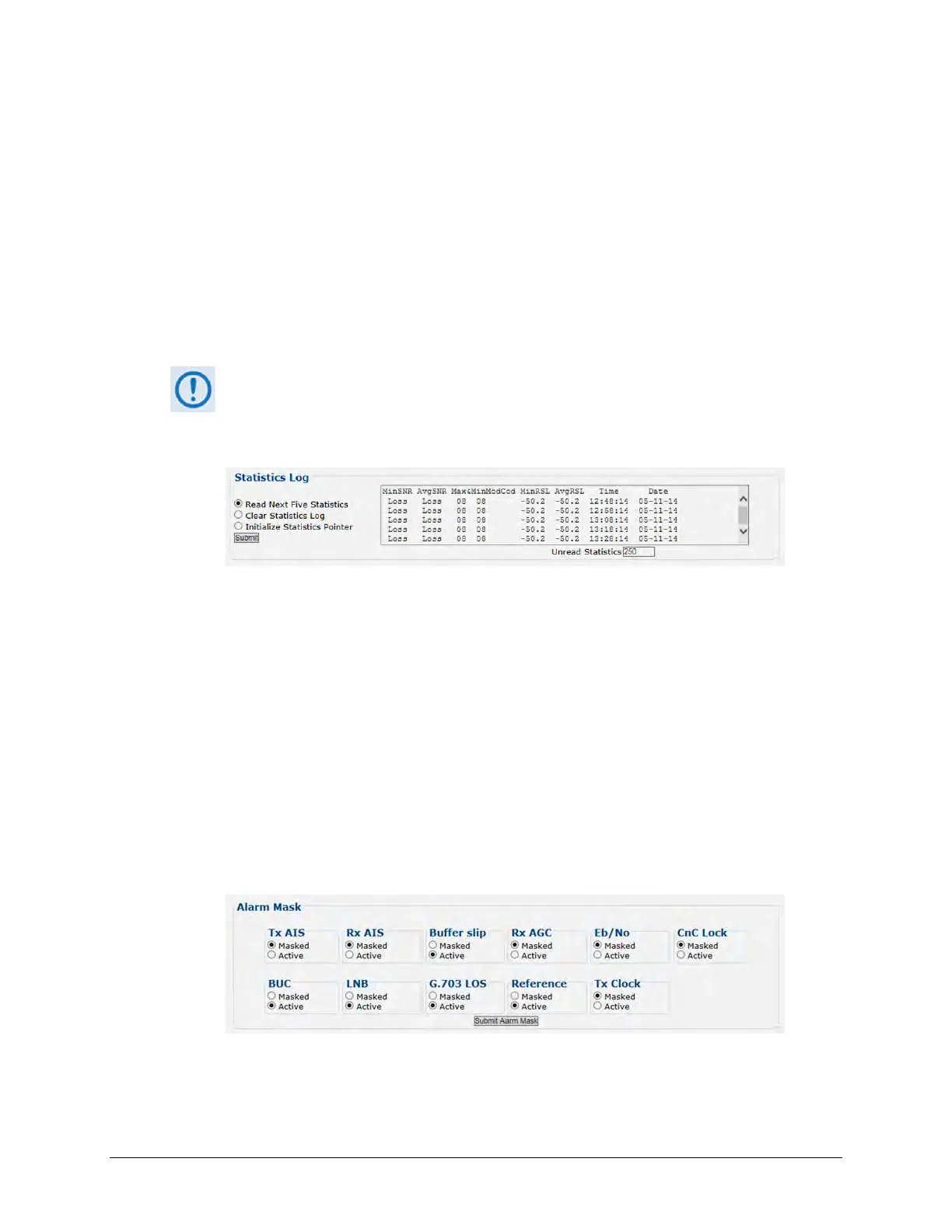
Under normal operation, this section contains statistics information as per this example:
• Read Next Five Statistics – Click to buffer the next group of five stored statistics into the
scrollable statistics window.
• Clear Statistics Log – Click to wipe clean the stored statistics log.
• Initialize Statistics Pointer – Click to reset the log’s internal pointer.
• Unread Statistics – This box displays the total number of unread stored statistics available
for review. This number decrements accordingly as stored statistics are displayed in the
scrollable window.
Click [Submit] to save.
Alarm Mask
Use the option buttons provided to define a designated alarm as Masked or Active, and then
click [Submit Alarm Mask] to save these changes.



 To Next Page