CDM-625A Advanced Satellite Modem MN-CDM625A
Telnet Command Line Interface (CLI) Operation Revision 4
9–71
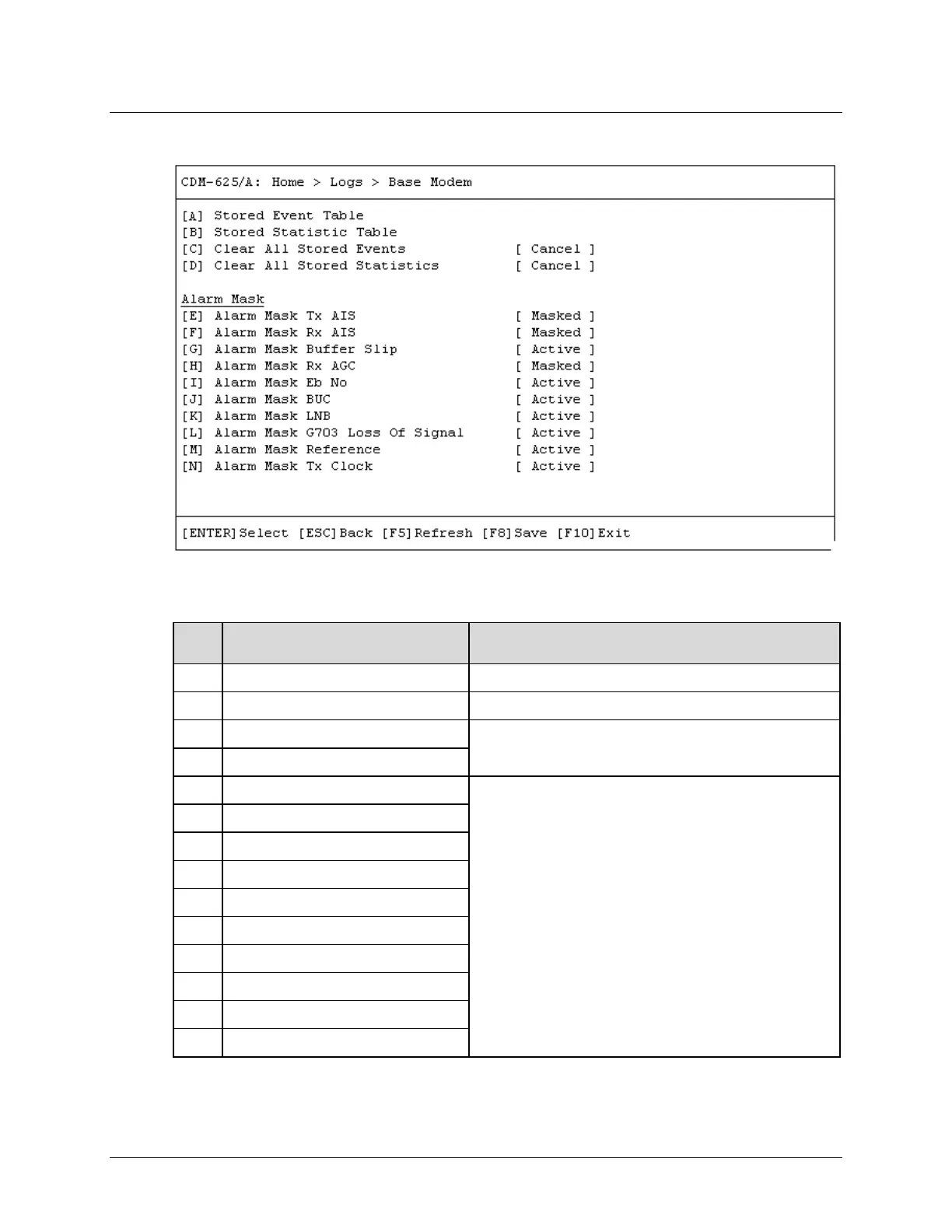
9.3.9.1 Home > Logs > Base Modem
Open the Base Modem page from the Logs submenu. This page contains the following options:
Dialog Window Option Entry
A Stored Event Table See Sect. 9.3.9.1.1
B Stored Statistic Table See Sect. 9.3.9.1.2
C Clear All Stored Events
Typical for either entry – Use the ↑↓ arrow keys to select
Cancel or Clear
D Clear All Stored Statistics
E Alarm Mask Tx AIS
Typical for each entry – Use the ↑↓ arrow keys to select Active
or Masked
F Alarm Mask Rx AIS
G Alarm Mask Buffer Slip
H Alarm Mask Rx AGC
Alarm Mask LNB
Alarm Mask G703 Loss of Signal
Alarm Mask Reference
Alarm Mask Tx Clock
Press a hot key to open a dialog window. See the specified chapter section for further
information. Otherwise, press [ESC] to return to the Home menu.



 To Next Page