IMS.OM.002949.DRM Page 100 of 310 Version 1.4
Doremi Labs
12 Administration Tab
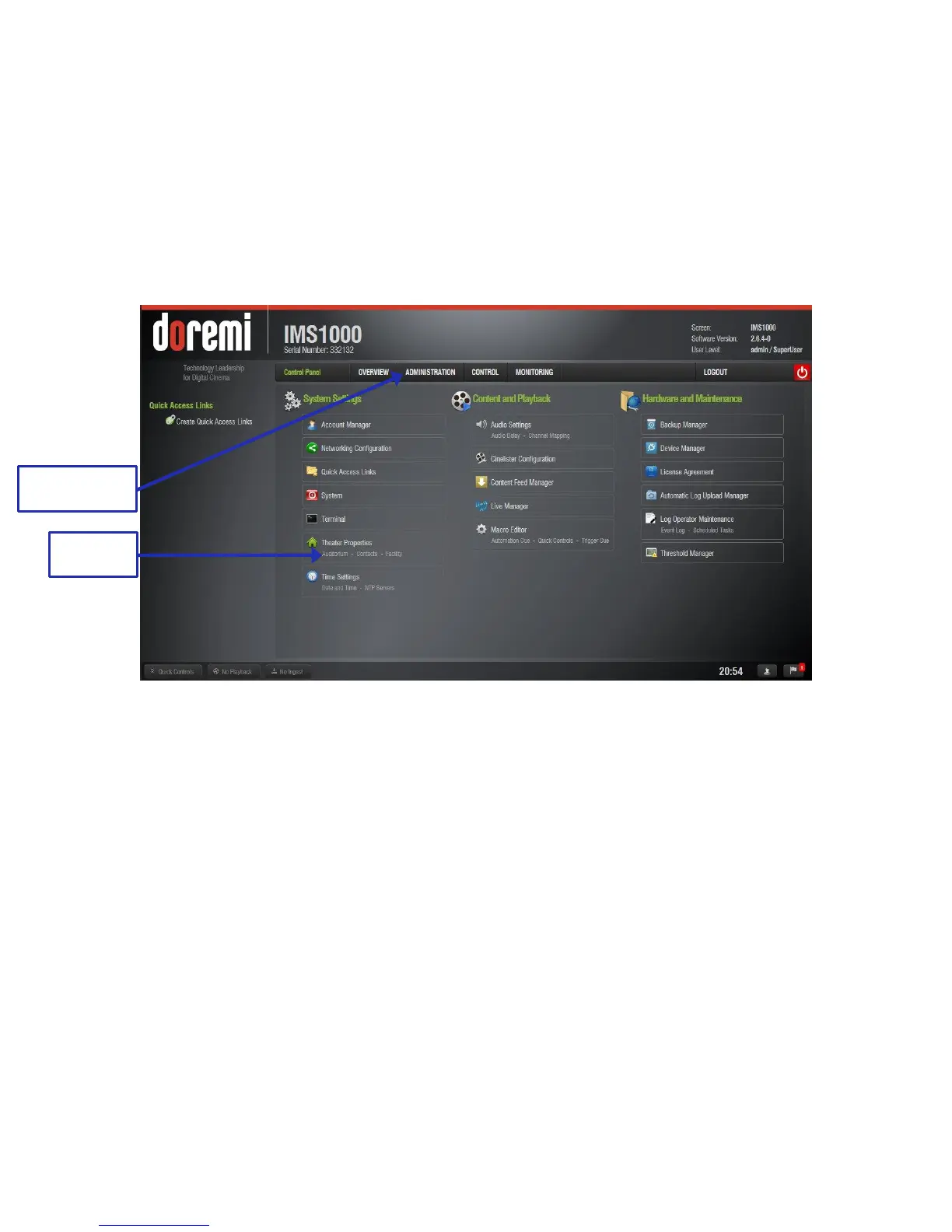
The IMS1000 GUI Administration tab provides access to various applications as listed below.
● To access the Administration applications, go to the Administration tab.
● A drop-down list will appear when the mouse is hovering over the tab (Figure 108). The
default tab is the Control Panel tab, which has several more applications available.
● Clicking on individual tabs within applications will take you directly to that tab (Figure
108).
Figure 108: Administration Tab Window
Device Manager: Allows the user to add, edit, and delete different projectors, close
caption devices, subtitle devices, etc.
Content Feed Manager: Allows the user to connect to other servers. Once connected,
the specified servers will show in the Ingest Manager and there they will be able to pull
ShowPlaylists, CPLs, KDMs, and Doremi Licenses.
Macro Editor: Allows the user to view, edit, and add macros.
Terminal: Allows the user to perform terminal commands.
System: Allows the user to shut down, restart, and place the unit on standby.
Control Panel:
o Account Manager: Allows the user to add/remove/edit user accounts.
o Networking Configuration: Allows the user to setup and modify network
connections.
o Quick Access Links: Allows the user to create links on the left side of the GUI
for quick access to certain applications.
o Theater Properties: Allows the user to input the information for the theater
facility, contacts, and auditorium.
o Time Settings: Allows the user to check and change the time and time zone.
Changing the time is limited annually.



 To Next Page