IMS.OM.002949.DRM Page 210 of 310 Version 1.4
Doremi Labs
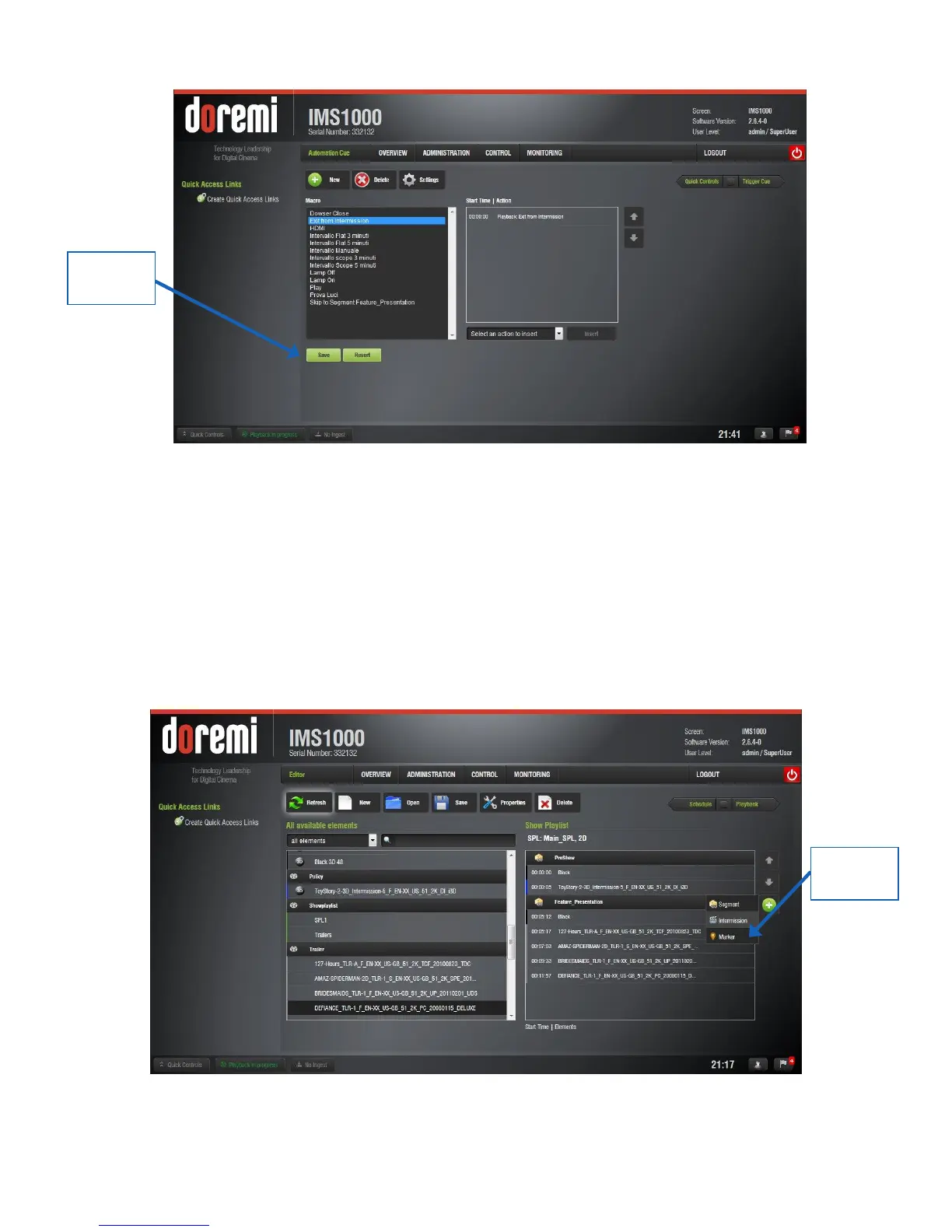
Figure 259: Exit From Intermission Macro Added
13.6.3.3.1 Exit Intermission Marker
Executing the macro during Intermission will automatically begin playback of part two of the
Main SPL. To cause playback to jump to a specific part of the Intermission SPL, instead of
returning to the Main SPL, the user can create a marker that works with the macro.
To add a marker, in the Intermission SPL, select the CPL that you want to play when the
Exit from Intermission macro is executed. Select the Plus (+) button and select Marker
(Figure 260).
Figure 260: Marker Creation



 To Next Page