IMS.OM.002949.DRM Page 68 of 310 Version 1.4
Doremi Labs
Figure 68: HDDs Inserted
6.3 Audio Cables Installation
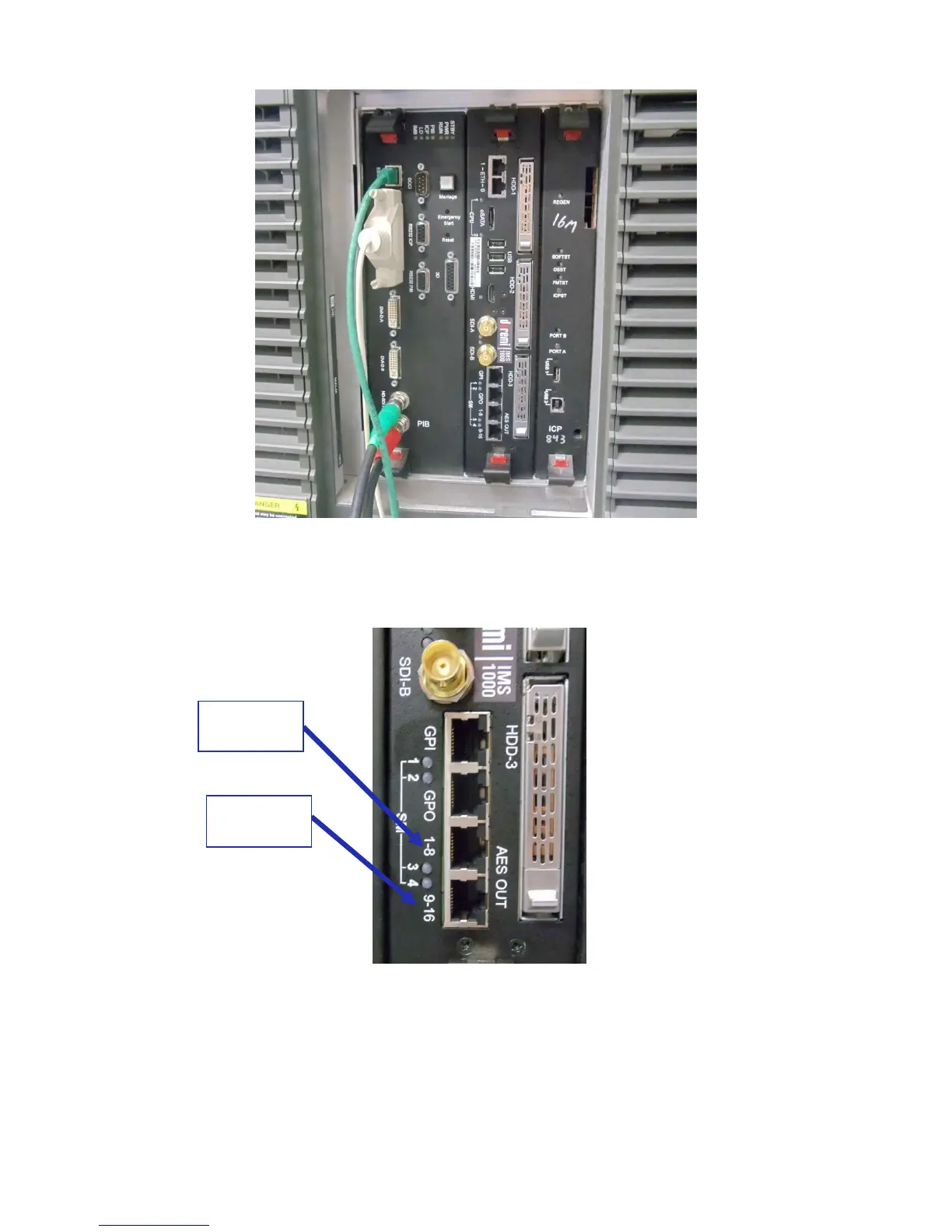
Figure 69: Audio Connectors
● Plug one shielded CAT5 or CAT6 cable end into the connector labeled AES-OUT 1-8 on
the IMS1000 board (Figure 69).
● Plug the other end of the shielded CAT5 or CAT6 cable into the audio processor.



 To Next Page