IMS.OM.002949.DRM Page 177 of 310 Version 1.4
Doremi Labs
12.19 Automatic Log Upload Manager
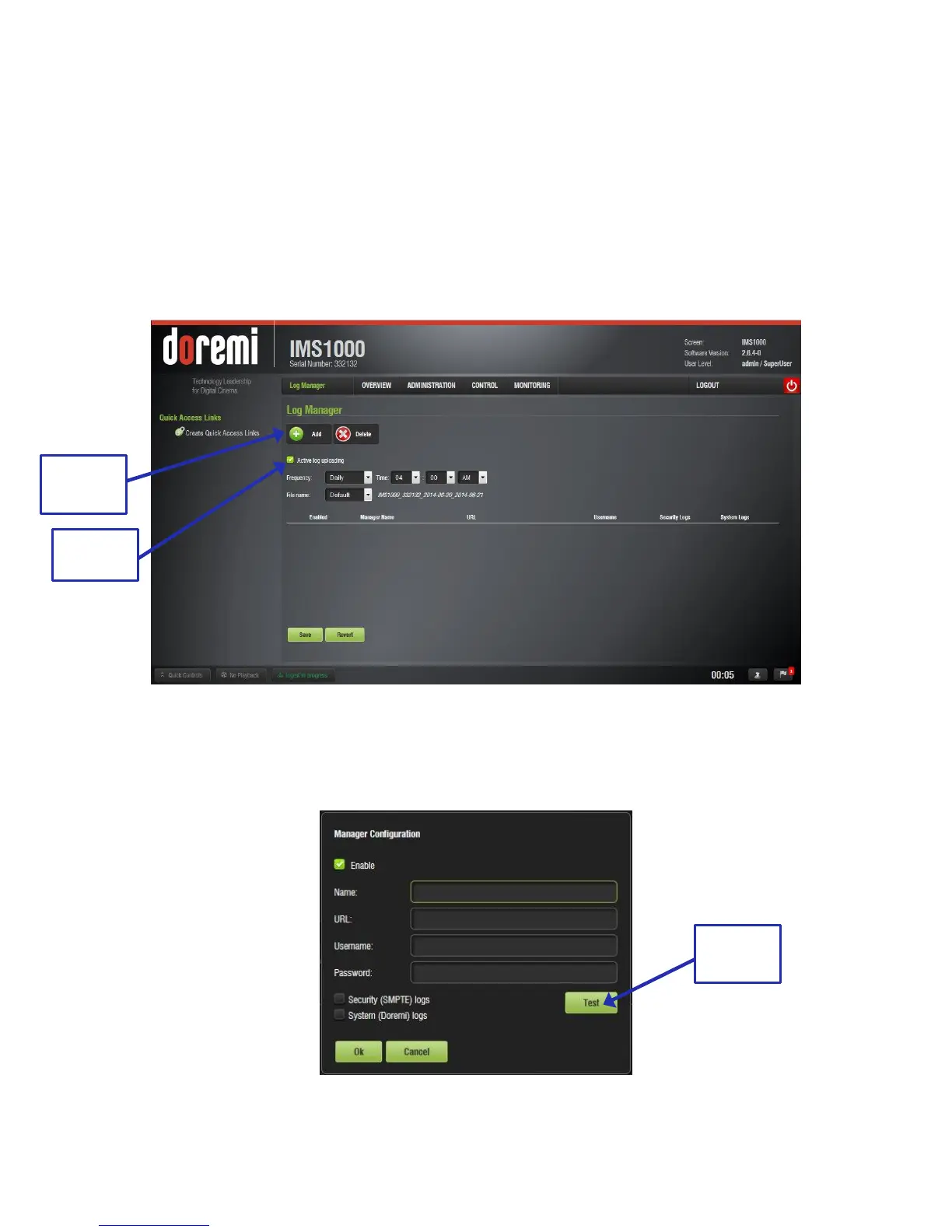
The Automatic Log Upload Manager allows the user to generate a log and upload it to a location
that he/she selects. The user is able to automate log generation at a specified frequency.
To access the Automatic Log Upload Manager, go to Administration → Control Panel →
Automatic Log Upload Manager (Figure 209).
Check the Active Log Uploading check box to ensure that the logs are being uploaded (Figure
209).
Figure 209: Automatic Log Upload Manager
To generate a log, specify the frequency, time, and select a file name (Figure 209).
Click the Add button. The following window will appear (Figure 210).
Figure 210: Configuration Window



 To Next Page