IMS.OM.002949.DRM Page 193 of 310 Version 1.4
Doremi Labs
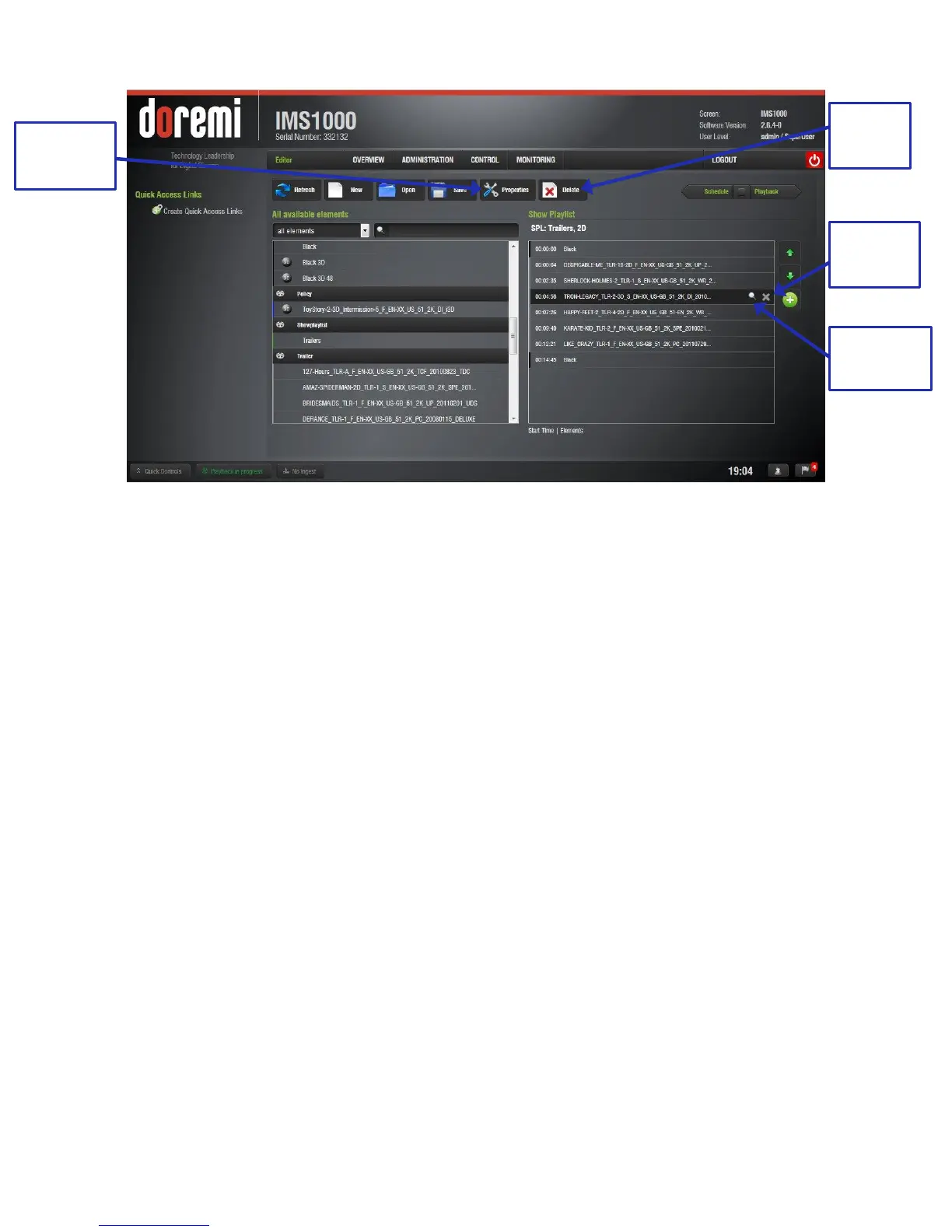
Figure 231: SPL Opened
● Re-order the elements within the SPL by using the up and down arrows (Figure 229).
● Remove elements by selecting them and then clicking the X button (Figure 231).
● To view the properties of an SPL, open the SPL and click the SPL Properties button
(Figure 231).
● To view the properties of a particular CPL, highlight the CPL and click on the Properties
icon that appears on the right (Figure 231).
13.4.2 Deleting a Show Playlist
● Open the desired SPL.
● Once the SPL is opened, delete it by clicking on the Delete SPL button (Figure 231).
● A password will be needed to complete this operation. SuperUser privileges are
necessary to confirm the changes. If the user is already logged in with SuperUser
privileges, the password confirmation window will not appear.
● The Delete window will appear (Figure 232).



 To Next Page