IMS.OM.002949.DRM Page 111 of 310 Version 1.4
Doremi Labs
12.2.3 SMPTE Packages
Note: The audio selection should reflect the audio package in number of audio channels.
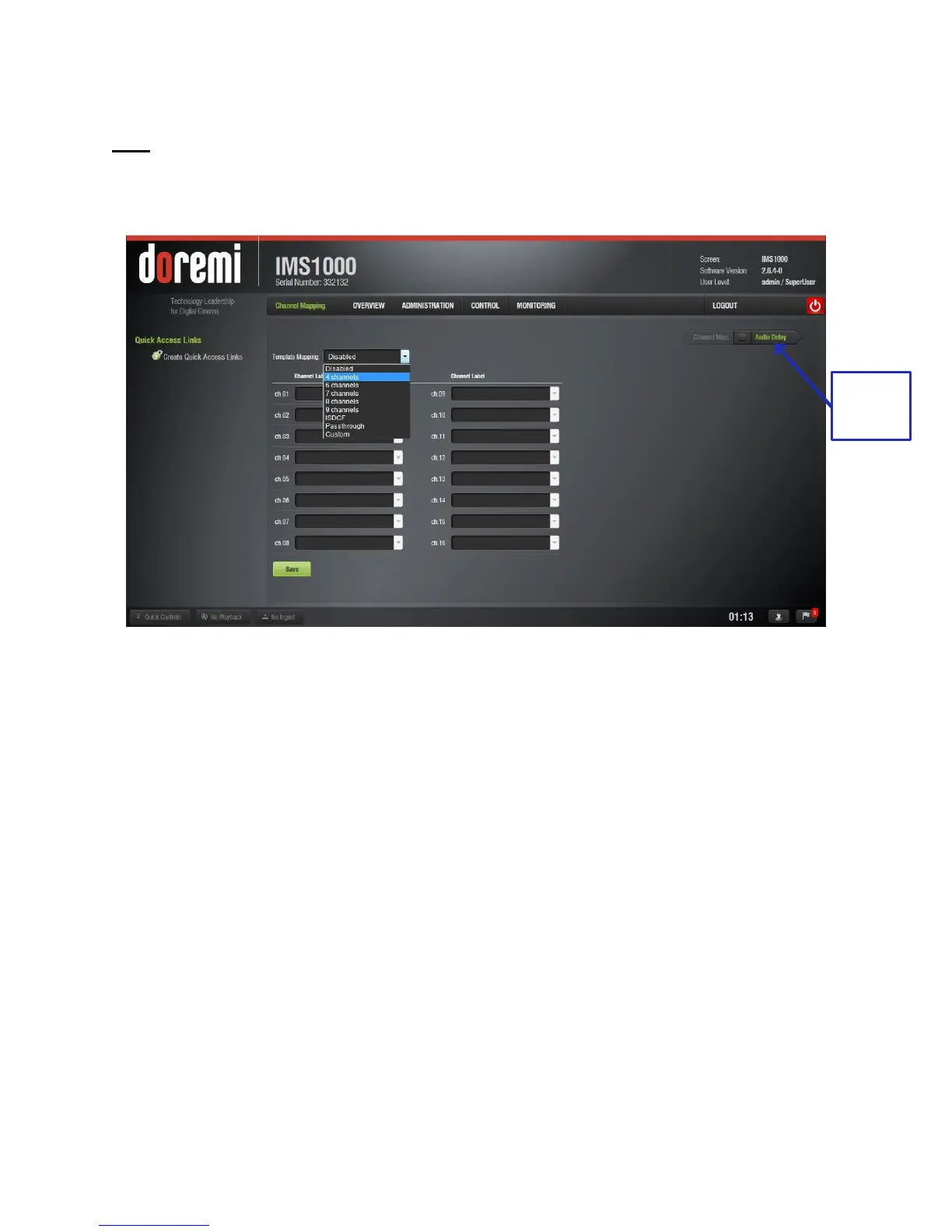
Change the Template Mapping setting by clicking on the list-menu and selecting the desired
setting (Figure 120).
Figure 120: Template Mapping Drop-Down Window
● Make sure to click the Save button to ensure the configuration is saved. SuperUser
privileges are necessary to save changes (Figure 121).
● The list of possible labels that can be routed (if present in the audio MXF file) are defined
by SMPTE as follows:
○ L/Left
○ R/Right
○ C/Center
○ LFE Screen
○ Ls/Left surround
○ Rs/Right surround
○ Lc/Left center
○ Rc/Right center
○ Cs/Center surround
○ Rrs/Right rear surround
○ Lrs/Left rear surround
○ HI/Hearing Impaired
○ VI-N/Visual Impaired-Narration



 To Next Page