IMS.OM.002949.DRM Page 253 of 310 Version 1.4
Doremi Labs
14.2 System Tab
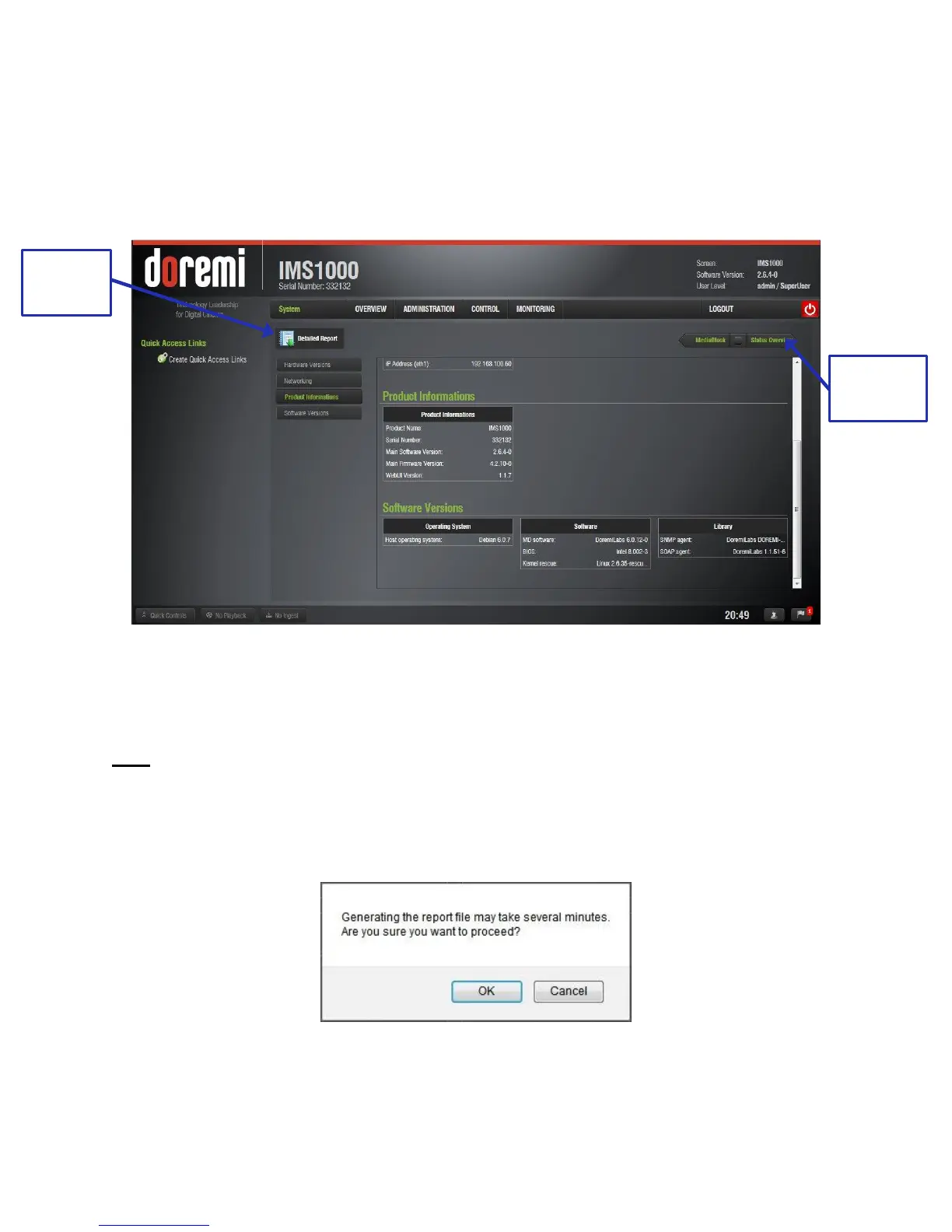
The System tab provides general information related to the server, such as: Serial Number,
Software/Firmware Version numbers, IP addresses, Product Name, Security Manager Version,
WebUI Version, operating system information, and hardware information. The System tab
automatically jumps to the Product Informations section.
The System tab is illustrated below (Figure 314):
Figure 314: System Tab
14.2.1 Detailed Report Overview
To generate a report log, please follow the steps below:
Note: If possible, generate the report log when there is no playback.
Go to Monitoring Tab → Diagnostics → System.
Click on the Detailed Report button (Figure 314).
Click the OK button for the pop up that appears asking if you would like to proceed
(Figure 315).
Figure 315: Generate Report
The report will take several minutes to generate.



 To Next Page