IMS.OM.002949.DRM Page 159 of 310 Version 1.4
Doremi Labs
12.15 Cinelister Configuration
The Cinelister Configuration application allows the user to configure certain components of the
Cinelister application. Cinelister is discussed in detail in Sections 13 through 13.8.
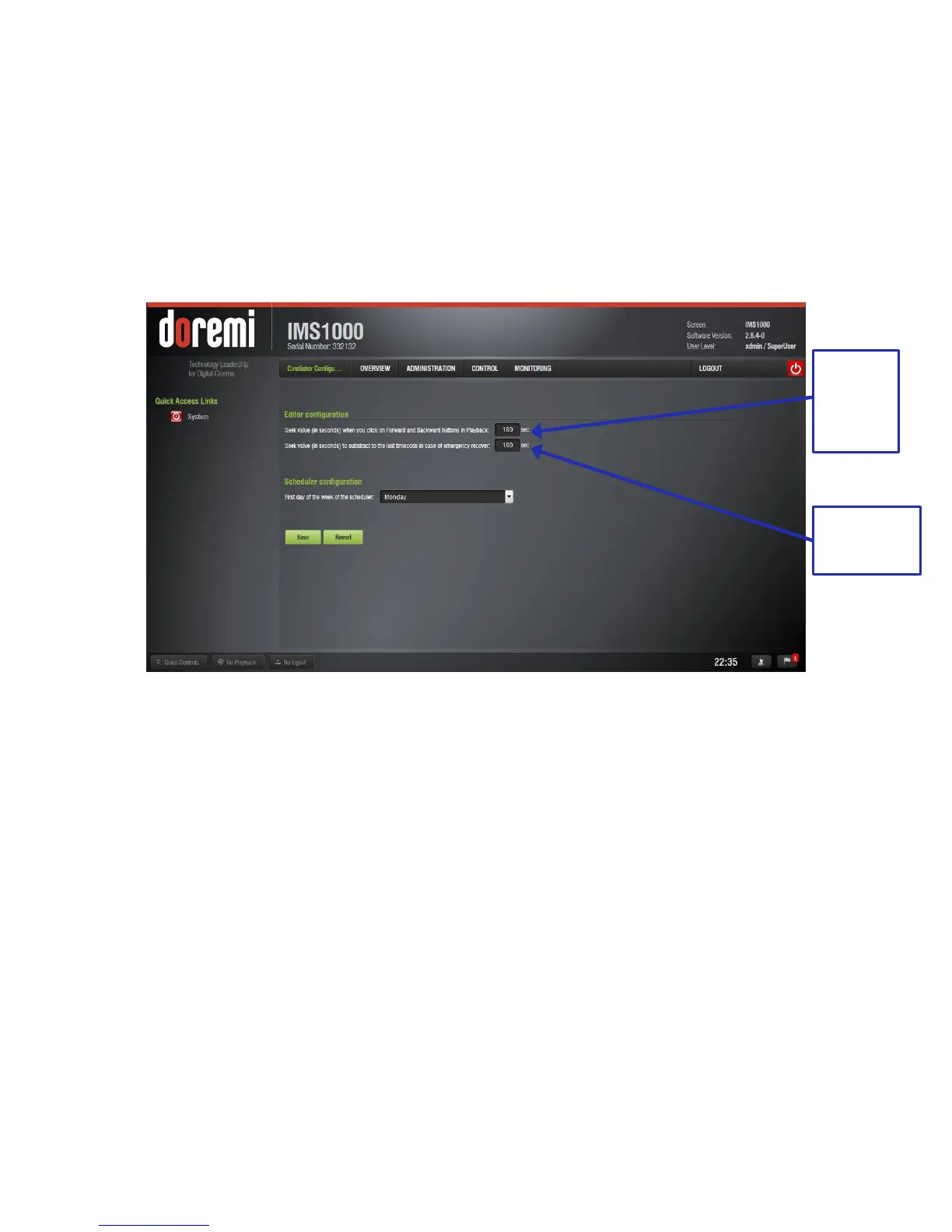
To access the Cinelister Configuration application, go to Administration → Control Panel →
Cinelister Configuration (Figure 181).
12.15.1 Editor Configuration
Figure 181: Cinelister Configuration, Editor
To modify the amount of time that the fast-forward and rewind buttons will jump to in playback,
type the amount of seconds in the space provided (Figure 181).
To modify the amount of time that playback will rewind to in the case of an emergency recovery,
type the amount of seconds in the space provided (Figure 181).
Fast-
Forward
and
Rewind
Value



 To Next Page