IMS.OM.002949.DRM Page 267 of 310 Version 1.4
Doremi Labs
15.2 Rebuild Progress
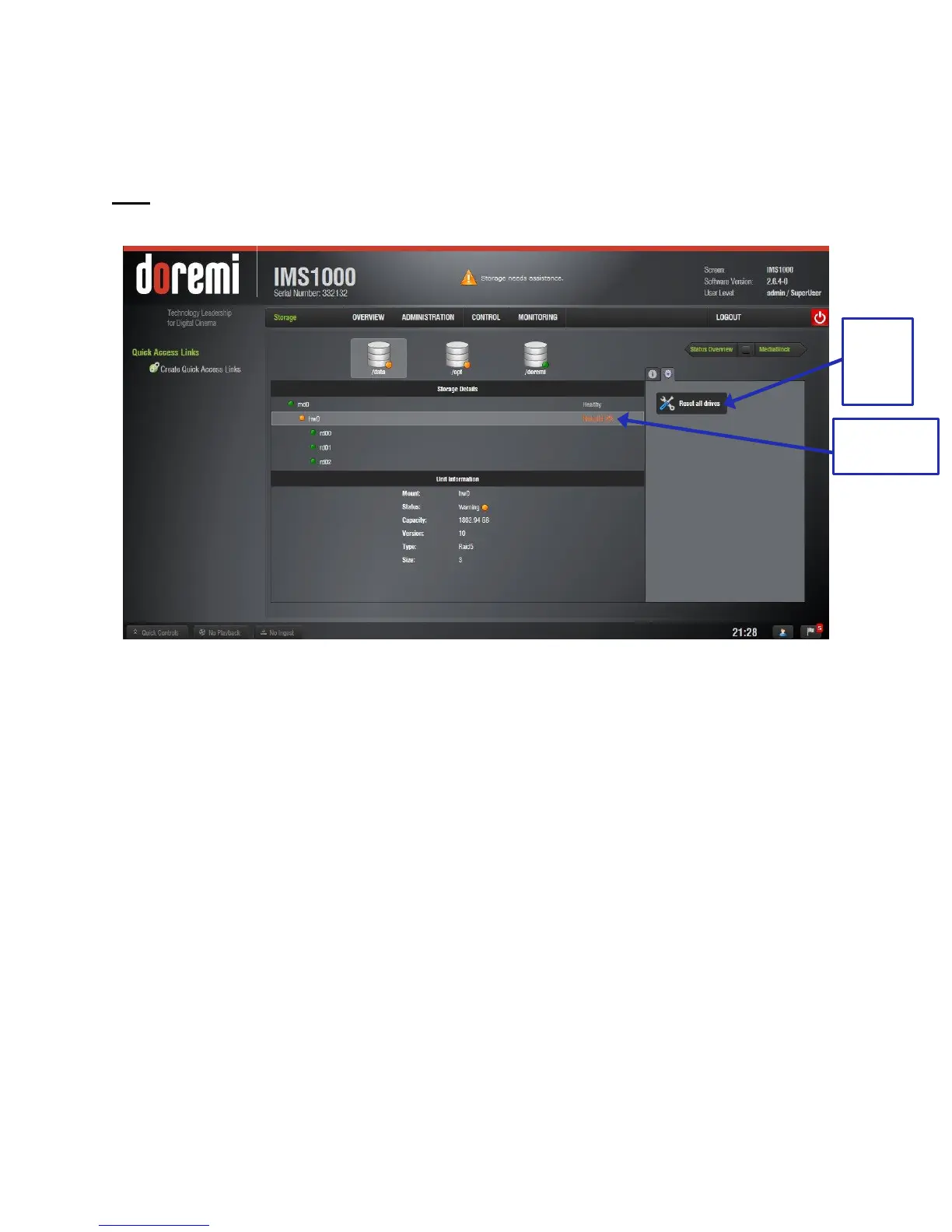
The Storage tab will allow you to view the rebuild progress in Storage Details after you have
replaced and inserted a new disk (Figure 332).
Note: When the server is rebuilding a RAID, an orange icon will appear to indicate that the
RAID is being rebuilt.
Figure 332: Rebuild Status
15.2.1 Managing a Drive
Support for this feature is forthcoming. Presently, the only way to disable a drive is to physically
remove it from the RAID.
15.3 Rebuilding a RAID
When 2 or more drives have been installed, you must build the RAID. Go to Monitoring →
Diagnostics → Storage tab to see the status of the RAID. If you need to build, the RAID status
will be degraded.
To build the RAID, go to the Reset All Drives tab in the Storage tab (Figure 332).
● Click the Reset All Drives button (Figure 332).
● The user will receive a warning and will be asked to confirm the procedure (Figure 333).
● Click Continue to continue or Cancel to cancel the operation.



 To Next Page