IMS.OM.002949.DRM Page 150 of 310 Version 1.4
Doremi Labs
12.12 Account Manager GUI
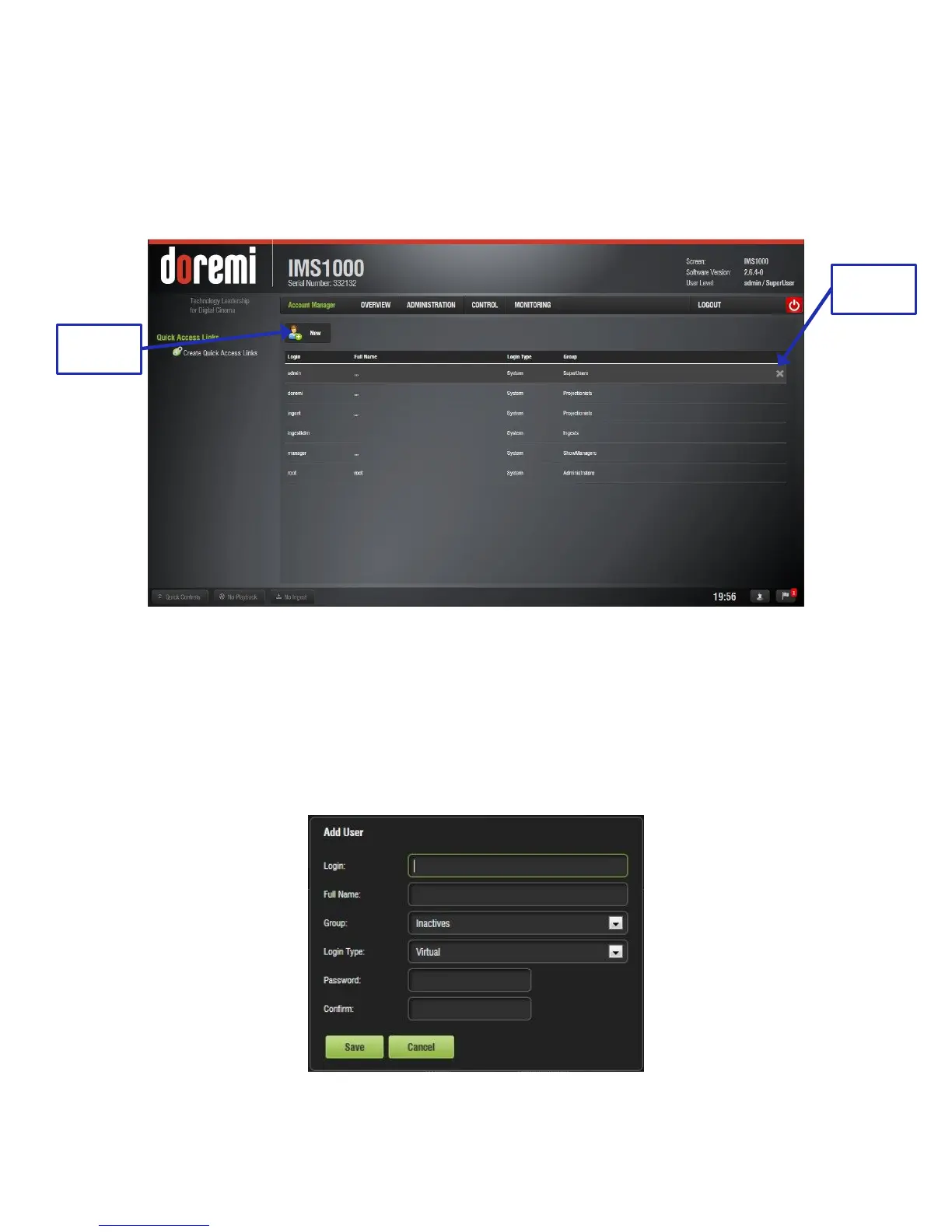
To access the Account Manager GUI, go to Administration → Control Panel → Account
Manager.
● The following window will appear (Figure 166):
Figure 166: Account Manager GUI
● The Account Manager GUI allows the user to edit, add, and delete user accounts.
12.12.1 Add a New User Account
● To add a new user account, click the New button (Figure 166).
● The following window will appear (Figure 167):
Figure 167: Account Manager GUI – New User Addition



 To Next Page