IMS.OM.002949.DRM Page 101 of 310 Version 1.4
Doremi Labs
o Audio Settings: Allows the user to map/route all audio tracks to operator-
designated outputs (only SMPTE content). This where you can configure the
audio delay.
o Cinelister Configuration: Allows the user to configure certain values for the
Cinelister application.
o Live Manager: Allows the user to add a live event CPL.
o Backup Manager: Allows the user to back up and restore certain files on a
server.
o License Agreement: Allows the user to agree to the software license terms and
conditions.
o Automatic Log Upload Manager: Allows user to automate log generation and
specify the frequency and location the logs will be sent to.
o Log Operator Maintenance: Allows the user to log important information (e.g.,
hard disk replacement, projector lamp replacement, etc.). This application helps
the system administrator keep track of any change operated in a theater booth.
o Threshold Manager: Allows the user to view and adjust threshold levels for the
server.
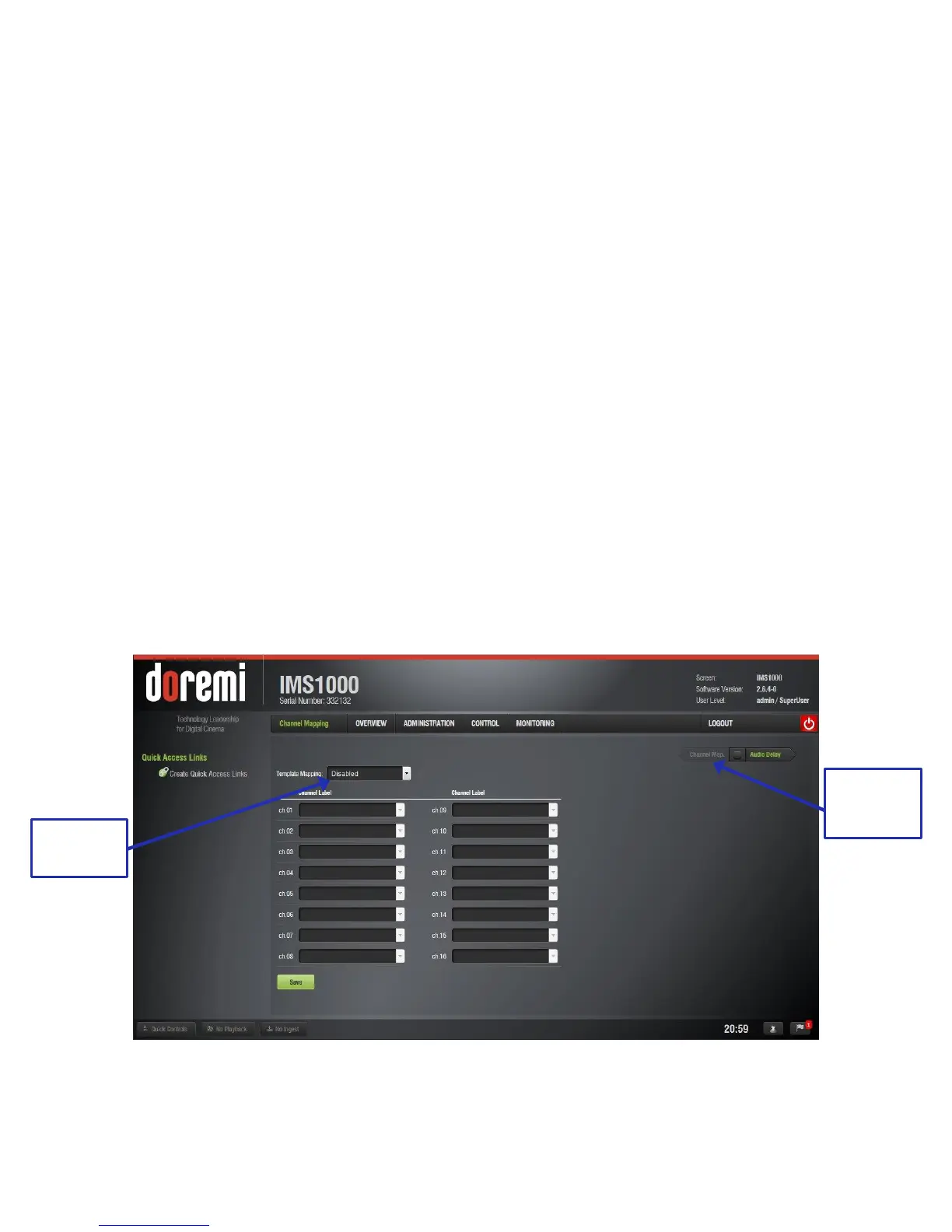
12.1 Audio Settings/Channel Mapping
The Audio Settings application allows the user to route all audio tracks in an SMPTE/Interop
package to operator-designated outputs. The main purpose of the mapping is to allow users to
move the HI or VI channels to a specific output. The Audio Settings application is available in
the Administration tab.
● To open the Audio Settings application, go to Administration → Control Panel → Audio
Settings (Figure 109).
Figure 109: Audio Mapping Window (Disabled) - Default Setting



 To Next Page