IMS.OM.002949.DRM Page 168 of 310 Version 1.4
Doremi Labs
12.17.4.1 Manual Back Up to RAID
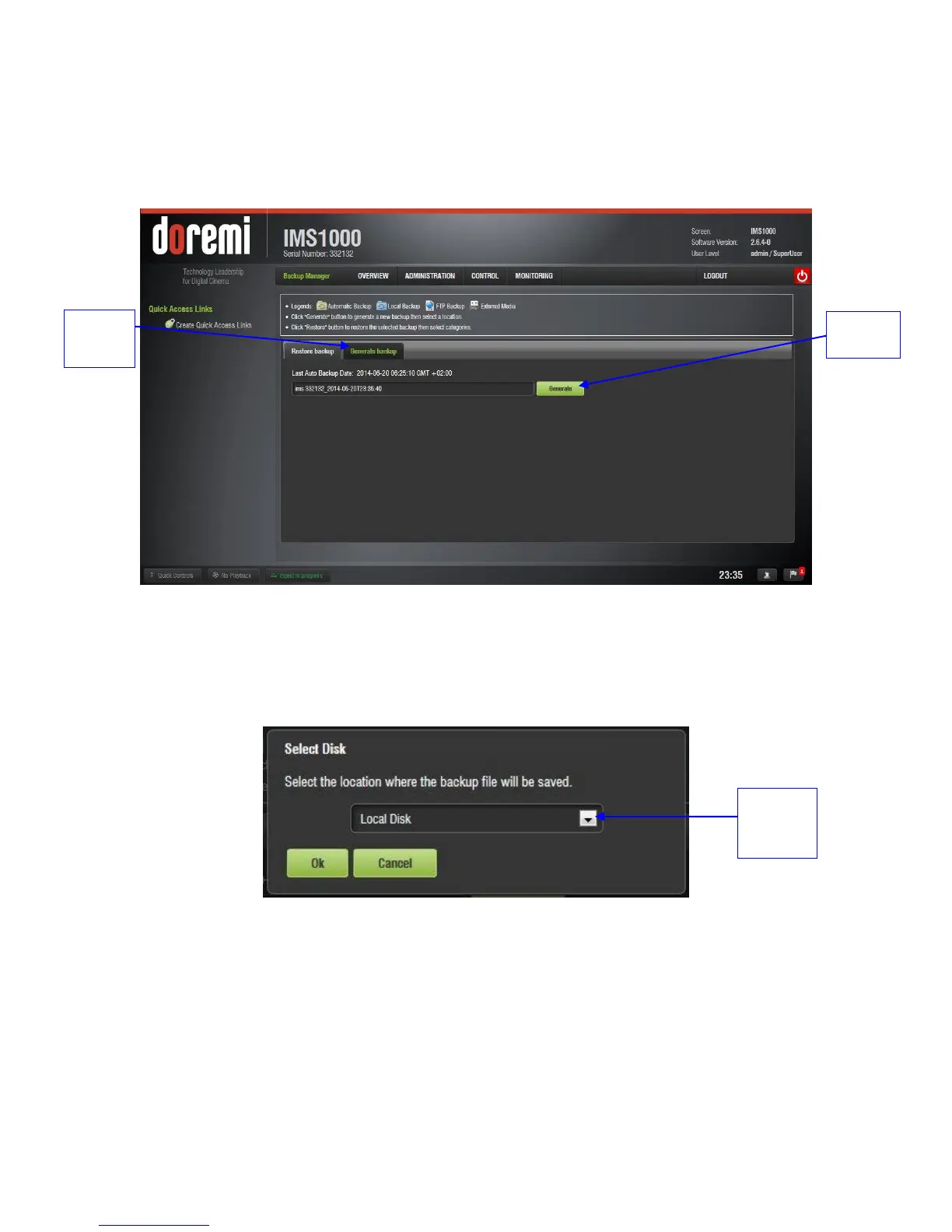
To manually back up the material on the hard drive, click on the Generate Backup tab
(Figure 193).
Click on Generate (Figure 193).
Figure 193: Backup
The following window will appear (Figure 194). Select the location where you want to
save the backup file. You can either save to local disk (RAID) or to an external drive.
Click on the Ok button.
Figure 194: Generate Button
The backup process will now begin.
The Backup Generation window will appear (Figure 195). This will indicate the backup
process was a success.



 To Next Page