IMS.OM.002949.DRM Page 47 of 310 Version 1.4
Doremi Labs
4.10 Marriage
To perform the marriage, the user must download and install the latest version of the Digital
Cinema Communicator for S2 (DCC). If you do not have the latest version installed, contact
your administrator.
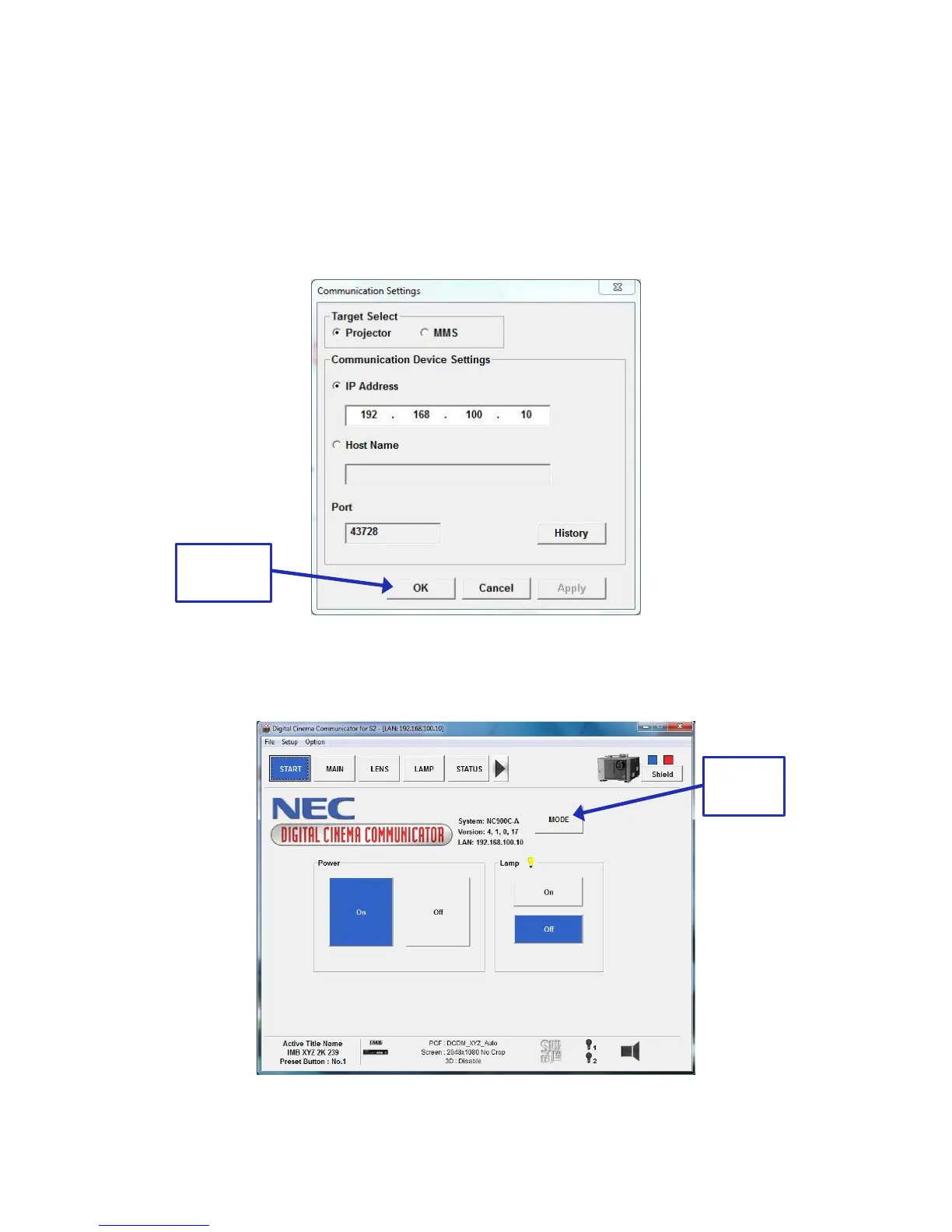
When first opened, the Communication Settings window will appear. Input the IP
address of the projector and click Ok (Figure 31).
Figure 31: Communication Settings
On the window that appears, click on the Mode button (Figure 32).
Figure 32: Mode Button



 To Next Page