IMS.OM.002949.DRM Page 133 of 310 Version 1.4
Doremi Labs
12.6.3 Connection to a General Purpose Input Event
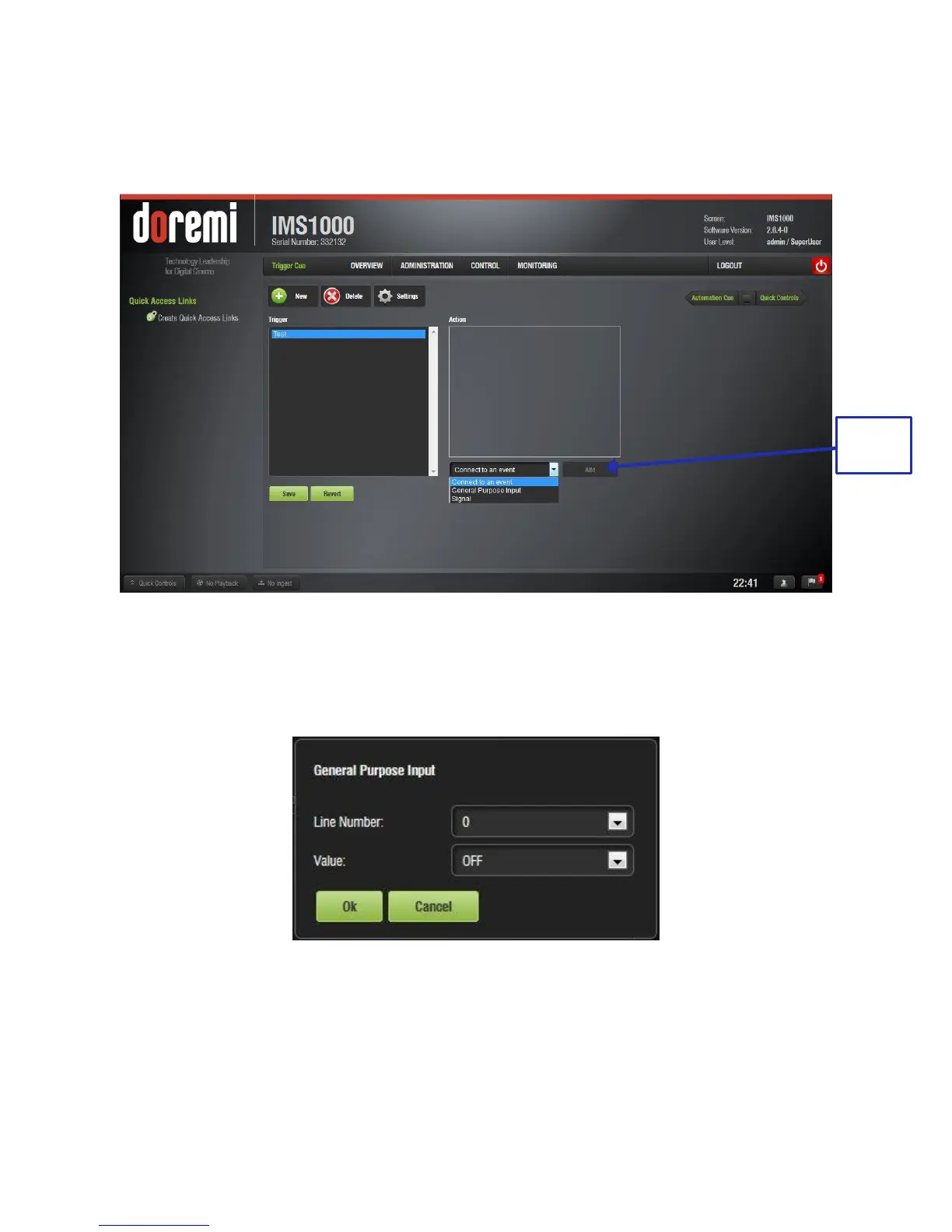
● To connect a Trigger Cue to an event, select it in the Trigger window and click the
Connect to An Event drop-down menu (Figure 147):
Figure 147: Events Window
● To connect the selected Trigger Cue to a GPI event, click the General Purpose Input
option and click the Add button (Figure 147).
● The following window will appear (Figure 148):
Figure 148: General Purpose Input Setup Window
● Define the GPI line number and value to connect to the Trigger Cue and click the Ok
button.
● The connected GPI event will then appear in the right part of the GUI (Figure 149).



 To Next Page