IMS.OM.002949.DRM Page 132 of 310 Version 1.4
Doremi Labs
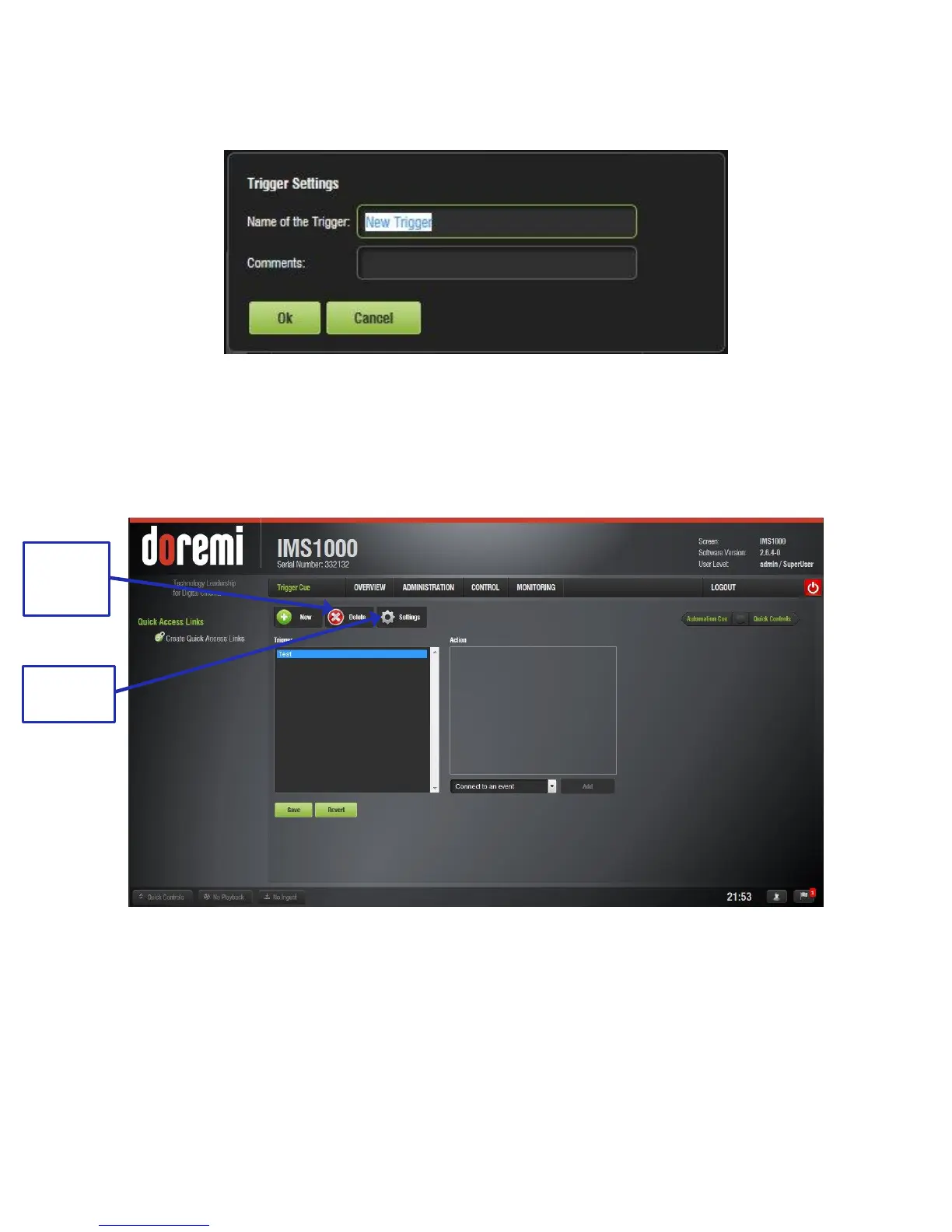
● The same type of window for the Automation Cue tab, allowing the user to enter the
Trigger Cue name, will appear (Figure 145).
Figure 145: Trigger Cue Setting Window
● Enter the appropriate name. It will be the name used by the CineLister application to
insert the Trigger Cue in a Show Playlist.
● The newly created Trigger Cue will appear in the Trigger window and it will be ready to
connect to an event (Figure 146).
Figure 146: Trigger Cue Defined
● To edit the name of an existing Trigger Cue, select it in the Trigger window and click on
the Settings button or double click on it (Figure 146).
● To remove a Trigger Cue in its entirety, select it in the Trigger window on the left side of
the GUI and click the Delete Trigger button (Figure 146).



 To Next Page