IMS.OM.002949.DRM Page 246 of 310 Version 1.4
Doremi Labs
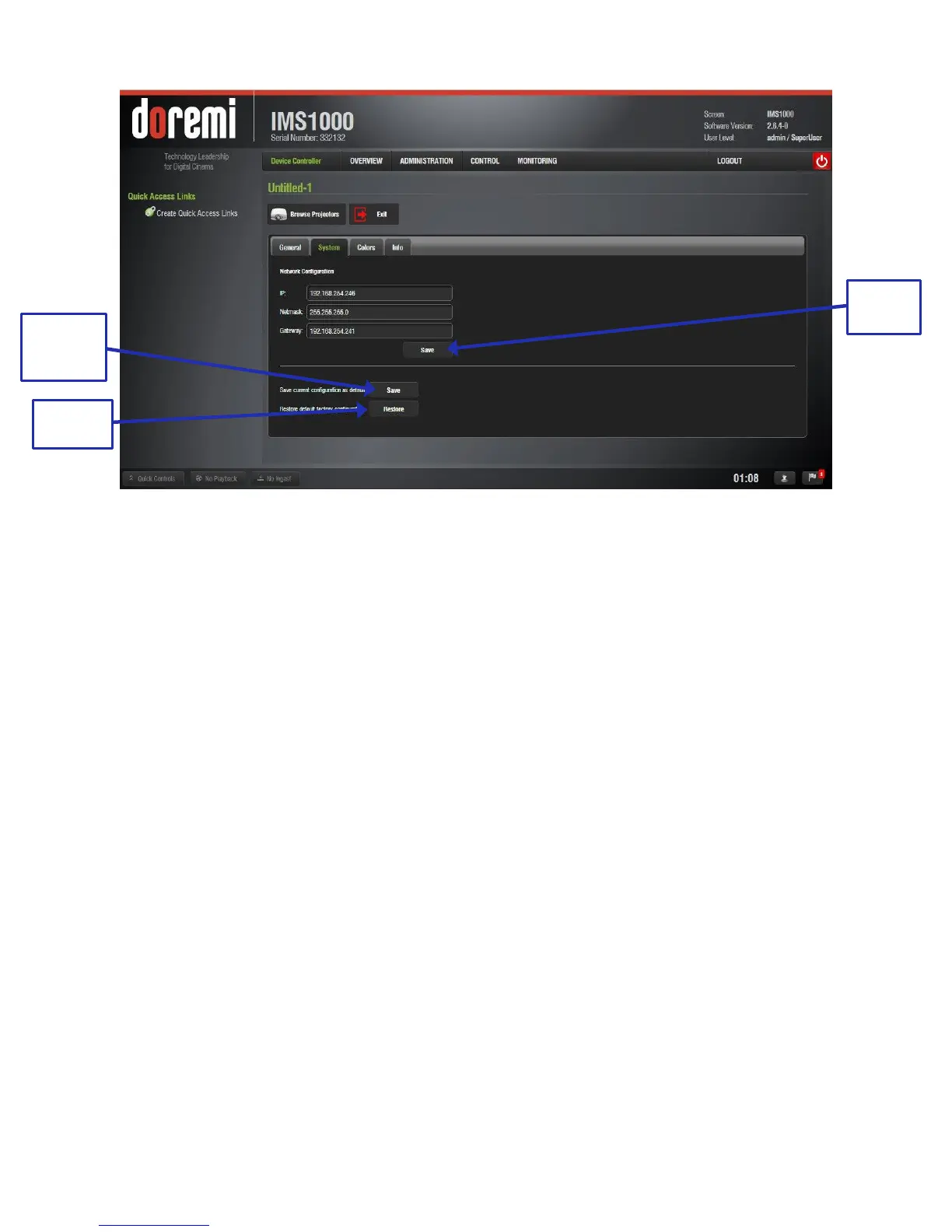
Figure 308: System Tab
The following networking configuration information is displayed:
o IP
o Mask (sub-network mask)
o Gateway
The user can modify the network configuration by inputting the desired configuration in
the designated fields.
Root privileges are required to change the networking parameters.
Click Save to confirm the changes. These changes take immediate effect and they
expire when you reboot the unit, being replaced by the default networking configuration
(Figure 308).
You can save these settings as default by pressing the Save as Default button. These
configurations will be effective even after a reboot (Figure 308).
To restore the networking configuration to factory default, click on the Restore button
(Figure 308). The factory default settings are:
o IP: 192.168.254.246
o Mask: 255.255.255.0
o Gateway: 192.168.254.1
Make sure to click the Save button when finished setting the network configuration.
13.11.2.3 Colors Tab
The third tab, called Colors, allows the user to modify the color space for HDMI and
HDSDI inputs (Figure 309).



 To Next Page