IMS.OM.002949.DRM Page 59 of 310 Version 1.4
Doremi Labs
5.5 Ethernet Cables
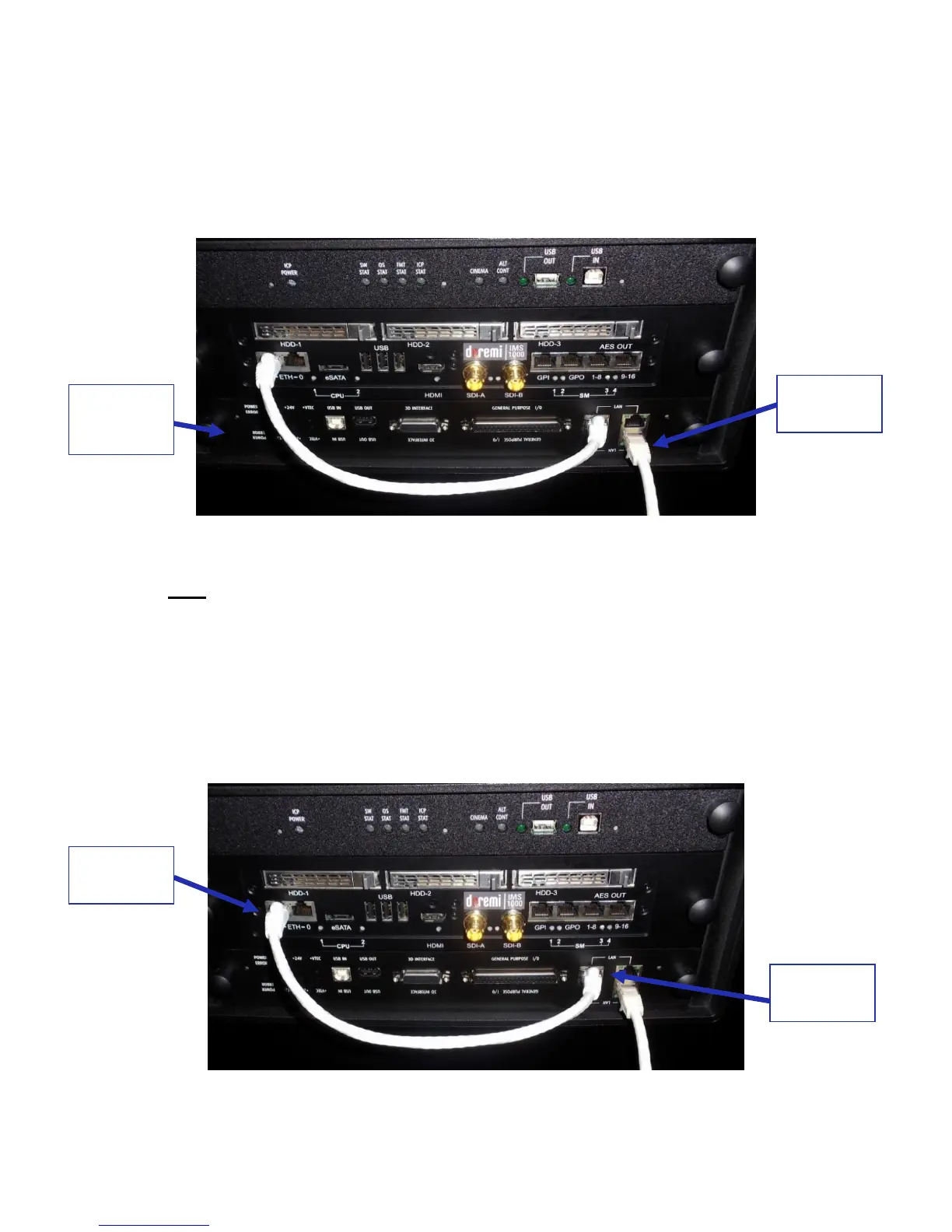
Connect an Ethernet cable from the LAN connector on the Barco projector’s cinema
controller slot and the other end of the cable to either a laptop or network switch (Figure
53). Install a ferrite core clamp near the connector closest to the IMS1000. Refer to
Section 25 for more information on ferrite core clamp installation.
Figure 53: Ethernet Connections
Note: Ethernet port (Eth0) is set to DHCP by default. All IMS1000 boards are shipped
from the factory with the following default IP address for Eth1:
o IP: 192.168.100.50
o SM: 255.255.255.0
o GW: 192.168.100.1
Connect an Ethernet cable from the Ethernet connector on the IMS and the other end of
the cable to the LAN connector on the Barco projector’s cinema controller slot (Figure
54).
Figure 54: Ethernet Connections



 To Next Page