IMS.OM.002949.DRM Page 158 of 310 Version 1.4
Doremi Labs
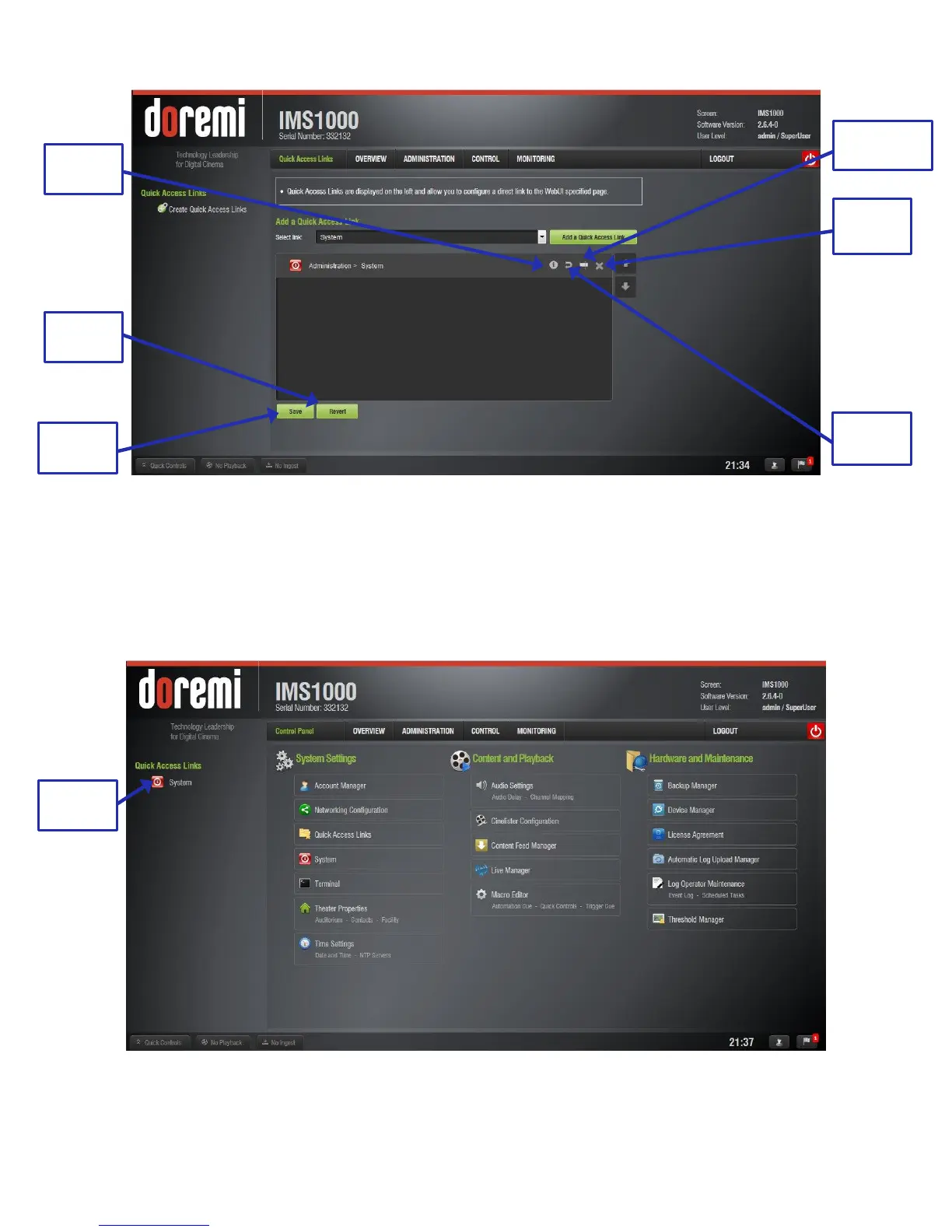
Figure 179: Editing the Link
Once you have finished adding links, click the Save button. Clicking the Revert button will delete
all unsaved changes (Figure 179).
After saving and refreshing, the newly added link will appear on the left-hand side of the GUI in
all tabs (Figure 180). Clicking on the link will automatically take the user to the designated tab.
Figure 180: Link Added



 To Next Page