IMS.OM.002949.DRM Page 178 of 310 Version 1.4
Doremi Labs
Make sure the Enable box is checked if this particular configuration will be used.
Give the configuration a name
Input a desired location in the URL field.
Enter a username and password.
Select SMPTE and/or System logs.
Use the Test button to test the configuration, if desired (Figure 210).
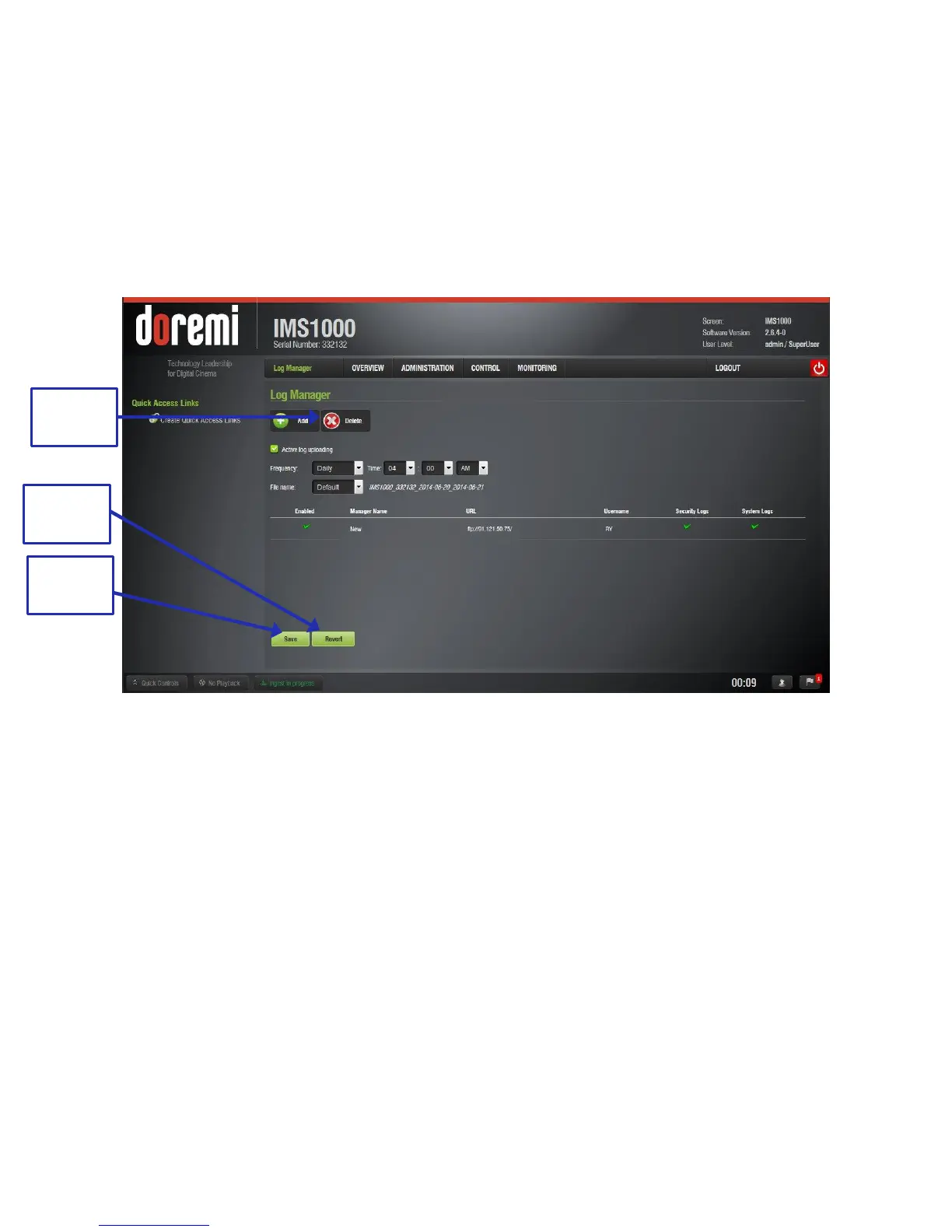
Click OK and the new configuration will appear in the main window. Click Save to save the
configuration or Revert to undo any unsaved changes (Figure 211).
Figure 211: Configuration Added
To delete a configuration, click the Delete button (Figure 211).



 To Next Page