IMS.OM.002949.DRM Page 211 of 310 Version 1.4
Doremi Labs
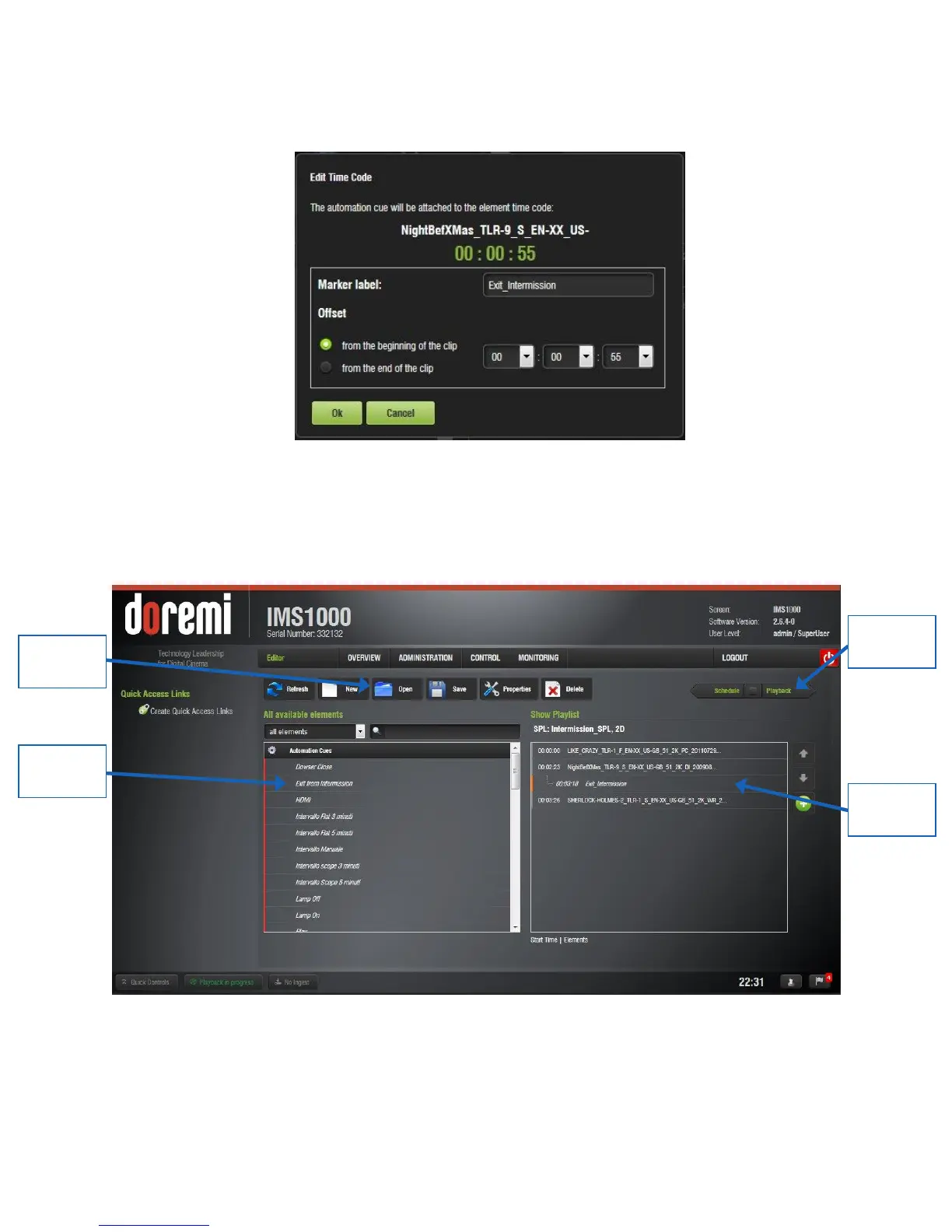
In the Edit Time Code window that appears, label the marker “Exit_Intermission”.
Indicate at what time code you would like the CPL to play and click Ok (Figure 261).
Figure 261: Exit Intermission Marker
The marker has now been added. During intermission, when the Exit from Intermission
macro is triggered, playback will jump to the time code indicated by the marker (Figure
262).
Figure 262: Marker Added
The user can manually execute the macro or they can add the macro to the Intermission
SPL so that it is automatically executed at a specific time (Figure 262).



 To Next Page