IMS.OM.002949.DRM Page 138 of 310 Version 1.4
Doremi Labs
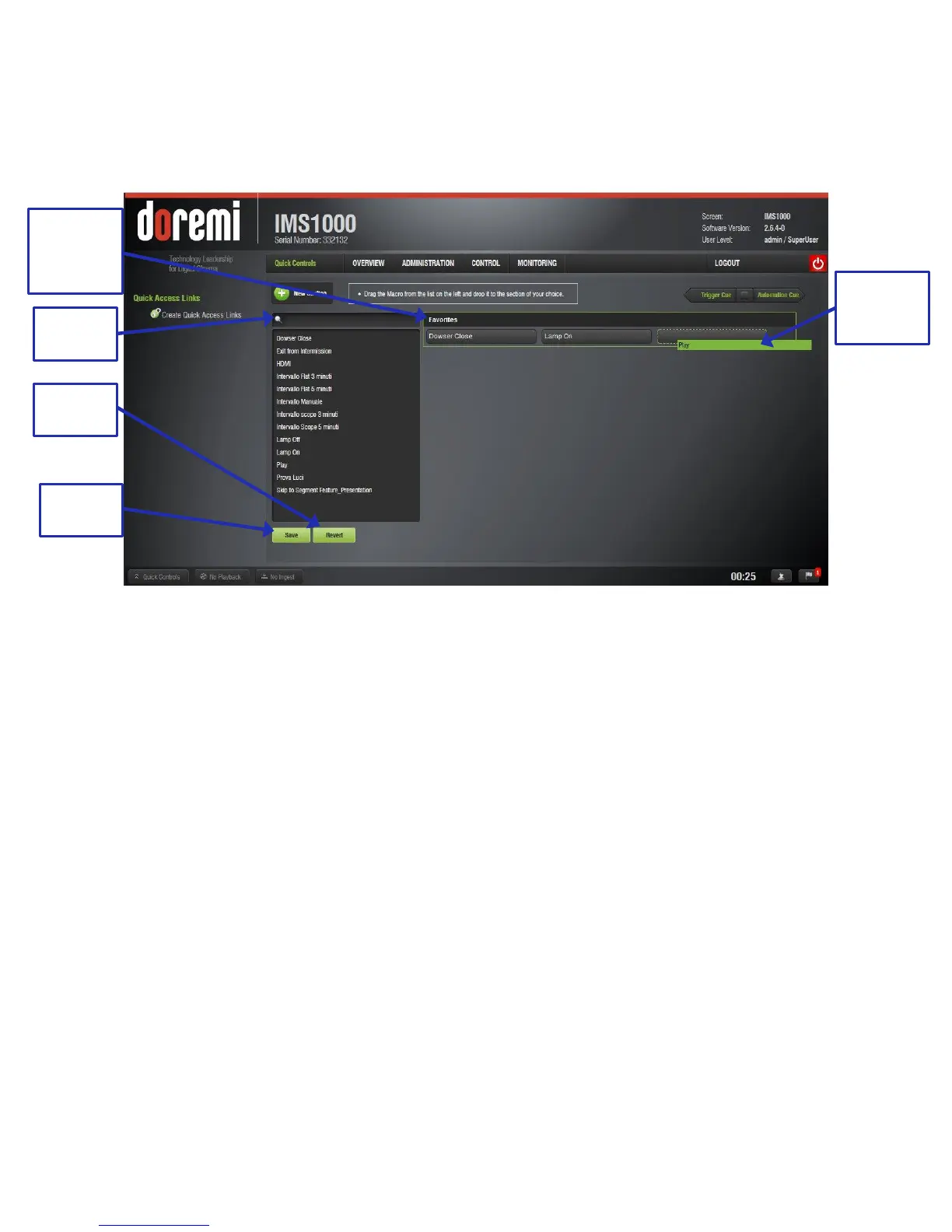
screen. Clicking the Revert button before saving will cause all of the changes to be lost
(Figure 153).
You can search for macros using the search field (Figure 153).
Rename the section by clicking on the New Section tab (Figure 153).
Figure 153: Creating a Quick Controls Section
To edit the section, highlight it. Several options will appear on the right (Figure 154).
o To delete the section entirely, click on the X to the right of the section.
o To delete a macro within the section, click on the X to the right of the macro.
o To rename the section, click on the rectangle to the right of the name.
Alternatively, to change the name, you may also click on the section name itself.
o To move the section, if there are multiple sections, click on the cross arrows.



 To Next Page