IMS.OM.002949.DRM Page 187 of 310 Version 1.4
Doremi Labs
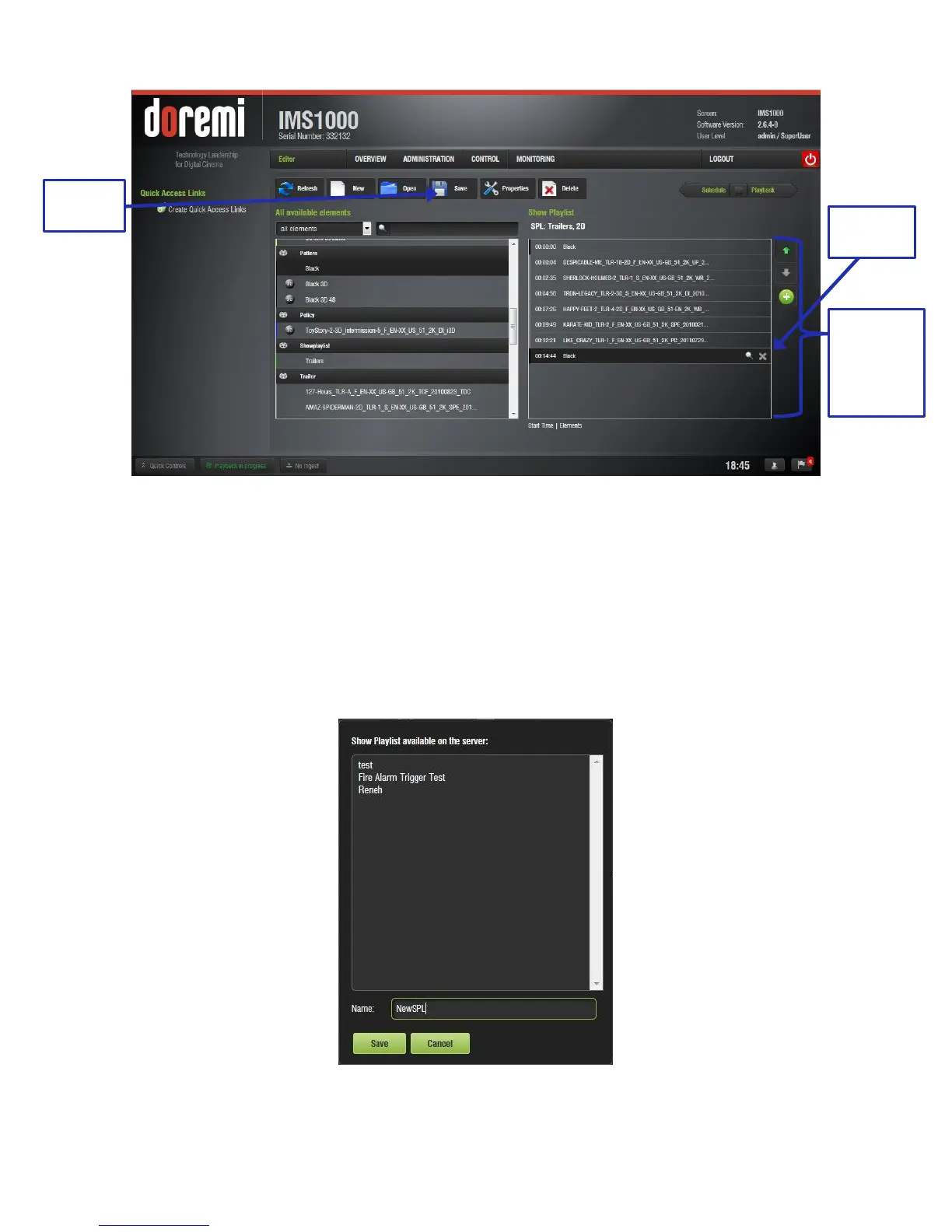
Figure 221: Elements Added
● To remove an element in a Show Playlist, select it in the Show Playlist window and click
on the X button that appears on the right (Figure 221).
● Click on the Save button (Figure 221). The user will be prompted to a window asking
them to input the correct password. SuperUser privileges are necessary to confirm the
changes. If the user is already logged in with SuperUser privileges, the password
confirmation window will not appear.
● After the correct password is entered, the user will be prompted to name the newly
created SPL (Figure 222).
Figure 222: SPL Naming
SPL
Window
With
Elements
Added



 To Next Page