IMS.OM.002949.DRM Page 199 of 310 Version 1.4
Doremi Labs
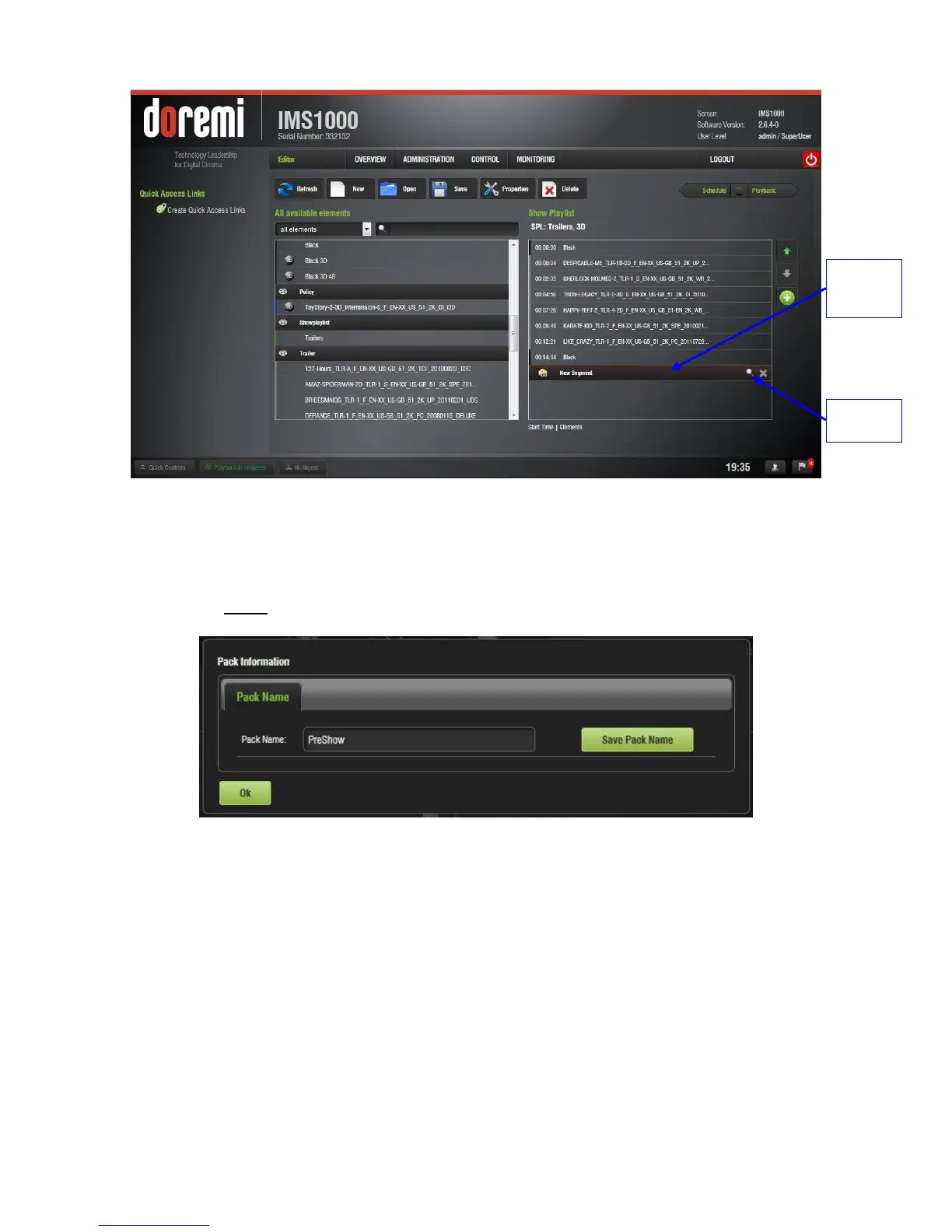
Figure 239: New Segment
To rename the segment, highlight it and click on the Properties icon on the right (Figure
239). Click the Save Pack Name button to save the name.
o Substitute any spaces with an underscore.
o Note: Within the same SPL, each segment must have a different name.
Figure 240: New Segment Naming
Use the up and down arrows to rearrange the segment (Figure 241).
Several segments can be added into a SPL (Figure 241).
To delete the segment, highlight it and click on the delete button to the right (Figure
241).



 To Next Page