IMS.OM.002949.DRM Page 206 of 310 Version 1.4
Doremi Labs
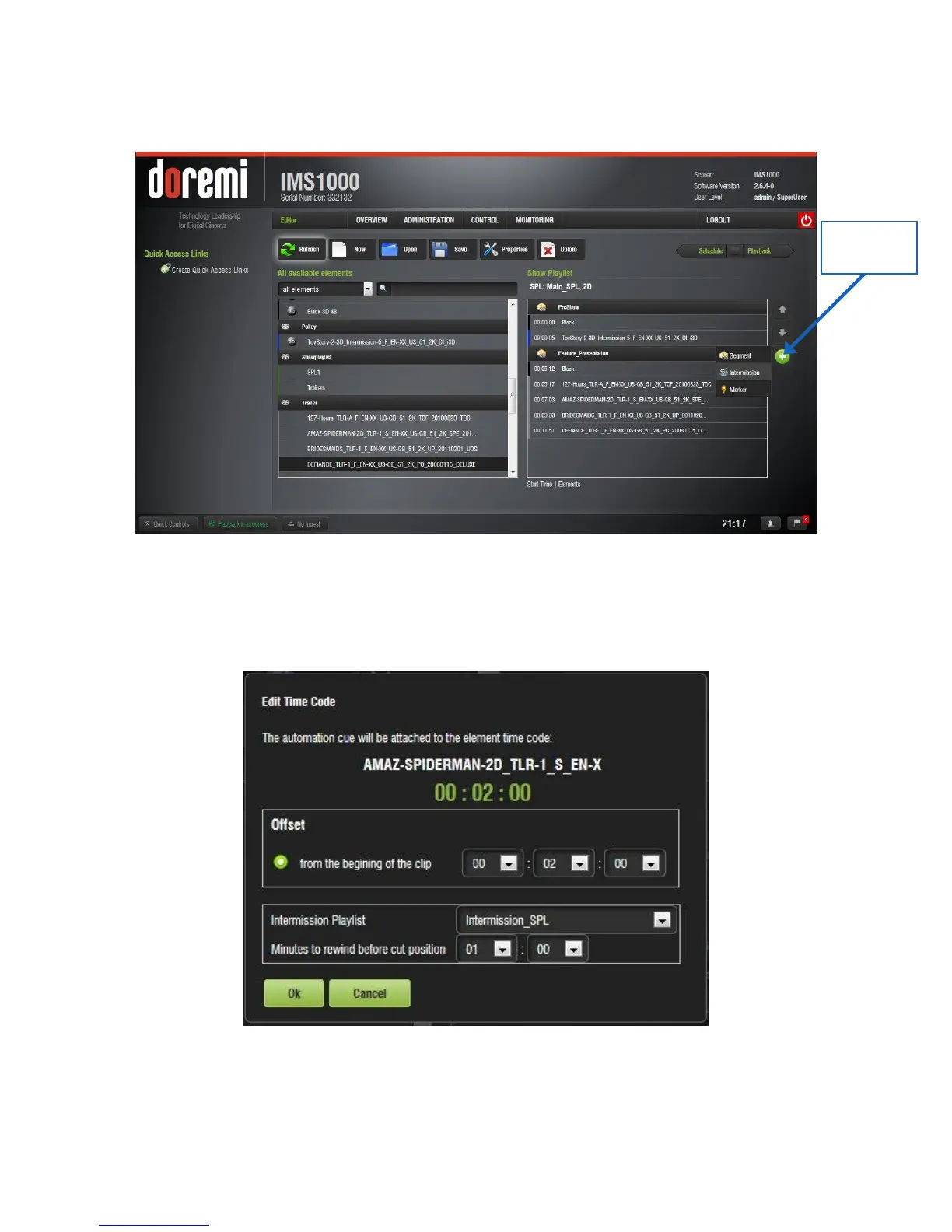
Select the CPL to attach the Intermission SPL to and click the Plus (+) button. In the
drop-down that appears, select Intermission (Figure 251).
Figure 251: Intermission Drop-Down
In the window that appears, select the preferred offset position time code, the
Intermission Playlist from the drop-down of SPLs, and the amount of time to rewind the
SPL before the cut position (Figure 252). Click Ok.
Figure 252: Edit Intermission Window



 To Next Page