IMS.OM.002949.DRM Page 56 of 310 Version 1.4
Doremi Labs
For each HDD, press on the silver release lever on the front side in order to release the
spring loaded HDD carrier handle (Figure 46).
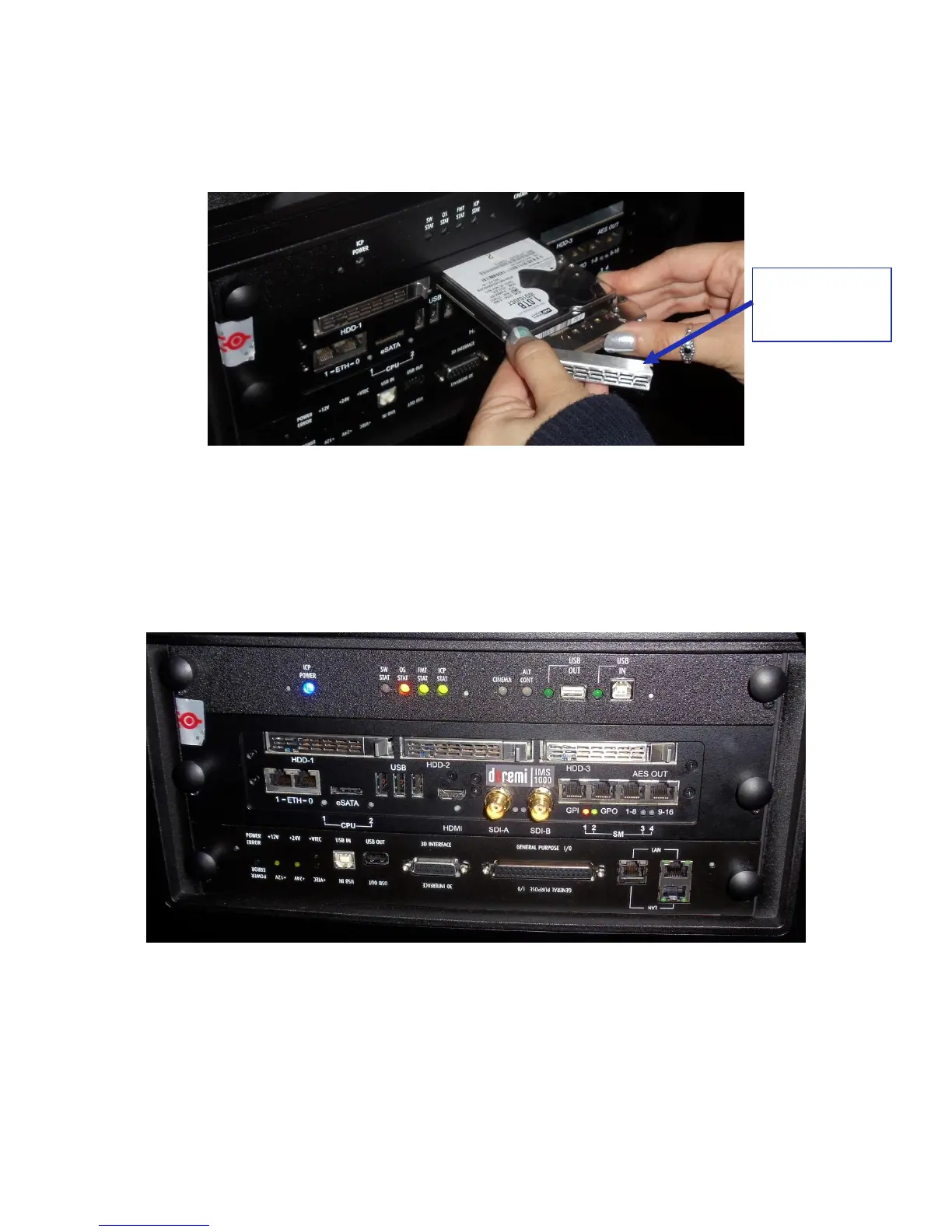
With the carrier handle open, insert the drive all the way into the chassis cage (Figure
47).
Figure 47: HDD Insertion
Close the silver HDD carrier handle until you hear an audible click and the release tab
has locked the HDD into place.
Repeat for the other two HDDs.
The HDDs properly installed will look like the image presented below (Figure 48).
Figure 48: HDDs Inserted
Spring Loaded
HDD Carrier
Handle



 To Next Page