IMS.OM.002949.DRM Page 62 of 310 Version 1.4
Doremi Labs
The numbered buttons should flash green if you have entered the password correctly.
Allow about a minute for the tamper errors to clear.
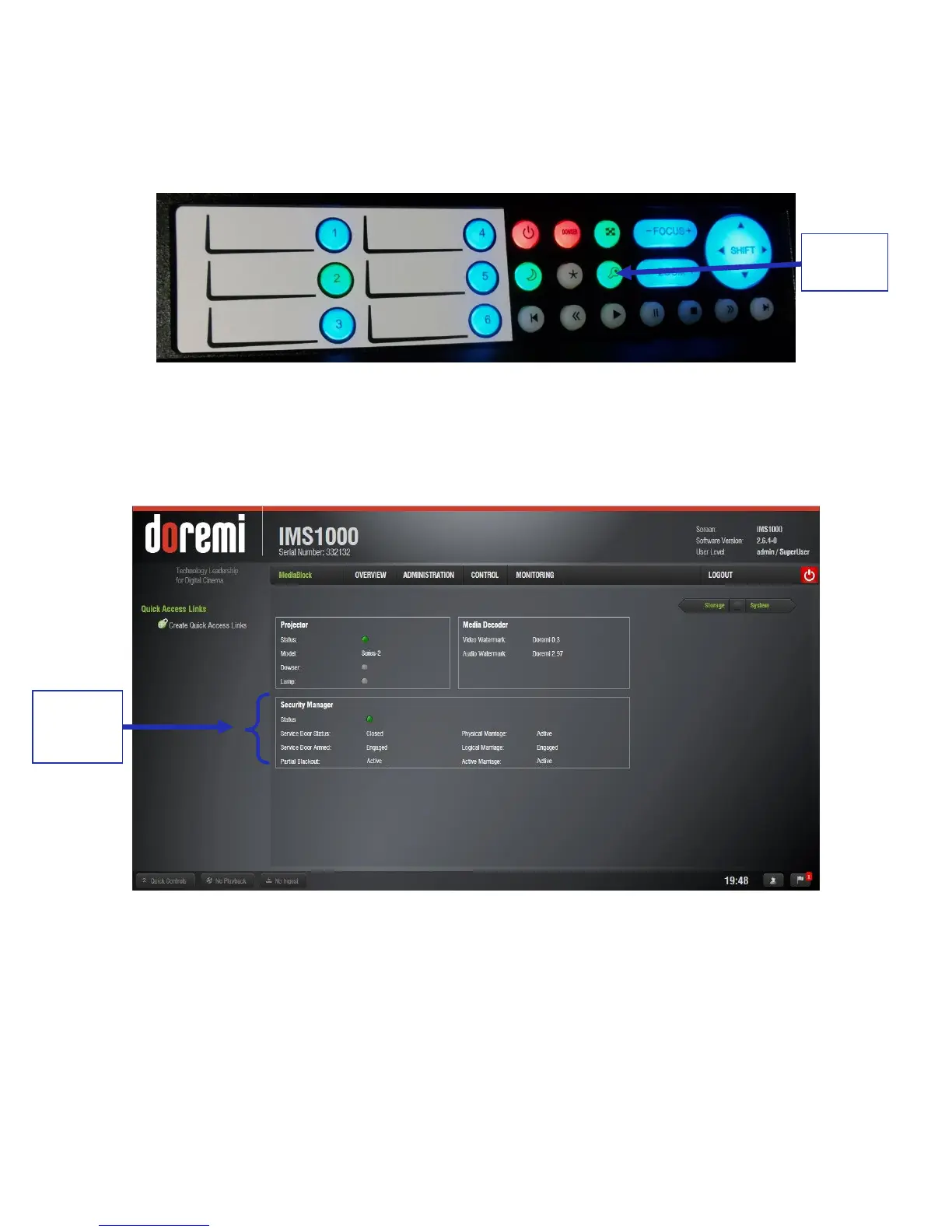
Once the marriage has been completed, the Key button will turn green (Figure 59) and
the taillight will also turn green.
Figure 59: Green Key Button
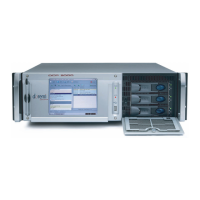
To ensure that the marriage was completed correctly, on the IMS1000 GUI, go to Monitoring →
Diagnostics → Media Block. The Security Manager section should appear as it does below
(Figure 60):
Figure 60: Security Manager Section
Marriage is now complete.



 To Next Page