IMS.OM.002949.DRM Page 72 of 310 Version 1.4
Doremi Labs
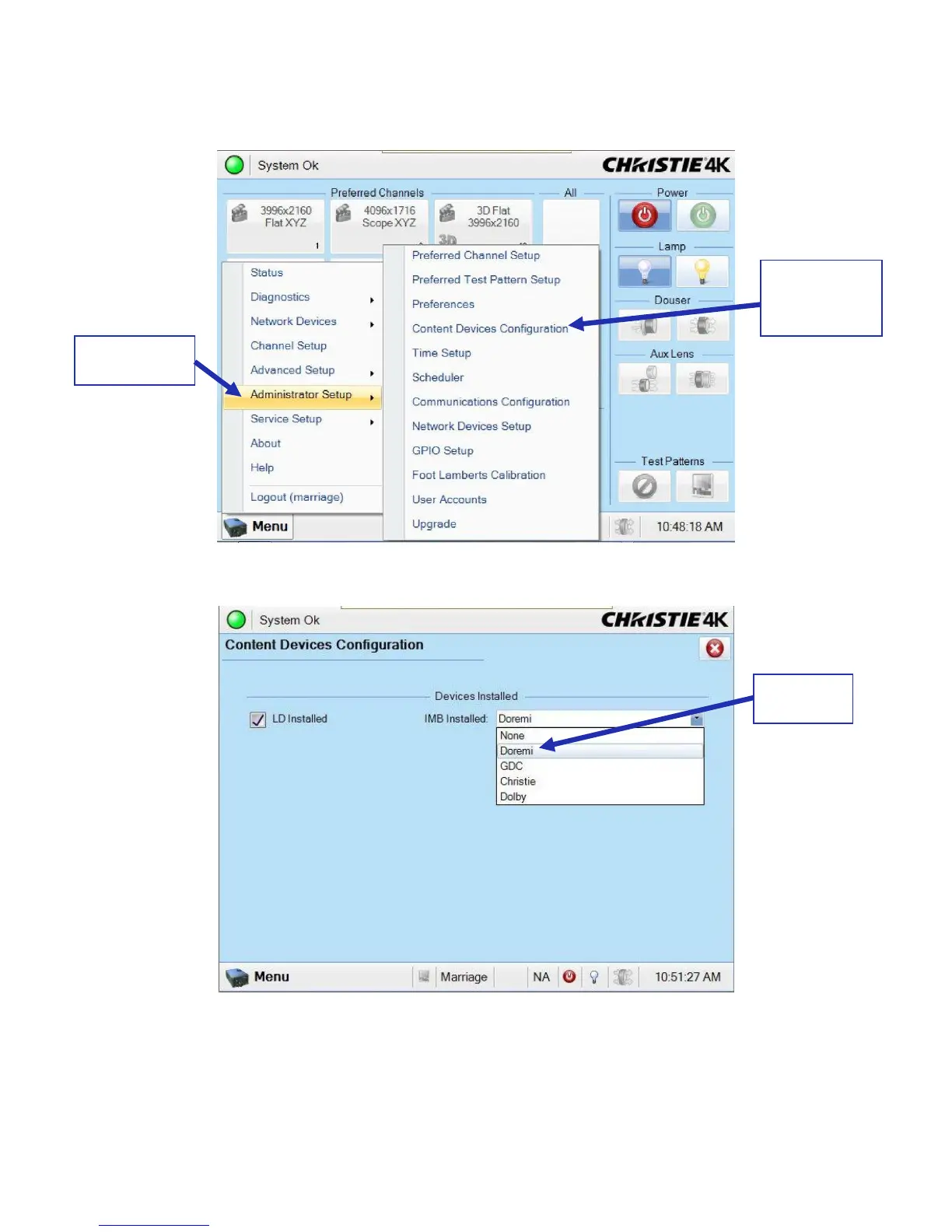
● Go to Menu → Administrator Setup → Content Devices Configuration (Figure 76). From
the drop-down menu, make sure that Doremi is selected (Figure 77).
Figure 76: Content Devices Configuration
Figure 77: Drop-Down Menu
● Turn the projector on by pressing the green Power button on the touch panel controller
(Figure 78). After about two minutes, the projector will be fully powered on.
Content
Devices
Configuration



 To Next Page