D 30 30
Ultrasonic auger limit switches (left
and right) - conventional version
A
The limit switches control the material
flow at the relevant half of the auger
without contact.
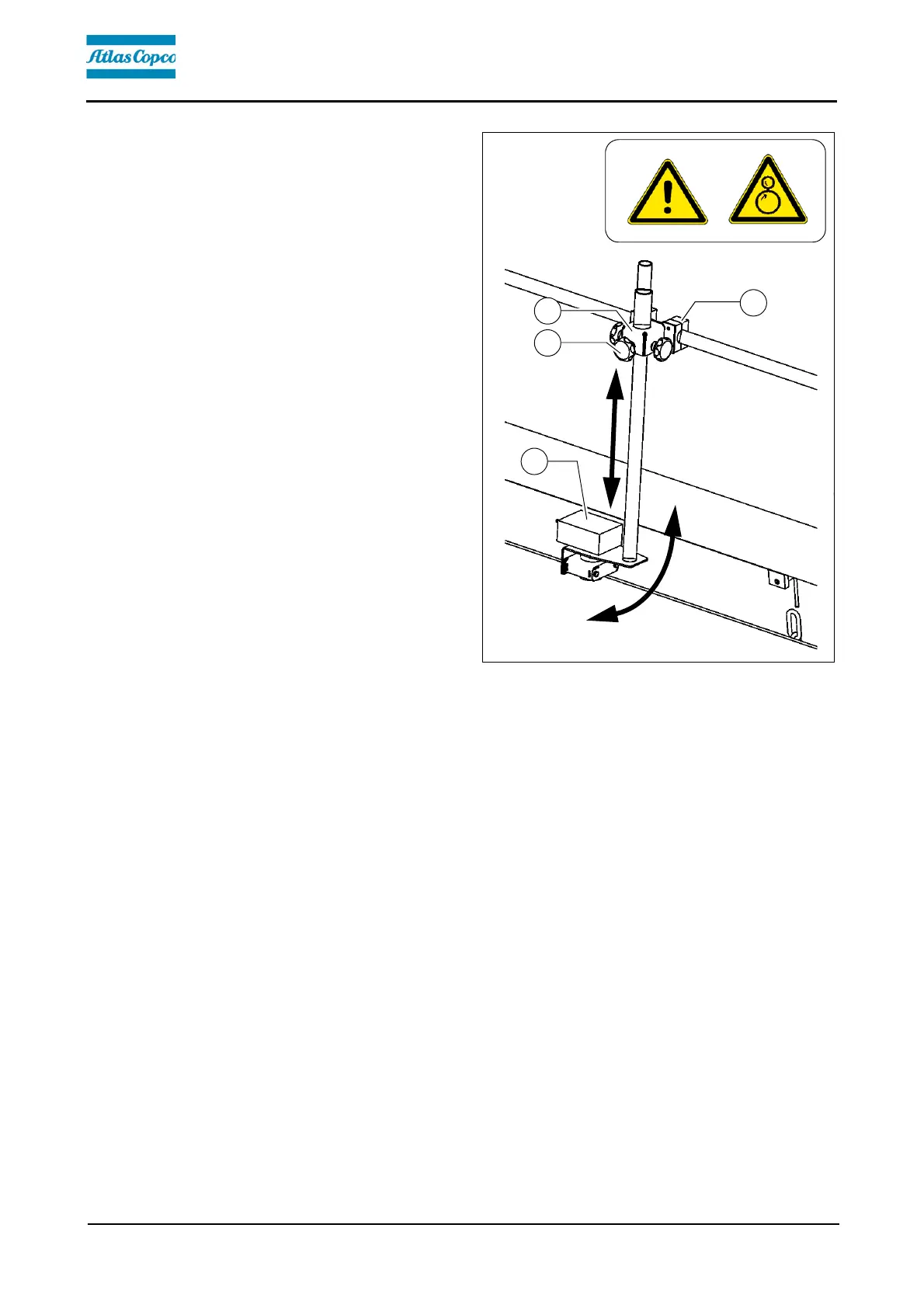
The ultrasonic sensor (1) is secured to
the side shield via a bracket (2).
- To adjust the sensor angle, loosen the
clamps (3) and swivel the bracket.
- To set the sensor height / the deacti-
vation point, loosen the star handles
(4) and adjust the linkage to the re-
quired length.
- After adjusting, retighten all mounting
parts properly.
A
The connection cables are connected to
the relevant sockets on the remote con-
trol bracket.
A
The sensors should be adjusted so that
2/3 of the augers are covered with the
paving material.
A
The paving material must be conveyed over the full working width.
A
We recommend adjusting the limit switch positions during material distribution.


 To Next Page