F 60 10
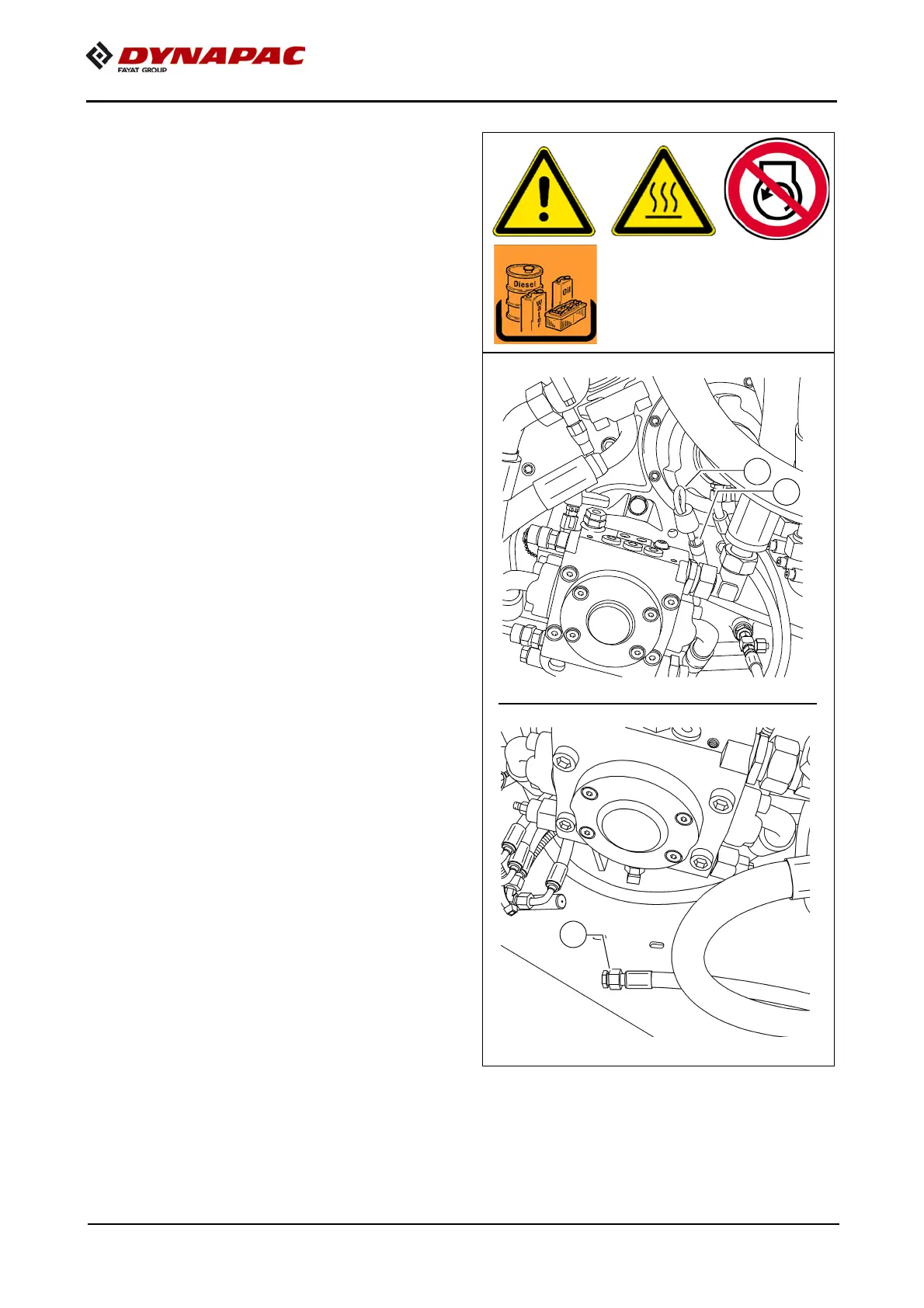
Pump distribution gear (4)
- Oil level check on dipstick (A).
A
The oil level must lie between the upper
and lower marks.
For filling in the oil:
- Pull out the dipstick (A) completely.
- Add new oil through the dipstick open-
ing (B).
- Check the fluid level using the dip-
stick.
A
Before checking with the dipstick, wait
for a moment, as the oil which has been
poured in first has to flow off.
m
Make sure to clean the screw and the vi-
cinity of the drain bore!
Oil change:
- Place the end of the oil drain port hose
(C) in the collection container.
- Remove the screw cap with a wrench
and allow the oil to drain completely.
- Replace the screw cap and tighten
properly.
- Pour in the prescribed quality of oil
through the dipstick opening (B).
- Check the fluid level using the dip-
stick.
A
The oil should be changed when at oper-
ating temperature.


 To Next Page