8. Vector Chart Material
8-38
8.5.5 Removing an S57 chart cell from the system
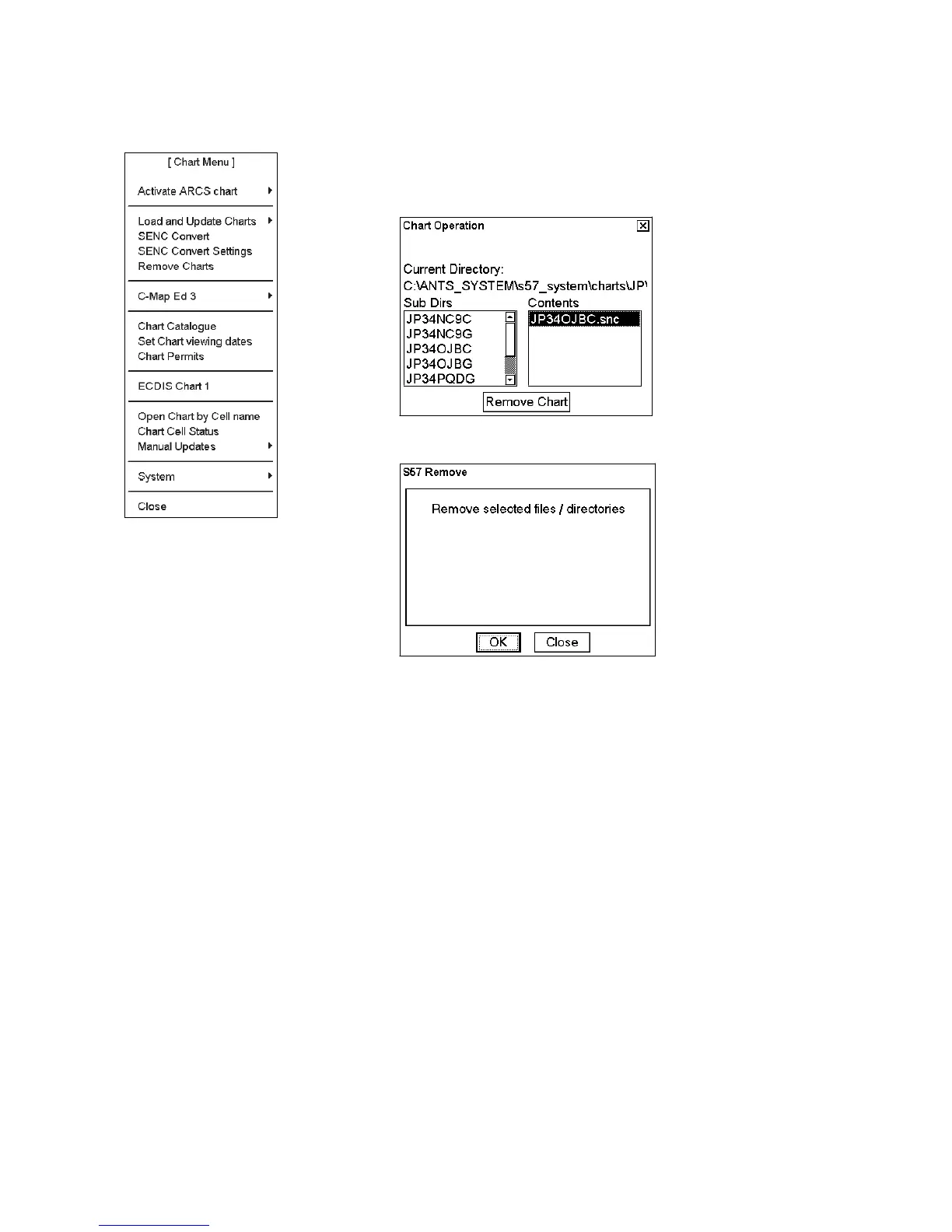
To remove an S57 format vector chart cell from the system, do the following:
1. Choose Remove Charts from the Chart menu.
2. Choose chart cells to remove from the system. You can remove Base
cell (000), updates (001…) and SENC format (snc).
Click the Remove Chart button.
3. Click the OK button to remove the chart chosen.
The system will remove file(s) from the hard disk.



 To Next Page