Appendix 4: C-MAP CM-93/3 Charts
AP-31
A4.5 CM93/3 Database
There are three different CM93/3 Databases that can be loaded into ECDIS:
• CM93/3 Professional, available on CD-ROM
• CM93/3 Professional +, available on DVD
• CM-ENC, available on DVD
Note: CM-ENC is not yet available.
A4.5.1 Load of CM93/3 database to ECDIS
Charts are available on CM93/3 professional CD ROM. To load them from CD to ECDIS, proceed as follows:
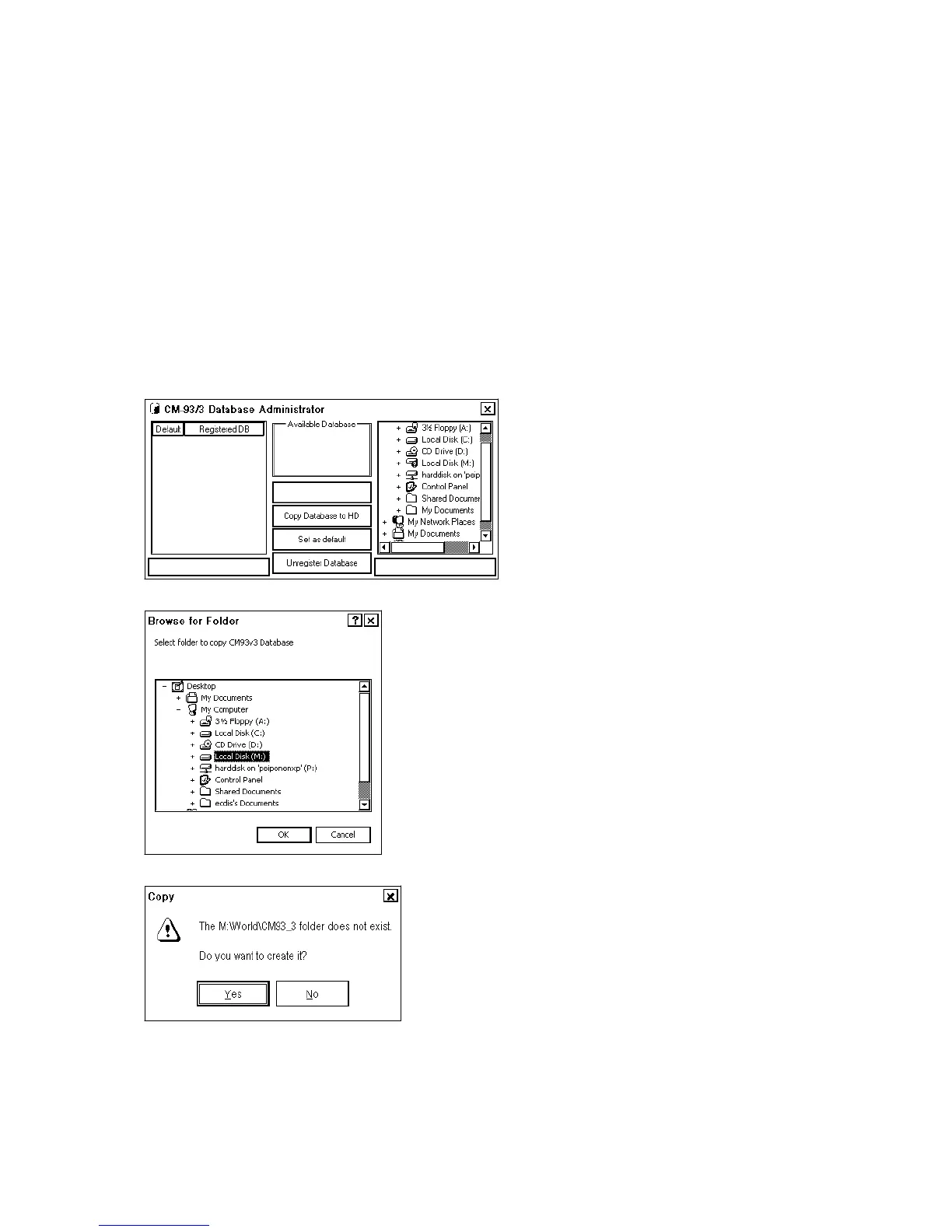
1. Menu → Chart Menu → C-MAP Ed3 → Load and register for use
Following dialog box appears, insert CD ROM.
2. Click the Copy database to HD button and select drive M:\
3. Click the OK button. If there is no folder available, the following dialog box appears.


 To Next Page