8. Vector Chart Material
8-49
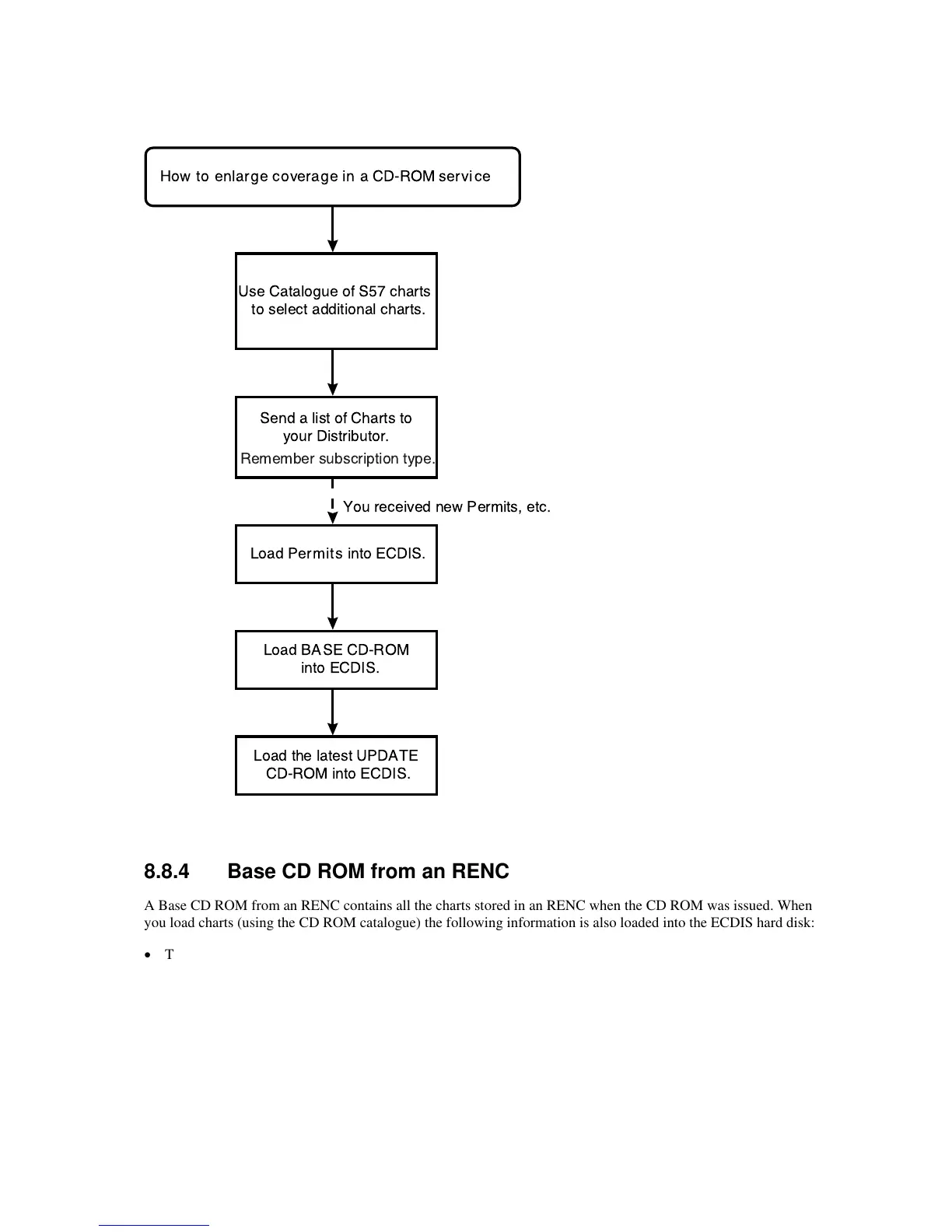
8.8.3 Enlarging chart coverage using an RENC
Send a list of Charts to
your Distributor.
Use Catalogue of S57 charts
to select additional charts.
How to enlarge coverage in a CD-ROM service
Load
Permits
into ECDIS.
Load
BASE
CD-ROM
into ECDIS.
Load the latest
UPDATE
CD-ROM into ECDIS.
You received new Permits, etc.
Remember subscription type.
8.8.4 Base CD ROM from an RENC
A Base CD ROM from an RENC contains all the charts stored in an RENC when the CD ROM was issued. When
you load charts (using the CD ROM catalogue) the following information is also loaded into the ECDIS hard disk:
• The Content Summary of the Base CD ROM
• Publisher Notes
• Product List
When you receive a new Base CD ROM from an RENC, load charts into the ECDIS as follows:



 To Next Page