9. Raster Chart Material
9-5
9.2 Datum and ARCS Charts
9.2.1 Difference between ARCS chart local datum and positions in
WGS-84 datum
The difference between ARCS chart local datum and WGS-84 datum is known as WGS-84 Shift. For most of the
ARCS charts this is known and the system can do the conversion automatically. For some ARCS chart, however,
this is unknown and the operator must define the shift. For some ARCS charts this is partially known and the
operator is responsible for defining the shift for the unknown areas of partially known ARCS charts. For further
details, see "Specifying operator WGS-84 shift" on page 9-9.
Further, see "Use with GPS" in the ARCS Navigator User Guide.
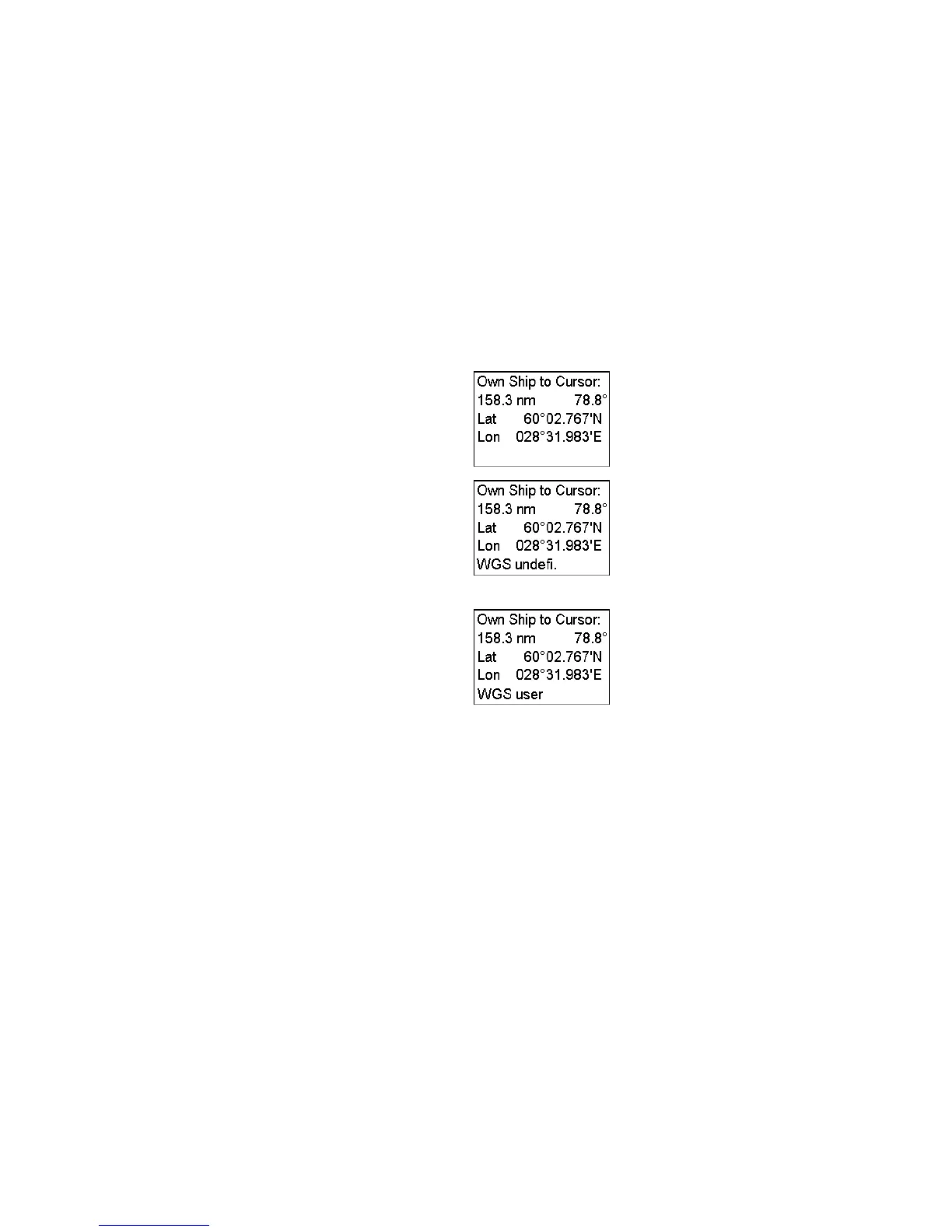
How the state of WGS shift is indicated permanently
No warning appears in the cursor window. The
cursor position is shown in the operator-chosen
working datum. (See section 13.3 Choosing Datum.)
The warning WGS undefi. appears (in red) in the
Cursor window.
The system still operates in the operator-chosen
working datum. However, the system is unable to
correctly do the transformation between local paper
chart datum and the operator-chosen working datum.
The warning WGS operator appears (in red) in the
Cursor window.
The system still operates in the operator-chosen
working datum. However, the system uses the
operator-defined WGS shift to perform the
transformation between local paper chart datum and
the operator chosen working datum.
Checking WGS shift status of current chart
The ARCS chart legend contains a WGS shift status field. (To display the ARCS chart legend, put the cursor in the
Sidebar, confirm that the mouse functions area shows Select Sidebar, push the right mouse button, choose Chart
Legend then push the scrollwheel.)


 To Next Page