11. Chart Alarms
11-14
11.7 Chart Alarm Using ARCS Charts
In case of ARCS charts, the operator can define danger areas by using a user chart. The system can use user chart
symbols, lines and areas and calculate chart alarm from this material. For further details, see Chapter 15 User Chart
Control.
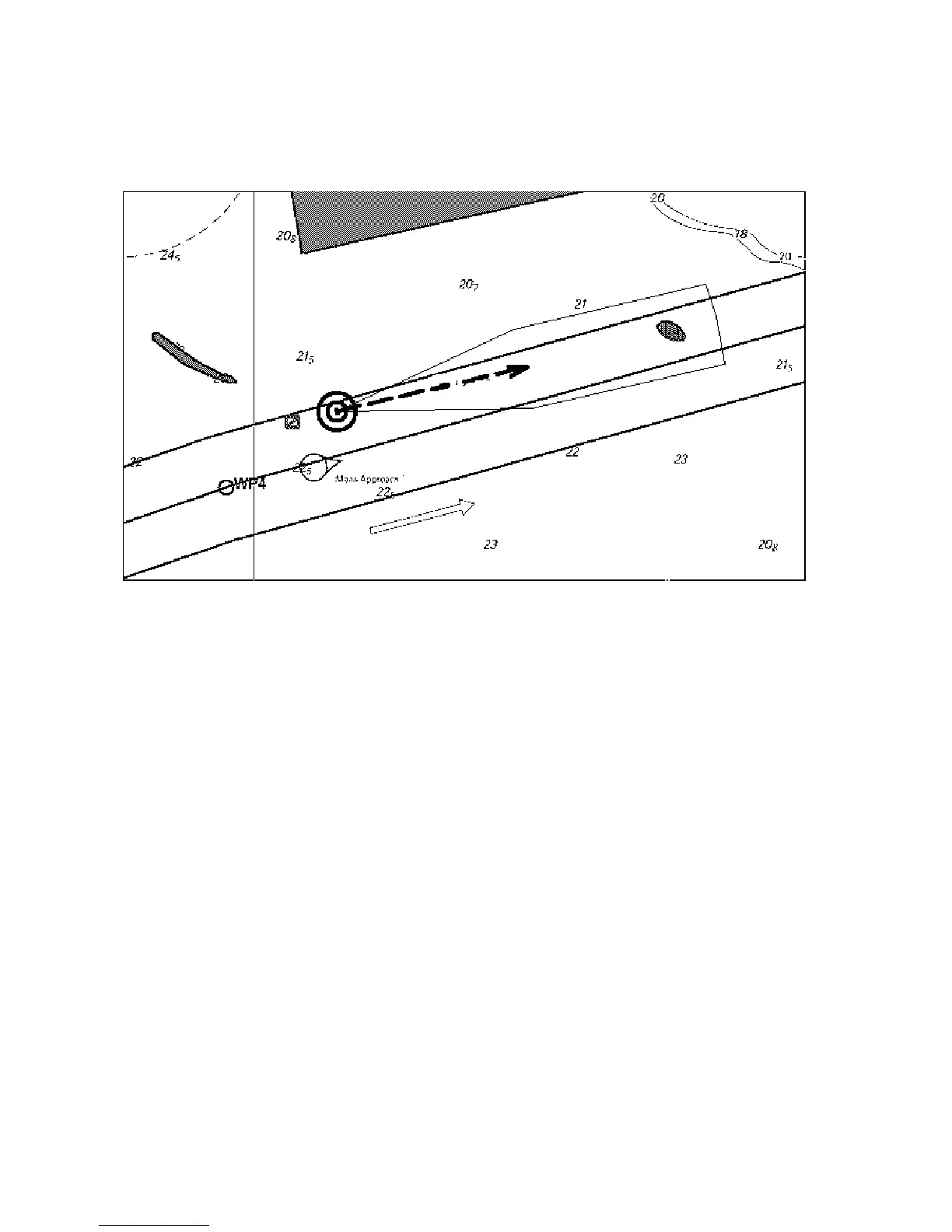
This figure shows chart alarm used with an ARCS chart. The chart alarm calculation is done with route and
predicted movement area of your ship.
To get chart alarm with a user chart, when you start planning of next voyage, do the following:
1. Create a new user chart or choose an existing one in which has been defined symbols have been defined, lines
and/or areas for chart alarms. See section 15.6 Creating a User Chart for how to create a user chart.
2. Check that "Chart Alarm Warning Area" is set for display. See section 11.2.3 Highlighting chart alarms for the
procedure.
3. Choose user chart danger area indication or alarm position. See section 11.2.2 "Choosing objects used in chart
alarms" for the procedure.
4. In the route planning mode, define a new route or choose an existing one. Make chart alarm for the route if
there are indications of danger areas along the route. Modify your route if necessary. See section 11.5 Route
Planning.
5. Choose route as monitored route, by using Exchange with Monitored in the Route menu.
6. Set watch sector for your ship. See section 11.4 Activating Own Ship Check for the procedure.
The system is ready for chart alarms based on user chart for monitored route, planned route and your ship.



 To Next Page