13. Route Planning
13-6
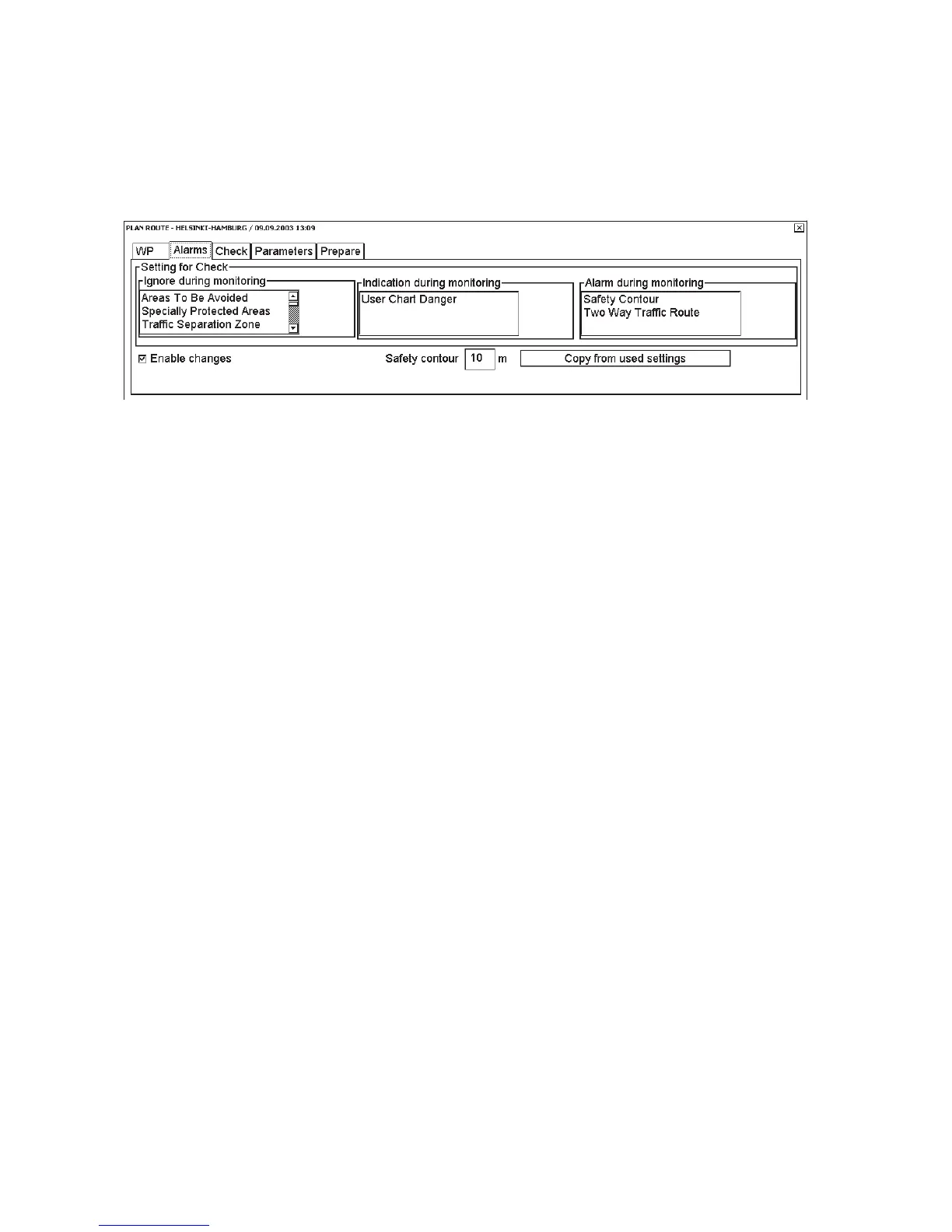
13.4.2 Alarms page
The Alarms page lets you define conditions along a route for which you want to be alerted, by visual or audible
indication. (You cannot get both visual and audible indications for a condition.) You can choose safety contour and
chart alarms used to check the safety of the route. This allows you to check safety with conditions different from
those chosen for system use. This is useful when making a route for different loading or sailing conditions.
Enable changes Check here in order to enable editing.
Note: A route may only be modified when using the north-up or course-up mode.
Ignore during monitoring Chart objects in this list box are not used for chart alarm calculation.
Indication during monitoring Chart objects in this list box are used for chart alarm calculation. Only the visual
alarm is released.
Alarm during monitoring Chart objects in this list box are used for chart alarm calculation. Both visual and
audible alarms of chosen chart objects are generated by the system.
Safety contour Deep contour chosen for chart alarm calculation
Copy from used settings Copy system settings to here.



 To Next Page