29. Steering With YOKOGAWA Autopilot PT-500A
29-5
29.4.4 Activating route steering
Activate route steering by selecting mode "NAVI" in the YOKOGAWA autopilot panel.
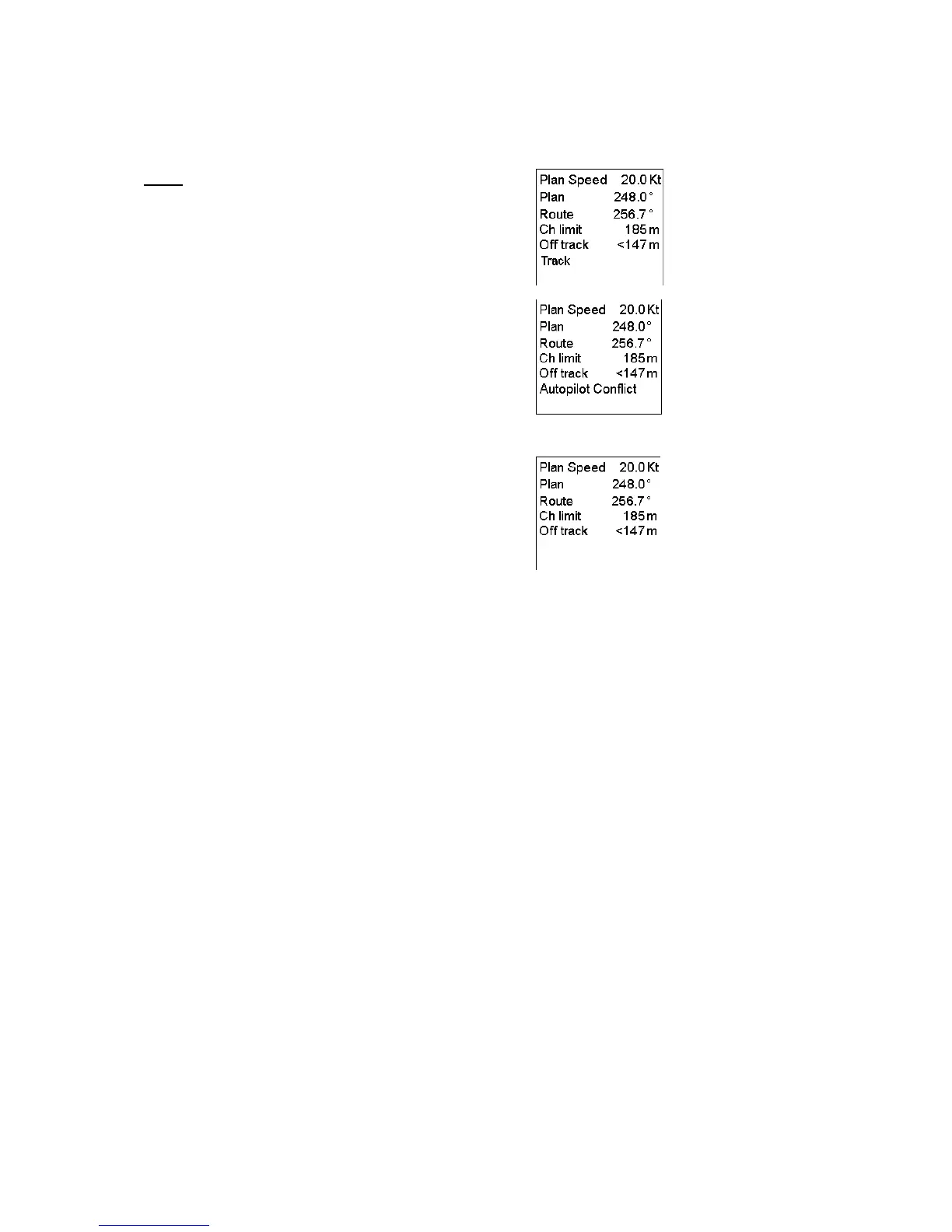
Track
If "NAVI" is selected, indication "Track" appears in Route
Monitor window of ECDIS display.
If the ECDIS did not accept the requested route steering mode,
then there is an "Autopilot Conflict" indication in Route
Monitor window of the ECDIS Display.
Also alarms "2470 Disabled: Needs filter on" and "2471 AP
mode Conflict - Use AUTO" appear.
In YOKOGAWA steering control unit text "Caution-01
CHANGE TO AUTO" appears with buzzer sound.
When route steering is not used, there is an empty indication in
Route Monitor window of the ECDIS Display
There are several reasons why the requested route steering mode cannot be accepted:
Alarm "2470 Disabled: Needs filter on" informs you that you didn't have the Kalman filter operative and selected
in ON position at the time of request. Route steering requires that you use Kalman filter, because the filter
eliminates sudden jumps of the position and thus prevents unpredictable maneuvers of your ship. Check your
selection of the sensors. See more information at Filter Operation
Alarm "2490 Disabled: Needs log sensor" informs you that the Kalman filter did not have an independent speed
source. You need either a log, a dual-axis log or two position receivers. Check your selection of the sensors. See
more information at Filter Operation
Alarm "2468 Disabled: Out of course" informs you that the current heading of your ship and the required set
heading to start the route steering has more difference than set by the operator in the Route start limit angle of
Route Parameters.
Alarm "2471 AP mode Conflict - Use AUTO" informs you that ECDIS and YOKOGAWA autopilot cannot
perform route steering mode. First change mode from "NAVI" to "AUTO" then check that preconditions for route
steering are fulfilled.
Alarm "2477 Disabled: Out of channel" informs you that the current location of ship is not inside channel of
monitored route.
Alarm "2464 Route: No selected route" informs you that there is no route selected for route monitoring.
Alarm "2465 Route: Illegal WP" informs you that the there is a route selected for route monitoring, but the
selection of the next or final waypoint is missing or illegal.



 To Next Page