4. Control Units
4-10
4.4.4 Calling menus and functions by the mouse buttons
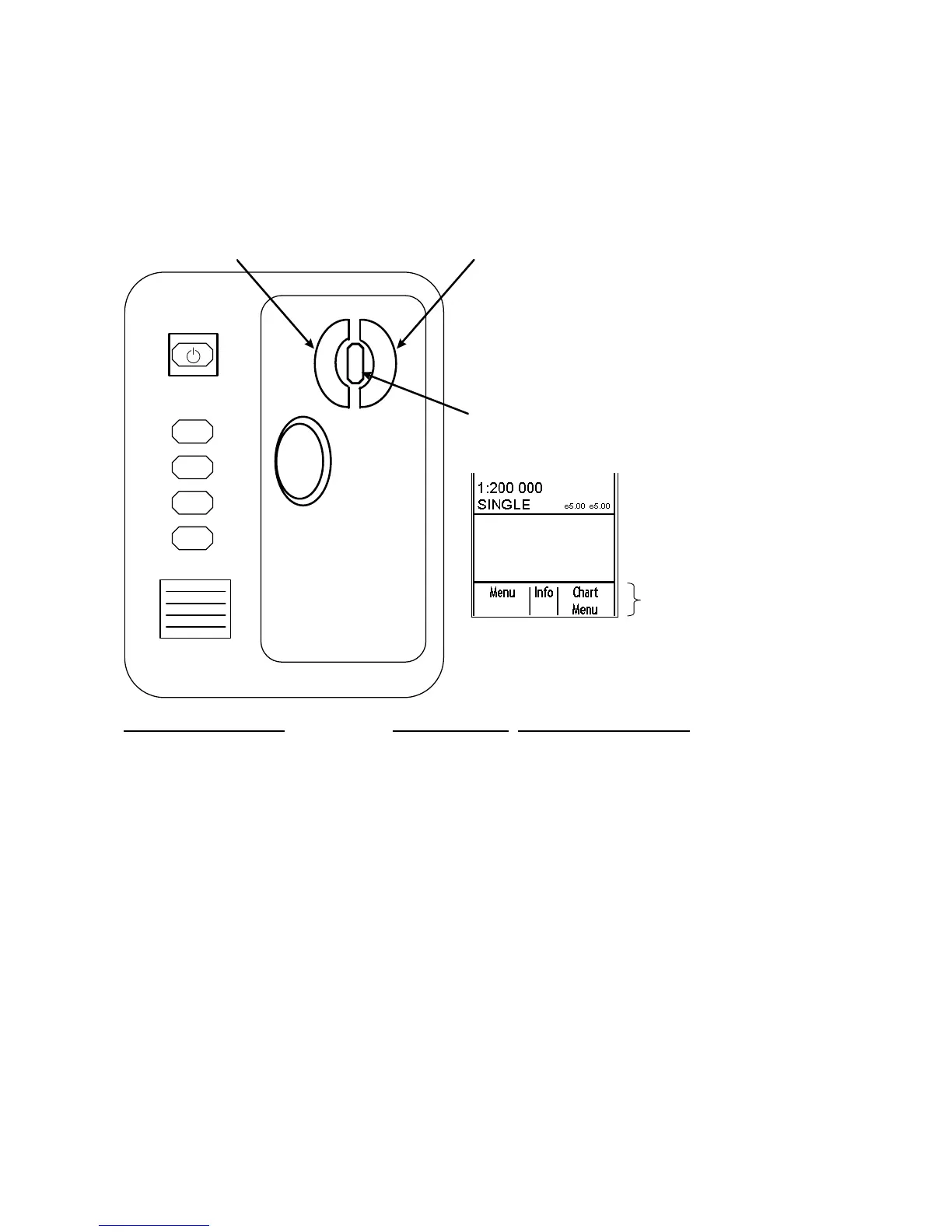
The mouse buttons can be used to call menus or functions on the display. At the lower right corner of the display the
mouse functions area displays available function or menu name, as shown in the figure below. Spin the scrollwheel
to choose menu or function desired, then push the left mouse button, scrollwheel or right mouse button as
appropriate to access the menu or function desired. Available menus and functions depend on cursor location. (For
more information, see section 3.3 User Interface.)
F1
F2
F3
F4
Left Button
Right Button
Scrollwheel
Mouse functions area
LEFT MOUSE BUTTON
SCROLLWHEEL RIGHT MOUSE BUTTON
Menu Info Chart Menu
Range- Info Range+
TM Reset Info ShipOffcenter
Event Info MOB
Set Chart Center Info Activate Scroll
Show Value Info Nav Marks
Chart Display Info Standard Display
Using the functions shown in the figure above as an example, the available functions with the mouse are as follows:
• "Menu" by pushing left mouse button
• "Info" by pushing scrollwheel
• "Chart Menu" by pushing right mouse button



 To Next Page